B2B E-Commerce
A Practical Guide to Creating a Unix
Based
Electronic Commerce Application
in the Financial Services Industry.
By Dr. Dennis J. Shilling, Ph.D.
June 4th 2001
TABLE OF CONTENTS
INTRODUCTION
1. ELECTRONIC COMMERCE
Description
History
Transaction Types
2. THE INTERNET & WORLD
WIDE WEB
The Internet
Internet Service
Providers
Connection Methods
Internet Architecture
The World Wide Web
LANS and WANS
3. HARDWARE AND SOFTWARE
SCO UNIX
Apache Virtual Domains
UBL
CGI Scripts
Perl
Mutt
Application Servers
Server Software Installation
Integration
4. APPLICATION DEVELOPMENT
Financial Services & Printing
Manufacturing Data
Northstar Web Site
Main Pages, Location Page, News Pages
Feedback Form, Forms Catalog, Account Inquiry
Update Processing
Mail List, Order Header, Order Detail, Invoice Header
Invoice Detail, Inventory Master, Bin Detail
PDF Image Files
INTRODUCTION
The purpose of this paper is to provide the reader with information related to the design; development and implementation of a Unix based Electronic Commerce application. This paper represents the actual development used by Northstar Computer Forms and it’s subsidiary companies, Northstar Financial Forms, General Financial Supply, and Western Financial Suppliers and can be found on the Internet at www.nscf.com, www.nsff.com, www.genfinsup.com, www.micrlink.com, and www.cachmanagementsupply.com.
This paper is divided into
four sections. These sections will provide a basic knowledge of Electronic
Commerce, the Internet and World Wide Web, the hardware and software systems
used in the application development, and finally the development of the actual
business-to-business connections used by Northstar on their websites. Internet
links to the third party software suppliers used in the development are
provided along with sample programs, scripts, and information flow diagrams. It
is my intent to show the reader how he might develop an electronic commerce
application using these tools, but is not intended to be the only information necessary
to complete the project. A basic knowledge of Unix, computer programming,
system design, and application development is assumed. Some of the programs and
scripts shown here are proprietary in nature and are protected by copyrights
held by the developer. These programs may not be used without the written
consent of the author. You may contact me at denniss@nsff.com
or at the address below, with any questions that you have concerning this paper
and the development of this application.
Dr. Dennis J. Shilling,
Ph.D.
M.I.S. Director
Northstar Computer Forms
(716) 763-0272
ELECTRONIC COMMERCE
DESCRIPTION
Depending on whom you ask, electronic commerce has different definitions. From a communications perspective, it is the delivery of information, services, or payments via telephone lines or computer networks. From a business perspective it is the application of technology in the automation of business transactions and workflows. From an online perspective electronic commerce provides the capability of buying and selling products over the Internet. From a service perspective it provides tools dedicated to customer relationships. For the purposes of this paper I will confine the meaning to the service perspective, that being the application of technology toward the automation of service related transactions between the customer and manufacturer or service provider. To put it simply, electronic commerce in the service perspective is a tool that is used to cut the cost while improving the quality and more importantly the speed of customer service.
Electronic commerce endeavors to improve the execution of business transactions by using computer networks and applications. The effect of using electronic commerce is greater customer satisfaction, better corporate decision-making, greater economic efficiency, and the more rapid exchange of information. More specifically, electronic commerce enables the execution of information-laden transactions between two or more parties using an interconnected network of intelligent devices.
Business-to-business transactions are the exchanges that occur when one economic entity sells a product or service to another. These transactions are transmitted, collected, and managed by transaction management software, which organizes, routes, processes, and tracks these transactions. The business rational for using electronic commerce can be explained by the simple equation: profit=revenue-cost. Businesses use technology to either lower cost or increase revenues. Depending on how it is applied, electronic commerce can increase revenue by opening new markets for products or by establishing new service delivery channels to better service the customer. It is often noted that making customer service easier, results in better customer satisfaction, and that will in itself will have the effect of increasing sales or at lease help to increase customer loyalty. Customer loyalty in turn will lead to increased sales. The conclusion is simple; a successful business in today’s market must provide electronic commerce.
HISTORY
Electronic commerce took on the form of Electronic Data Interchange (EDI) in the early 1970’s and was developed for two distinct purposes, financial and non-financial transaction processing. Early development was slow and fragmented for the first decade until sufficient interest forced a move to standardization. The American National Standards Institute (ANSI) took on the challenge and chartered financial EDI in 1979. The Accredited Standards Committee (ASC) a division of ANSI and a voluntary group from industry and banking, created the ASC X12 standards for the exchange of Invoices, Tax Returns, Payment Advices, Remittance Advices, and other financial exchange documents. The ASC X12 EDI was well accepted in the financial industry, reducing costs and reducing the number of days to process transactions. Non-financial industries were not as aggressive in the development of EDI processing mainly due to variations in the computer systems, in the manufacturing environments, and differences in product and market offerings. The most widely used form of non-financial EDI was in inventory procurement for the automotive industry. Other mass-production applications, where long-term use could offset the high cost of the development, also adopted some type of EDI.
By the late 1980’s as mini-computers became more affordable, many businesses turned to EDI as their electronic commerce platform. Paper manufactures and distributors became involved in EDI during the 1980’s. As a software developer in that industry I was directly involved in this area of EDI, but EDI exchanges from the paper manufacturers did not make significant connections to the end user markets, in particular to the forms manufactures. This lack of effectiveness was mainly due to the high cost of setting up and maintaining EDI processing on mini-computers at that time. Transaction processing was mainly performed using modem connections to Value Added Network service providers (VANs), and was generally associated with substantial monthly and transaction processing fees. EDI is still in widespread use today, however the use of the VAN is no longer required.
By the late 1980’s a new form of electronic commerce took root in American business known as Electronic Messaging Technologies (EMT). Electronic messaging technologies streamlined business processes by reducing paperwork and increasing the speed of communications. A prominent example of such a system was Lotus Notes. This type of electronic commerce, also known as groupware, allowed users to collaborate and exchange workflow information, but did not address business-to-business or business-to-consumer transactions. As time went on EMT became obsolete and was replaced by better developments.
In the 1990’s, with the advent of the World Wide Web (www or web) on the Internet, new electronic commerce technology developed at an increasing rate. Electronic Publishing (EP), Electronic Mail (Email), and direct transfer of files using the newly developed File Transfer Protocol (FTP) became available to nearly all businesses. This new technology opened up a variety of methods to develop business-to-business, and business-to-consumer connections. The Web has enabled small businesses to compete on a more equal technological footing with the resource rich multi-national companies, and has resulted in a whole new industry dedicated to supporting electronic commerce. By the end of the 1990’s over fifty percent of all companies were conducting business transactions of some type over the Internet.
TRANSACTION TYPES
There are three distinct types of electronic
commerce, business-to-business (B2B), intra-organizational, and
business-to-consumer (B2C). Business-to-business or inter-organizational
electronic commerce helps companies reduce the number of suppliers by creating
business partnerships. This results in lower costs and shorter purchase order
cycle times. Business-to-business inventory management helps eliminate out of stock
conditions while reducing inventory levels, improving inventory turns, and
reducing storage costs. Electronic payment applications link companies with
suppliers and distributors so that payments can be sent and received
electronically. Electronic payment processing reduces clerical errors and
lowers transaction fees while reducing the number of days between invoicing and
payment, improving cash flow.
Intra-organizational
applications help the company maintain relationships that are critical to
delivering superior customer service. By paying close attention to the
integration of the various functions within the organization, information is
readily available for dissemination to all departments. This communication
results in better-informed employees. One particular area where this sharing of
information becomes valuable is in the transfer of data from sales and
marketing to production applications. This sharing of information is extremely
important in scheduling for on time promised deliveries.
Business-to-consumer
electronic commerce focuses on the transactions that allow a customer to
purchase products on-line and pay with electronic cash or other secure payment
systems. With consumers constantly demanding greater convenience and lower
prices, electronic commerce answers the demand by offering the convenience of
on-line services such as catalog shopping and telephone banking, both
eliminating the need for high cost retail branches. Electronic buying in many
cases eliminates the intermediary sales channels thereby reducing the overall
cost to both the manufacturer and the consumer.
THE INTERNET, ISP’s AND THE WORLD WIDE WEB
THE INTERNET
The Internet began in 1969 as part of the Advanced Research Project
(ARP) of the US Department of Defense (DOD). Initially the ARP team linked
together the mainframe computers at Stanford University Research Institute
(SURI), the University of California at Los Angeles (UCLA), the University of
California at Santa Barbara, and the University of Utah. The initial goal of
the project was to create a network enabling the safe transmittal of data
between military computers using redundant communication routes to ensure data
transfer in the event of war. In addition the computer functions were
decentralized so that no single computer failure would render the system
unusable. The success of the project demonstrated the usefulness of computer
networks over great distances. Over the next few years other government
networks were hooked up and ARPNET was created. By the early 1980’s with the
addition of hundreds of smaller networks, the Internet was officially born. The
National Science Foundation (NSF), an agency of the US government, strictly
controlled access to the newly created Internet. In these early years the
Internet had no commercial purpose, and was not designed to provide any, but
was widely used for military, technical, academic, and scientific purposes. In
1991 the NSF opened up the Internet for commercial traffic and ultimately to
the creation of the World Wide Web. The following chart shows the growth in
numbers of servers on the Internet and the resulting communications bandwidth.
Bandwidth is the ability of the network to handle data transfer in bits per
second often referred to in kilobits or megabits per second. I have also shown
the growth in users and websites, beginning in 1994 when the Internet was
opened to the general public.
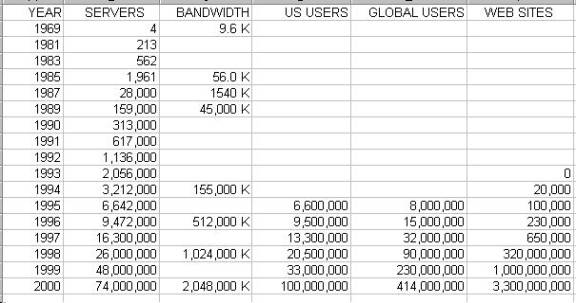
INTERNET GROWTH CHART
INERNET SERVICE PROVIDERS
Internet Service Providers (ISPs), provide access to a point of
presence (POP) on the Internet for millions of users both businesses and
individuals. In order to access the Internet a network connection is required
using one of several types of modems or network connection devices. A connection
is made to the nearest point of presence on the Internet. Once connected, the
users software initiates a logon process, which generally uses a username and
password for account verification. If the account verification is successful a
full connection between the users computer and the Internet is provided.
The following three connection types categorize computer network
access. Terminal Emulation, File Transfer Protocol (FTP), and Transaction
Control Protocol (TCP/IP). Terminal Emulation allows the PC to connect to a
host computer as if the user were sitting at a terminal directly connected to
the host. Using this method a user has access to application specific software
and databases. This method is used to limit the users access in tightly
controlled applications or where a high level of security is required. Terminal
emulation will be shown in this application development using Transoft’s
Universal Graphical Interface (UGI).
A File Transfer Protocol connection, allows the user to transfer files
from the local computer to the host computer or get files from a host computer.
This type of connection is also used download data from a host computer on the
World Wide Web, independent of a browser. The use of anonymous FTP transfers is
the main method used on the Internet for accessing servers and downloading
games and other useful files. FTP processes may be inner-active, requiring user
input, or be executed as a macro in many environments. A macro execution of
file transfers will be demonstrated later in this paper.
Transaction Control Protocol Internet Protocol (TCP/IP) connections are
used whenever the users PC accesses the Internet using a dialup connection, an
E-mail application, or a browser environment. A TCP/IP browser application such
as Microsoft’s Internet Explorer, allows inner-active access to the World Wide
Web. This type of connection is also known as Hypertext Transfer Protocol
(HTTP) and uses a web specific language known as Hypertext Markup Language (HTML).
CONNECTION METHODS
Connection to the Internet varies according to the methods available
from a Point-of-Presence provider (POP). The most common and least expensive
type of connection is a dialup connection using a modem and a telephone line.
This type of connection provides the user with access to the Internet at speeds
up to 56k bps, but is more typically between 28.8k bps and 44.6k bps. Costs
vary from $20.00 to $50.00 per month and provide varying levels of service
hours.
Integrated Services Digital Network (ISDN) uses the same telephone
lines but the connection is made using a high-speed converter similar to a
modem. The digital signal is multiplexed on two sets of standard copper
telephone lines allowing multiple streams of data to be transmitted
simultaneously. The advantage of this type of connection is higher speed and
greater bandwidth. ISDN accommodates speeds up to 128k bps and efficiently
handles traffic to and from multiple PCs with very little signal degradation.
Due to the use of digital rather then analog circuit technology, the
transmissions are not susceptible to line noise and provide a much higher
throughput of data. ISDN connections generally cost from $100.00 to $200.00 per
month, which includes the cost of two voice/data telephone lines. An ISDN
connection is used where the user, or multiple users at the same location
require access to the Internet at a higher level of service.
High-speed digital lines are typically leased circuits at speeds from
256k bps to 1.5M bps (T1 lines) and 10M bps to 45M bps (T3 lines). These
high-speed digital connections offer very high bandwidths but at a much higher
cost. Due to the high costs associated with these types of connections,
companies rather than individuals are the usual clients of these high-speed
leased lines, including most local Internet Service Providers. These
connections range from several hundred to several thousand dollars per month.
INTERNET ARCHITECTURE
Connecting to an Internet Service Provider using one of the first two
methods above provides access to the Internet at the lowest level of the
Internet architecture. The local ISP is connected to the Internet using T1 or
T3 lines to servers known as Internet Access Providers (IAPs). These servers
are owned by local telephone companies, which in turn are connected using T3
lines to regional servers called Network Access Providers (NAPs). These
regional servers or are owned by several of the larger telephone corporations
such as Sprint, MCI, AT&T, PSI and Pacific Bell.
The highest level of the Internet architecture is known as the Internet
backbone or VBNS, (very-high-speed backbone network service). The Internet
backbone is operated by MCI and links all of the regional servers in the United
States. The VBNS is also connected to E-Bone, the European backbone. Additional
connections are made to other regional servers in most foreign countries,
creating a global network.
Some large firms such as MCI, Sprint, and AT&T provide access to
all levels of the Internet architecture, from individual dial up connections
for home users, to high-speed connections for business, with access directly to
regional servers. Connection to the Internet at the regional server level
essentially makes the user a peer on the network, receiving unlimited access to
all services and features of the entire network. This unlimited access is a
fundamental requirement for search engines and proprietary services such as
America Online (AOL) and the Microsoft Network (MSN).
THE WORLD WIDE WEB
The World Wide Web is a global information sharing architecture that
integrates online content with information servers in a fast, cost effective,
and easy to use manner. The Web or Information Superhighway, is basically a
point and click user interface on the Internet. In terms of content it can be
considered a library of global information and a portal to worldwide electronic
commerce. The World Wide Web has become the standard for navigation and
publishing on the Internet using a set of simple protocols and formats such as
Hypertext Markup Language (HTML), Hypertext Transfer Protocol (HTTP), and
Common Gateway Interfaces (CGIs). A further explanation of HTML and sample
applications will be discussed later, but for now it is sufficient to say that
HTML is the standard format for all web pages providing both formatting and
hyper-linking to other pages. HTTP is the standard protocol for communications
between web pages. This communication method uses a series of numerical
pointers known as Internet Protocol (IP)
addresses to route call requests to a specific server. The caller passes along
with its IP address the request from the browser, i.e. a request to display a
page from the receiving server, on the calling browser. Once the request is
understood on the receiving server, the page is transmitted back to the calling
servers IP address and displayed on the browser. CGI scripts residing on the
receiving server function to interpret the calling browsers request. A further
discussion of CGI scripts and sample applications will also be shown in the development
section of this paper. Uniform Research Locators (URLs) are names used to cross
reference IP addresses for most Internet access. These cross-reference tables
are stored in host files on servers called Domain Name Servers (DNS). URLs are
preferred, because it is easier for most people to remember URL names than a
series of meaningless numbers. Most browsers today refer to websites by their
URL or host name.
The World Wide Web was initially developed in 1989 for the purpose of
sharing documents and information between distant scientists. Tim Berners-Lee
working at CERN, the European Counsel for Research in Nuclear Physics began the
Web project. The purpose of the project was to develop ways to link distant
documents used by the Nuclear Research Teams, and to develop a method to
support collaborative authoring. While the second goal has still not been fully
utilized, the linking has had a tremendous impact on the computing industry. As
soon as the outline for the web was complete, CERN created the software
necessary to support the communication and made the software available to the
public. Soon program developers worldwide began adding to the capabilities of
the software and in a cooperative effort, freely shared their development. In
the United States development was picked up by the National Center for
Supercomputing Applications (NCSA), at the University of Illinois. By using the
code developed by CERN, NCSA group developed Mosaic in 1993, the first browser
with a graphical user interface (GUI). Mosaic was a huge success and set new
standards for communication on the web.
Key members of the NCSA team went on to form Netscape in 1994 and
marketed the first commercially available web browser with built in security
enabling commercial transactions over the Internet. By 1995 the Internet using
this new technology became a social phenomenon. Netscape a two-year-old company
went public in August 1995 valued in excess of one billion dollars and was
valued at five billion by year-end. To ensure continued development without
propriety influences the CERN development project was moved to the
Massachusetts Institute of Technology (MIT) in mid 1995 and became the World
Wide Web Consortium, www.w3.org. This
consortium coordinates the development of WWW standards to ensure uniformity
and minimize duplication of effort. The World Wide Web Consortium has members
from all nations on its review teams and is supported by private industry and
multi-national funds.
The commercial success of the Web has played a major role in its
continued development and changes in its architecture. Client browser
developments along with web server developments have changed the Web in such a
way that it barely resembles the Web of 1995. Today the Web serves to catalog
information, perform data retrieval, performs transaction processing and
management, and provides transaction security. Third party services provide
information processing tools and electronic payment processing systems. Today,
powerful web browsers and various types of visual and audio applications reside
on the users PC providing an interface to various types of web content
including HTML documents and several types of graphical files such as JPEG,
GIF, TIFF and Bitmap Images.
The ease of use is the major driver of the Webs growth. Using a simple
graphical interface, the web browser issues the commands, makes the
connections, and transmits the data, all with point and click simplicity. It
allows users to send e-mail and access FTP sites, and performs other functions
for the user without having to use any processing commands. On the Web, sites
are interconnected using hyperlinks, words or images that the user selects to
transport himself to another website. This process can continue across the network
in a non-linear fashion under the users control until a destination is reached.
Using a series of hyperlinks, navigation on the Web is both easy and
interesting, allowing the user to move in any direction creating a web of
connections. In a sense the Web makes the Internet dummy proof, requiring no
technical skill from the user.
Companies are using the Web for electronic commerce. Linking customers
and suppliers by publishing content on web servers they have created a
worldwide distribution of information. Motivated by the potential for
business-to-business (B2B) and business-to-consumer (B2C) commerce, many
companies have taken steps toward marketing their products and services over
the Web. The Web is also changing and reshaping industries whose core business
is information transfer between the supplier and consumer. Changes in these
industries are in the areas of attracting new customers, serving existing
customers using electronic customer support functions, developing new market
channels for existing products, and developing new information based products.
Marketing related uses of the Web include brand name management,
disseminating product catalogs and sales information, and product
announcements. The Web changes the old marketing mantra from location,
location, location to content, content, content. The significance of the Webs
ease of use has not been lost in the marketing departments, many of whom
believe that the Web provides a user-friendly interface that will open new
channels of interacting with the consumer. Use of the Web in advertising is the
fastest growing segment in the marketing departments worldwide.
LANS AND WANS.
While I am focusing on the
software aspects of electronic commerce, I cannot ignore the hardware aspects.
New developments in hardware technology have enhanced the ability of computer
systems to share information. Developments in interconnections using local
networks has changed the personality of the computer in the work force from
dumb terminals tied to a mainframe, limiting the users to applications
developed on and for the mainframe environment, to the use of desktop computers
that can run standard packages such as word processing products, spread sheets,
and email packages. PC based wide area networks also allow for connectivity to
the World Wide Web using web browser technology and a variety of other
business-to-business related applications. Wide area networks allow business
with multiple locations to connect their individual servers together in order
to share information and processing. This development brings the local
resources together creating a much more powerful computer system than the
individual servers can provide, while maintaining the stability and control at
the local level.
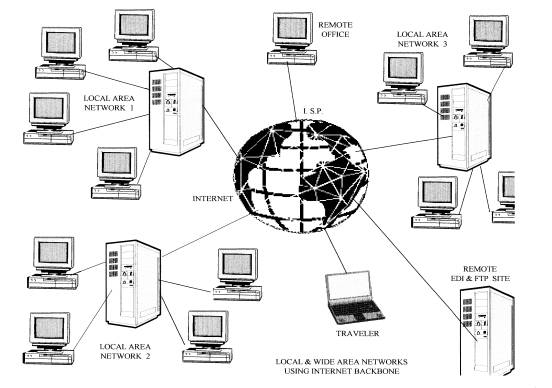
This diagram shows a typical installation of
a local and wide area network being used in an electronic commerce environment.
This application uses frame relay architecture to support the wide area network
within the Internet architecture. I have also included connections from outside
ISP’s as used by customers or remote offices, and a remote user laptop. Remote
user access is provided using dialup connections through a modem.
HARDWARE AND SOFTWARE SYSTEMS
UNIX
Unix has been the de facto operating system platform for small and medium sized business for over a decade. For this application I use SCO Unix Open Server 5. SCO Unix is the trademark operating system developed by Santa Cruz Operation Inc. and is licensed to run on almost any hardware platform from 386 desktop PC’s to multi-processor servers. SCO Open Server 5 combines the standard features of Unix with their own enhancements to produce a very powerful multi-user operating system. Among the enhancements are the advanced file and print services, and advanced system administration tools. The user-friendly administration tools function to allow for system administration without having to learn mundane Unix commands. These tools make it easier to setup and maintain the SCO operating system, than it is with other Unix systems.
Installing and running Unix is in itself a topic for another paper so I will focus on the sections of the Unix environment that have a particular roll in the development of the Northstar e-commerce package. One feature that is vital to the success of the process is in the setup and processing of macros and crontabs.
Crontabs are commands that are called by the Unix cron process based on a preset schedule of events. These commands can be simple Unix commands such as setting file permissions, or these commands can call complex macros that can cause other processes to begin such as file extractions, file transfers, and data updates. Crontabs are useful in coordinating updates between remote servers, a process used in this development. One such command invokes the .netrc macro. The .netrc macro is a script file that is used to initiate an FTP process to a specific IP address, or host identified in the hosts file. This FTP process will connect to the remote site, perform the login process, present the required password for security verification and perform other operations such as changing directories, retrieving data files from the remote server, depositing data files on the remote server, and deleting the source files once the transfer is complete. After the specified commands are complete the macro logs off the ftp user and the process terminates. A detailed explanation and sample macros will be shown in the application development section of this paper.
Although SCO Open Server Unix has many important features that are used in this development, there are some limitations. SCO does not support virtual domain hosting. Virtual domains are having multiple web addresses running on a single web server. To overcome this deficiency I have installed Apache server software. Apache is a free application designed to run on a variety of Unix platforms as a replacement for the standard Unix web server. The installation and setup of the Apache software will be shown later in this paper.
Another limitation is in the area of email processing. SCO uses Sendmail as its internal email processor. Sendmail uses Unix commands to process and direct email activity and works well with the majority of email client software packages, however it does not allow file attachments at the Unix command level. To overcome this deficiency I have installed MUTT. Mutt is a shareware application that runs on a variety of Unix platforms providing some advanced file handling capabilities including file attachments. A more detailed description of Mutt including installation and setup will be found later in this paper. SCO UNIX can be found on the Internet at www.sco.com.
APACHE
Apache is powerful httpd
compliant web server software allowing the use of Virtual Domains in the Unix
environment. It is highly configurable and is compatible with a wide range of
third party software modules. Apache provides full source code and comes with
an unrestricted license to run on most Unix servers. Apache has no fixed limit
on the numbers of aliases and redirects, which are declared by the
administrator in the configuration files. In addition, a powerful rewriting
engine is used to solve most URL manipulation problems.
Apache’s content
negotiation, the ability to automatically serve clients of varying
sophistication and HTML level compliance, is useful in the area of dynamic html
and supports documents which offer the best representation of information that
the client is capable of accepting. Apache has been shown to be substantially
faster, more stable, and more full-featured than many other web servers.
Although certain other commercial servers have claimed to surpass Apache's
speed, it has not been demonstrated that any of the benchmarks used are a good
way of measuring WWW server speed. At any rate, I feel that it is better to
have a mostly fast free web server than it is to have an extremely fast web
server that costs thousands of dollars. Apache is running on sites that get
millions of hits per day, and these sites are not reporting any performance
difficulties.
Virtual Host processing, sometimes known as multi-homed server processing, is the most requested feature of Apache. This multi-homed processing allows the server to distinguish between requests made to different names mapped to the same machine or IP address. This feature is key to the success of the Northstar development and will be covered later in the application development section of this paper. Apache also offers dynamically configurable mass-virtual hosting. Apache is available for free download at www.apache.com
UBL
For the core programs of the
production systems and the data processing architecture behind the web
applications, I will be using the Universal Business Basic program development
environment commercially available from Transoft Corporation. Transoft’s
Universal Business Language (UBL) is a 64 bit interpretive language that
includes shared libraries, embedded SQL, and powerful programming statements to
provide a flexible platform for a relational database application. UBL also
provides a Universal Graphical Interface (UGI), a windows based graphical
interface that emulates various mainframe terminals in a PC based environment.
This thin-client presentation capability gives the UBL applications a Windows
look and feel without having to write new code to deploy in a Windows
environment. UBL comes complete with easy to use debugging tools that allow the
application developer to interact with the program in real time, speeding up
the coding cycle and allowing for process continuation in the event of a
critical error. UBL supports ASCII and binary file transfers, screen capture,
TCP/IP and RS232 interfaces and is fully ODBC compliant. UBL uses a unique data
management library to provide the high performance of a traditional indexed
sequential random access file (ISAM), with the data management and connectivity
of a relational database. This ability allows the application developer to
extract data using a variety of methods including SQL calls, third and forth
generation report program generators, and data extraction using permanent or
temporary indices.
UBL is purchased from Transoft Inc. of London England, through
resellers in the United States and Canada. The reseller that Northstar uses is
Plantrol Systems located in Westfield New York and can be found on the Internet
at www.plantrol.com. Plantrol is a
software developer who specializes in developing applications for the printing
industry and was my employer for fourteen years prior to my becoming the M.I.S.
Director of Northstar in 1998. Much of the Northstar production software
development was contracted through Plantrol Systems prior to 1998.
UBL comes with on-line documentation, help files, and some very useful macros and library sub-routines. Printed manuals and programming guides are available from Transoft and are helpful if you’re new to UBL or business basic code. In addition to the UBL library, Plantrol also distributes to its licensed customers a library of sub-routines that assist in developing software applications and are useful in the ongoing support of those applications. To avoid duplication of code in the application software, a library of shared routines are called during program execution. This sharing is extremely beneficial when changing code of a global nature, as one change effectively updates all occurrences of the routine. Specific application development, shared library routines, and data extraction will be discussed in the development section of this paper. More information on Transoft’s UBL can be found on the Internet at www.transoft.com.
CGI SCRIPTS
Business applications often require that browsers have the ability to reach out beyond the Web server to other computing environments such as corporate databases. This activity is known as tunneling. Tunneling from browser, to server, to application, and back to browser, is most often accomplished through the use of Common Gateway Interface (CGI) scripts.
Common gateway interface scripts are used to process requests from a web browser to most Unix based server applications. A CGI script passes entry data captured on the web browser to the server identified in the action line of the browser’s HTML code. Data is captured into fields identified by HTML tags, named fields on the browsers form, allowing the script to transfer the data identified by the tag to the receiving application. The CGI script also transfers the users IP address to the application so that responses can be sent back to the address and displayed on the browser’s screen. CGI scripts may be written to run on virtually any high-level language, although C and PERL are the most popular since they run on so many platforms. A sample CGI script will be shown in the application development section of this paper with details on how the data is passed to and from the application.
PERL
Practical Extraction and Reporting Language (PERL) has been a favorite language for CGI scripts because of its string handling features. Perl is primarily found in Unix environments where most web servers originated, but can also be found running on many other server platforms. Perl is a language optimized for scanning arbitrary text files, extracting information from those text files, and printing reports based on that information. It is also a good language for many system management tasks. The language is intended to be practical rather than beautiful and is easier to learn and use than C. Perl combines some of the best features of C, Sed, Awk, and Sh, so people familiar with those languages should have little difficulty with it. Perl’s expression syntax corresponds quite closely to the C expression syntax. Unlike most Unix utilities, Perl does not arbitrarily limit the size of your data and if you have sufficient memory, Perl can read in your whole file as a single string. Recursion is of unlimited depth, and the tables used by hashes or arrays of data, growing as necessary to prevent performance degradation. Perl uses sophisticated pattern matching techniques to scan large amounts of data very quickly.
Although optimized for scanning text, Perl can also deal with binary data, and can make .DBM files look like hashes. Perl scripts are safer than C programs because of a unique method of using a dataflow tracing mechanism, which prevents many security holes. A more detailed explanation and installation instructions will be found later in this paper. PERL is also free to most users and can be found on the Internet at www.perl.com.
MUTT
Mutt is a commercially available email agent that runs on Unix and supports file attachment at the Unix command level. Michael Elkins who worked on the Elm development team developed Mutt. Mutt is a complete email message processing application with many of the features found in Pine and Elm, but lacks an internal message editor and therefore requires additional support from the host environment. Mutt does however have superb Multipurpose Internet Mail Extension (MIME) support similar to that of Pine, with the addition to advanced file attachment capability and supports PGP file encryption. The file attachment capability is available at the command line level making Mutt a very useful tool in the processing of email files in the Unix environment, and in UBL by invoking a Unix call to send a file to a known recipient. This capability will be demonstrated in the application development section of this paper. Mutt can be found in the Internet at www.mutt.org.
APPLICATION
SERVERS
For
each of the production application servers I use a Quad Processor Digital
Prioris. These servers are equipped with four Pentium Pro 200 Mhz processors, a
redundant array of seven hard drives in a raid five configuration with a total
drive capacity of 28 gigabytes of storage space. These servers are configured
with 512 megabytes of ram and dual 8mm backup tape drives. The raid configuration
supports data mirroring which allow for hot swapping in the event of a drive
failure without risking data loss. These servers are connected to Smart UPS
2200 battery backup power supplies to provide protection from temporary power
outages. The production application servers are located at the three largest
manufacturing facilities in Nevada Iowa (GFS), Roseville Minnesota (NFF), and
Brooklyn Park Minnesota (NCF). These are connected to the smaller facilities in
Denver Colorado (WFS), Bridgewater Virginia (GFS-VA), and a warehouse and
distribution center in GreyFox Minnesota. The connection is made using a
private virtual network at T1 speed provided by an AT&T frame relay. All
six locations are connected to the frame relay network and are linked to the web
server located in Roseville Minnesota.
For
the web server I use a Pentium II 400 MHz processor with 128 megabytes of ram
and dual 5-gigabyte hard drives. Backup is provided by an 8MM tape drive on the
unit. A copy of the data files, macros, cgi scripts and application software on
the web server is sent over the network to the NFF production server as a
redundant backup. I choose the NFF server because it is physically located in
the same building as the web server and the backup directory on NFF is a mounted
directory on the web server providing a fast and reliable connection. The web
server is connected to a SOLA battery backup unit to provide protection from
power loss.
SERVER
SOFTWARE INSTALLATION
The
web server, and manufacturing servers, operating system is SCO Unix, Open
Server 5. SCO Unix provides a stable operating platform and supports Transoft
UBL, MMDF and Sendmail, Mutt, and Apache, all of which are used in the
application development. The application servers use SCO licenses sized to the
number of users at each of the locations. SCO is purchased by number of
foreground licenses, a minimum of one for each user on the server. At the
manufacturing facilities we have a minimum of 64 user licenses and up to 128
users per server. For the web server I need only a two-user license, as web
users do not logon to the server in a foreground environment. Open Server 5
allows up to 2 simultaneous background processes with each foreground license
giving a maximum of 4 background processes available for the web applications.
The only time a foreground license is used is when a user is logged on to the
web server to perform maintenance activities or during application development.
All other logons, and processing on the web are performed in a background environment
using a Unix shell process. These background processes are only used to start
the tunneling requests and can spawn virtually unlimited child processes on the
server. The following table shows the processes currently running on the web
server.
UID
PID PPID C
STIME TTY TIME CMD
root 0
0 0 00:01:02 ?
00:00:02 sched
root
1 0 0 00:01:02 ? 00:00:01 /etc/init -a
root
2 0 0 00:01:02 ? 00:00:00 vhand
root
3 0 0 00:01:02 ? 00:00:05 bdflush
root
4 0 0 00:01:02 ? 00:00:00 kmdaemon
root
5 1 0 00:01:02 ? 00:00:41 htepi_daemon /
root
6 0 0 00:01:02 ? 00:00:00 strd
root
489 1 0 00:05:08
tty01 00:00:00 /etc/getty
tty01 sc_m
root
490 1 0 00:05:08
tty02 00:00:00 /etc/getty
tty02 sc_m
nouser 12125 526 0 14:00:12 ?
00:00:00 /usr/local/apache/bin/httpd
root
304 1 0 00:04:50 ? 00:00:07
/etc/named
root
249 1 0 00:04:47 ? 00:00:00
/etc/cron
nouser 10347 526 0 12:50:01 ?
00:00:00 /usr/local/apache/bin/httpd
mmdf
330 1 0 00:04:52 ? 00:00:02
/usr/mmdf/bin/deliver -b
root
491 1 0 00:05:08
tty03 00:00:00 /etc/getty
tty03 sc_m
nouser 13583 526 0 15:02:22 ?
00:00:00 /usr/local/apache/bin/httpd
root
478 1 0 00:05:08 ? 00:00:00
/usr/lib/scosh/caldaemon
root
492 1 0 00:05:08
tty04 00:00:00 /etc/getty
tty04 sc_m
root
501 1 0 00:05:08 ? 00:00:00
/tcb/files/no_luid/sdd
root
526 1 0 00:05:14 ? 00:00:08
/usr/local/apache/bin/httpd
nouser 14455 526 0 15:38:10 ? 00:00:00
/usr/local/apache/bin/httpd
root 12765 302 0 14:23:33 ?
00:00:00 telnetd
root 12766 12765 0 14:23:35 ttyp1 00:00:00 login -c -p
nouser 10354 526 0 12:50:14 ?
00:00:00 /usr/local/apache/bin/httpd
root 12767 12766 0 14:23:37 ttyp1 00:00:00 -sh
nouser 13515 526 0 15:00:20 ?
00:00:00 /usr/local/apache/bin/httpd
nouser 14089 526 0 15:19:20 ?
00:00:00 /usr/local/apache/bin/httpd
root 15495 302 0 17:04:16 ? 00:00:00 telnetd
root 15496 15495 0 17:04:17 ttyp0 00:00:00 login -c –p
As you can see
all user processes, shown as apache processes, are child processes of process
526, which is a child of process 1. There are currently 7 users, identified as
‘nouser’, accessing web applications.
On
top of the Unix I have installed Perl. Perl is necessary to support Mutt and
Apache calls, and CGI scripts that are written in Perl. To install Perl, I
downloaded the source code from the Perl site to a temporary directory on all
the servers. Perl comes in binary format complete and ready to run on SCO Unix
and includes a well-documented installation and operation guide. The first step
was to un-zip the files in the temporary directory. The next step was to run a configuration
utility, using the installation guide, set the directory path and create links
to the root directory. The final step is to set the permissions at the Unix
level to allow access to the Perl library.
Once Perl was installed I then was able to install Apache web server
software. This was installed on the web server only, as the production servers
have no web applications. Apache was necessary in my development due to the
limitation of SCO Unix in virtual web hosting. Northstar uses a single web
server to host five websites. This requires the use of virtual web hosting
using named domain hosting. Named hosting allows multiple domain names to all
point to a single IP address. This is generally not a problem as each domain
name is assigned an IP address and the IP address points to a server on the
Internet. The complication comes in when each domain name must point, or be
redirected, to a different set of web pages. This redirection is one of the
best features of Apache. Using this
feature I was able to create different web pages for www.nscf.com, www.nsff.com,
www.genfinsup.com, www.micrlink.com, and our private label
website www.cashmanagementsupply.com.
All of these are pointing to the same IP address (12.1.184.2) and all are
running on the same server (WEB). Using this technology also allows Northstar
to offer web-hosting services to its customers who desire a website but do not
want the expense or responsibility of supporting a web server.
I downloaded
Apache from the Apache website and placed it in a temporary directory on the
web server. Apache like Perl also comes with complete documentation and is
available in binary to run on an SCO Unix platform. The installation is similar
to that of Perl. First unzip the download files, then run the installation
utility and modify the setup files. Apache is located under the /usr/local
directory. This directory contains the binary files under /bin, the
documentation files under /lib and the configuration files under /conf. The
critical file in the set up is the httpd.conf file. This file will contain the
domain names and directory path names to the individual web pages for those
domain names. The following is a copy of the configuration file used at
Northstar.
##
httpd.conf -- Apache HTTP server configuration file
##
###
Section 1: Global Environment
ServerType
standalone
ServerRoot
"/usr/local/apache/"
LockFile
logs/httpd.lock
PidFile
logs/httpd.pid
ScoreBoardFile
logs/httpd.scoreboard
ResourceConfig
conf/srm.conf
AccessConfig
conf/access.conf
Timeout
300
KeepAlive
On
MaxKeepAliveRequests
100
KeepAliveTimeout
15
MinSpareServers
5
MaxSpareServers
10
StartServers
5
MaxClients
150
MaxRequestsPerChild
30
Listen
12.1.184.2:80
BindAddress
12.1.184.2
###
Section 2: 'Main' server configuration
Port 80
User
nouser
Group
nogroup
ServerAdmin
denniss@nsff.com
ServerName
http://12.1.184.2/
DocumentRoot
"/htdocs"
<Directory
/>
Options FollowSymLinks
AllowOverride None
</Directory>
<Directory
"/htdocs">
Options Indexes FollowSymLinks
AllowOverride None
Order allow,deny
Allow from all
</Directory>
UserDir public_html
DirectoryIndex
index.html
AccessFileName
.htaccess
<Files
.htaccess>
Order allow,deny
Deny from all
</Files>
UseCanonicalName
On
TypesConfig
conf/mime.types
DefaultType
text/plain
<IfModule
mod_mime_magic.c>
MIMEMagicFile conf/magic
</IfModule>
HostnameLookups
Off
ErrorLog
logs/error_log
LogLevel
warn
LogFormat
"%h %l %u %t \"%r\" %>s %b \"%{Referer}i\"
\"%{User-Agent}i\"" combined
LogFormat
"%h %l %u %t \"%r\" %>s %b" common
LogFormat
"%{Referer}i -> %U" referer
LogFormat
"%{User-agent}i" agent
CustomLog
logs/access_log common
ServerSignature
On
Alias
/icons/ "/usr/local/apache//icons/"
<Directory
"/usr/local/apache//icons">
Options Indexes MultiViews
AllowOverride None
Order allow,deny
Allow from all
</Directory>
ScriptAlias
/cgi-bin/ "/usr/local/apache//cgi-bin/"
<Directory
"/usr/local/apache//cgi-bin">
AllowOverride None
Options None
Order allow,deny
Allow from all
AddType text/x-server-parsed-html .shtml
AddType application/x-httpd-cgi .cgi
</Directory>
IndexOptions
FancyIndexing
DefaultIcon
/icons/unknown.gif
ReadmeName
README
HeaderName
HEADER
IndexIgnore
.??* *~ *# HEADER* README* RCS CVS *,v *,t
AddEncoding
x-compress Z
AddEncoding x-gzip gz
LanguagePriority
en fr de
BrowserMatch
"Mozilla/2" nokeepalive
BrowserMatch
"MSIE 4\.0b2;" nokeepalive downgrade-1.0 force-response-1.0
BrowserMatch
"RealPlayer 4\.0" force-response-1.0
BrowserMatch
"Java/1\.0" force-response-1.0
BrowserMatch
"JDK/1\.0" force-response-1.0
AddType
text/x-server-parsed-html .html
AddType application/x-httpd-cgi .cgi
###
Section 3: Virtual Hosts
NameVirtualHost
12.1.184.2:80
<VirtualHost
12.1.184.2>
ServerAdmin denniss@nsff.com
DocumentRoot /htdocs/mic
ServerName www.micrlink.com
</VirtualHost>
<VirtualHost
12.1.184.2>
ServerAdmin denniss@nsff.com
DocumentRoot /htdocs/gfs
ServerName www.genfinsup.com
</VirtualHost>
<VirtualHost
12.1.184.2>
ServerAdmin denniss@nsff.com
DocumentRoot /htdocs/ncf
ServerName www.nscf.com
</VirtualHost>
<VirtualHost
12.1.184.2>
ServerAdmin denniss@nsff.com
DocumentRoot /htdocs/cms
ServerName www.cashmanagementsupply.com
</VirtualHost>
<VirtualHost
12.1.184.2>
ServerAdmin denniss@nsff.com
DocumentRoot /htdocs/nff
ServerName www.nsff.com
</VirtualHost>
The critical setup entries are found on lines ServerRoot, Listen,
BindAddress, and ServerName. Virtual name hosting entries are found in Section
3 under Virtual Hosts. You can see in this configuration that a web user
entering the web using www.nscf.com is
directed to the directory /htdocs/ncf. In that directory will be found a file
named index.html. Index.html is the default file used by the web browser as the
entry point on most websites. From that entry point the other pages of the
website are displayed using various hyperlinks. More discussion of index.html
and a sample program will be shown in the web development section of this
paper.
The next software
to be installed on all servers was Mutt email server software. Mutt as you read
earlier is used to send emails from the Unix server to any Email recipient and
was chosen for its support in the area of file attaching from a Unix command.
Mutt also installs easily from a download file available on the Internet. To
install Mutt I downloaded the Unix binary file, un-compressed the binary and
ran the installation script. In addition to running the installation script, a
link to the Mutt executable file must be installed in the Unix root directory.
The final piece of software to be installed on each of the servers is
UBL. UBL is licensed software and like Unix is purchased in blocks based on
estimated user counts. Similar to Unix, UBL requires one foreground license per
active user on the server. Experience has also shown that many users desire
multiple logon sessions in order to perform inquiries or processing on two
databases at the same time or to flip from one application to another without
having to log off and back on several times per day. The additional licenses
required to make daily activity easier on the users is of little consequence,
however excessive licensing is both a waste of finances and system resources,
i.e. memory, required to support each license.
After determining the appropriate number of user licenses required, the
software is downloaded from the suppliers website, or is distributed on CD-ROM
for installation. The installation is accomplished by running the install
scripts and by following the step-by-step instructions. Because UBL is purchased
by licensed count per server, the source code is the same for all
installations, however it requires an authentication key that identifies the
user count with the specific server it is designated to run on. After the
initial installation, a key is generated using a key macro. This process
generates a unique key code that identifies the server, the company name, and
desired user count. This key is then forwarded to the supplier who in turn
issues an activation key called a banner. Once the banner is installed, UBL is
ready for use.
INTEGRATION
In
an Electronic Commerce environment, the data collected by the manufacturing
system must be available to the consumer in an on-line presentation that is
user friendly, fast and must provide timely data. In order to accomplish this
at Northstar, an independent Unix server is used to host the on-line content
and provide the processing for the web applications. The diagram below shows
the network integration supporting the production and web servers.
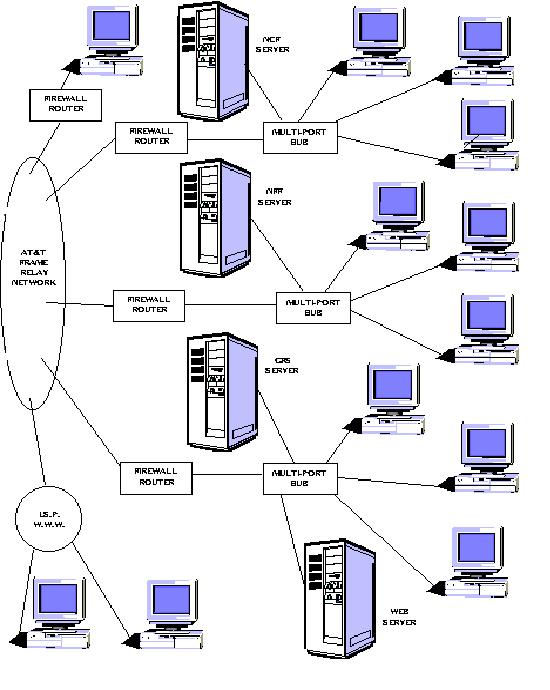
NETWORK DIAGRAM
APPLICATION DEVELOPMENT
FINANCIAL SERVICES AND PRINTING
The application development that will be discussed here is in support of the business of printing in the financial services industry. Northstar Computer Forms and its subsidiary companies Northstar Financial Forms, General Financial Supply, and Western Financial Suppliers, designs, manufactures and markets printed materials and supplies to banks and other financial service companies. The printed products include MICR Documents, Official Checks, Money Orders, Internal Bank Forms, Negotiable Documents, Custom Business Forms, and Security Forms including Holograms.
Northstar operates six production and warehousing facilities across the United States and markets in all fifty states, Mexico and Canada. Northstar markets its products both in the direct sales market channel and through a nationwide network of independent distributors. The separation of physical locations, the diversified product mix and the multiple sales channels have all had a major impact on the development of the complex computer systems used by Northstar and the Electronic Commerce developments described here. Due to the nature of the customer base, Northstar does not offer on-line payment transactions, but does offer on-line sales and customer service applications through five independent websites. These websites are tailored to fix within the two distinct market channels with Northstar Computer Forms, Northstar Financial Forms and Western Financial Suppliers catering to the direct market, and General Financial Supply and Micrlink catering to the distributor market. Northstar also operates a private label site under www.cashmanagementsupply.com that is used exclusively by the Cash Management Association, a service group in the banking industry. All of these websites offer company information, product catalogs, sales and contact information, customer feedback forms, and a customer account inquiry which includes order proofing, order status and shipment tracking, inventory status and usage history, invoice and accounts receivable status, and on-line order entry for both production orders and warehouse releases. Northstar’s e-commerce committee oversees the corporate direction for electronic commerce developments. It is the opinion of the committee that given the instability in the business of third party e-commerce application suppliers, i.e. Ariba, Commerce-One, Four 51, E-Biz and others, Northstar will develop its own e-commerce solution. The developments shown in this paper represent the customer service portion of the e-commerce solution developed to date. Additional development in on-line order entry is currently underway using Image Rendering Technology. This image rendering will allow a web user to see a representation of the form being ordered on his PC screen, in effect providing on-line proofing at the time of order entry. This development continues.
MANUFACTURING APPLICATIONS
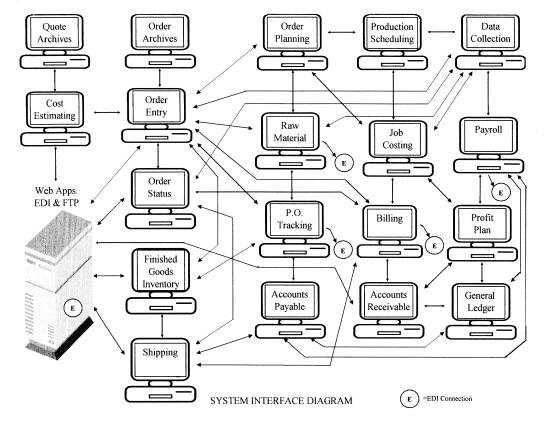
At Northstar we have developed the manufacturing systems necessary to perform the business functions and operate the business on separate or decentralized servers. The various software modules in the manufacturing applications development can be broken down into three major categories. These categories are compliance, monitoring, and analysis.
Compliance is that which you must do to operate your business. Under
compliance are the following modules.
Price book & Cost Estimating
Order Entry & Customer Service
Scheduling & Production
Shipping
Billing & Accounts Receivable
Accounts Payable & General Ledger
Payroll
Web Inquiry & Tracking
In order to get the business you must be able to produce a timely and
competitive quote. Once the quote is accepted you will turn the quote into an
order. The product will then be produced using scheduling and production
supported by the manufacturing system. Shipping the product will update the
production and accounting modules and provide tracking information. After
shipping the product you will produce an invoice and record accounts receivable
data. As part of the manufacturing you will purchase raw materials and
production related expendables and record the accounts payable data. You will
have to keep payroll records, issue pay checks and record payroll data and
finally you will be required to issue financial statements and comply with
government reporting requirements.
The second category is Monitoring and Control. Monitoring and control
are those things that must be done to see where you are in your business plan.
Software modules related to monitoring and control are as follows.
Raw Material Control
Job Costing
Data Collection
Purchase Order Tracking
Finished Goods
Inventory
Forms Management
Raw material control is the module that keeps track of raw materials
that are used in the manufacturing of the finished product. To insure there is
sufficient material on hand the raw material control system must have the
capability of projecting consumption based on historical data and new business
projections. In addition to raw materials the system needs the ability to
monitor expendable items such as packaging products.
Data collection is the software and hardware module that will provide
both job costing data in the form of raw material consumption and labor
reporting as well as job tracking through the manufacturing process. Data
collection typically involves the use of scanners and barcode readers placed
within the manufacturing facility at various stations along the manufacturing
process. Data collected at these stations is used to track job flow, measure
efficiency, and report problems encountered during the manufacturing of the product.
Purchase order tracking is the module that is used to monitor outside
purchases of materials, record receipts and accounts payable data. A good
purchasing system will provide vendor analysis and track material cost trends
for budgetary purposes.
Finished goods inventory provides a method of tracking completed
products for warehousing and distribution. The finished goods inventory module
also provides inventory management reporting for the consumer, monitors
warehouse levels, sets and maintains reorder points, and issues low stock
notices to the sales and customer service departments.
The third category is Analysis and Management. Analysis and management
are those functions that you do to see if your following your business plan and
provide the feedback necessary to make corrections and adjustments in the
operations or marketing plans. Software modules related to these activities are
the following:
Order Tracking
Production Backlog Reporting
Job Cost Reporting
Financial Reporting
Sales & Profitability Reporting
Profit Plan
Order tracking is the process of tracking the
order flow though the manufacturing process. A workflow schedule is established
as part of the quoting process and work is scheduled during the order entry
process providing departmental due dates. During the manufacturing process
completion dates are added to the database by the various data collection
systems. Order tracking analysis looks at scheduled versus actual completions
dates as a way of providing feedback to managers at the department level
concerning productivity and efficiency. Production bottlenecks will also be
identified so that corrective action can be made.
Production backlog reports are used to update schedule information and
provide feedback to the managers concerning material requirements, equipment
allocations, and labor requirements.
Job cost reporting provides material and labor costs on a job-by-job
basis and can provide analysis by cost center, department, and operation within
the departments. This analysis provides managers with the information necessary
to make decisions about the workflow in the departments and helps pinpoint the
areas in need of correction.
Financial reporting and sales and profitability reporting provide
managers with the necessary information to determine where changes in the
product offering are needed. By analyzing the business on and order-by-order
basis and by product line, it is possible to determine what types of orders
provide the highest levels of profit and where changes in the marketing plan
are necessary.
THE NORTHSTAR WEBSITE
The following
pages will show the Northstar Computer Forms website (NCSF). This website
refers to all locations as it is the corporate website and therefore is the
most complete. The website dedicated to the distributor market,
www.genfinsup.com, is limited to only those business activities associated with
the distributor. Micrlink is the trademark website for on-line order entry and
is dedicated to that process and account inquiry only, however Micrlink and
account inquiry pages are available on all the other websites as well.
Cashmanagementsupply as mentioned earlier, is a private label site used only by
the Cash Management Association and has limited content.
A similar look is obtained on all pages by using tables to display the
web content. These tables are arranged so that a table border offsets the page
and provides the user with visual hot-spots, which aid in navigation. Graphical
images are used where possible in order to make the navigation of the website
pleasing and interesting.
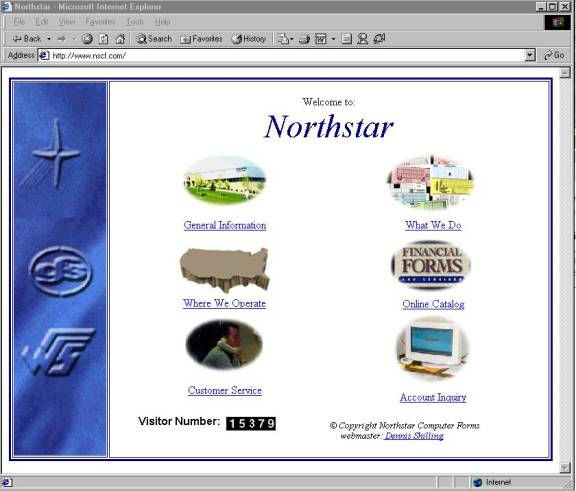
This page is the default page displayed for www.nscf.com. The index.html file can be found on the web server at IP address 12.1.184.2 in a directory named /htdocs/ncf as directed by the Apache server. The HTML source code is as follows.
<html>
<head>
<title>Northstar</title>
<meta name="description" content="Northstar designs, manufactures, and
markets internal bank forms, negotiable documents, and custom business forms and
services.">
<meta name="keywords" content="Northstar, NSCF, NSFF,
General Financial Supply, Western Financial Suppliers, MICRLINK, financial forms, bank
forms, computer forms, micr forms, drive-up envelopes, negotiable documents, official
checks, money orders, custom business forms, forms management">
</head>
<body>
<table border="3" width="100%" bordercolor="#000080">
<tr>
<td width="135"><img src="nscflogo2.jpg" alt="nscflogo2.jpg (39847 bytes)" WIDTH="135"
HEIGHT="550"></td>
<td align="center">Welcome to:<br>
<i><font size="+7" color="000080">Northstar</font></i> <table border="0">
<tr>
<td align="center" valign="top" width="300" height="100"><a href="wwa.html" target="_top">
<img src="WWO.jpg" border="0" WIDTH="166" HEIGHT="100"></a> <br>
<a href="wwa.html" target="_top">General Information</a></td>
<td align="center" valign="top" width="300" height="100"><a href="what.html" target="_top">
<img src="WWD.jpg" border="0" WIDTH="169" HEIGHT="100"></a> <br>
<a href="what.html" target="_top">What We Do</a></td>
</tr>
<tr>
<td align="center" valign="top" width="300" height="100"><br>
<a href="where.html" target="_top"><img src="usa.jpg" border="0" WIDTH="132" HEIGHT="69"></a>
<br>
<a href="where.html" target="_top">Where We Operate</a></td>
<td align="center" valign="top" width="300" height="100"><a href="catalog/index.html"
target="_top"><img src="OC.jpg" border="0" WIDTH="161" HEIGHT="89"></a> <br>
<a href="catalog/index.html" target="_top">Online Catalog</a></td>
</tr>
<tr>
<td align="center" valign="top" width="300" height="100"><a href="cs.html" target="_top">
<img src="CS.jpg" border="0" WIDTH="169" HEIGHT="100"></a> <br>
<a href="cs.html" target="_top">Customer Service</a></td>
<td align="center" valign="top" width="300" height="100"><a href="pass.html" target="_top">
<img src="AI.jpg" border="0" width="123" height="110"></a> <br>
<a href="pass.html" target="_top">Account Inquiry</a></td>
</tr>
</table>
<table border="0">
<tr>
<td width="276"><font color="#000000" face="Arial"><b>Visitor Number: </b></font>
<a href="http://www.digits.com/"><img SRC="http://counter.digits.com/wc/-d/4/NSCF"
ALIGN="middle" WIDTH="72" HEIGHT="20" BORDER="0" HSPACE="4" VSPACE="2" border="0"></a></td>
<td width="275"><br>
<font color="#000000" size="2"><i>© Copyright Northstar Computer Forms<br>
webmaster:<a href="mailto:denniss@nsff.com"> Dennis Shilling</a>
</i></font><table border="0">
</table>
</td>
</tr>
</table>
</td>
</tr>
</table>
</body>
</html>
The HTML code is simple and straight forward making it compatible with all browsers. Meta tags are used to identify key words and phrases for web spiders and search engines. A third party counter at http://counter.digits.com is employed to provide web access count information and a mail-to hyperlink is provided for contact via email to the Webmaster. Images and text hyperlinks are used as navigation aids to the subordinate pages making this page simple and visually pleasing without subjecting the user to information overload.
The next page shown will be displayed by clicking on the General Information hyperlink.
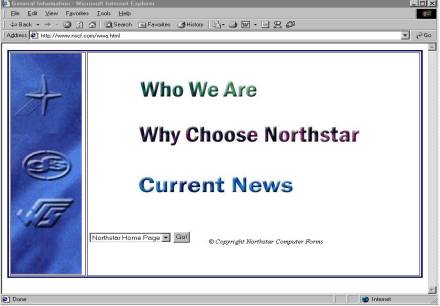
This page provides the user with three choices of additional information on the company using the following html code.
<html>
<head>
<title>General Information</title>
</head>
<body>
<table width="100%" border="3" bordercolor="#000080">
<tr>
<td width="135"><img src="nscflogo2.jpg" width="135" height="496"></td>
<td width="606"><div align="center"><center><table border="0">
<tr>
<td align="left"><a href="who.html" target="_top" onmouseover="if (document.images) document.images.wwa.src='Pics/gi_wwa2.jpg'" onmouseout="if (document.images) document.images.wwa.src='Pics/gi_wwa.jpg'"><img src="Pics/gi_wwa.jpg" border="0" name="wwa" WIDTH="293" HEIGHT="59"></a><br>
<br>
</td>
</tr>
<tr>
<td align="left"><a href="why.html" target="_top" onmouseover="if (document.images) document.images.wcn.src='Pics/gi_wcn2.jpg'" onmouseout="if (document.images) document.images.wcn.src='Pics/gi_wcn.jpg'"><img src="Pics/gi_wcn.jpg" border="0" name="wcn" WIDTH="481" HEIGHT="90"></a><br>
<br>
</td>
</tr>
<tr>
<td align="left"><a href="news.html" target="_top" onmouseover="if (document.images) document.images.cn.src='Pics/gi_cn2.jpg'" onmouseout="if (document.images) document.images.cn.src='Pics/gi_cn.jpg'"><img src="Pics/gi_cn.jpg" border="0" name="cn" WIDTH="432" HEIGHT="90"></a><br>
<br>
</td>
</tr>
</table>
</center></div><p><br>
</p>
<table border="0">
<tr>
<td align="center" width="40%" height="25"><form name="MainChoiceForm">
<p><select name="MainChoiceSelect" size="1">
<option selected>Northstar Home Page</option>
<option>General Information</option>
<option>What We Do</option>
<option>Where We Operate</option>
<option>Customer Service</option>
<option>--------------------</option>
</select> <input type="button" name="MainChoiceButton" value="Go!" onclick="window.open(MainChoiceArray[document.MainChoiceForm.MainChoiceSelect.selectedIndex], '_self')" </form> <script language="Javascript">
<!--//hide script from old browsers
var NUMBER_OF_LINKS=11
MainChoiceArray=new Array(NUMBER_OF_LINKS)
MainChoiceArray[0]="index.html"
MainChoiceArray[1]="wwa.html"
MainChoiceArray[2]="what.html"
MainChoiceArray[3]="where.html"
MainChoiceArray[4]="cs.html"
//end hiding contents -->
</script> </p>
</form>
</td>
<td align="center"><!--webbot bot="HTMLMarkup" StartSpan --><font color="#000000" size="2"><i>©
Copyright Northstar Computer Forms</i></font><!--webbot BOT="HTMLMarkup" endspan --><!--webbot bot="HTMLMarkup" StartSpan --><br><!--webbot BOT="HTMLMarkup" endspan --><table border="0">
</td>
</tr>
</table>
</td>
</tr>
</table>
</body>
</html>
One of the
features of this page is the use of the ‘onmouseover’ statement, which causes a
different image to be displayed when the user passes the mouse over the image.
This feature provides the user with a visual feedback in addition to the
position of the mouse on the screen, making selection more positive. The second
feature that you will find here and on all remaining web pages is the table of
contents menu. This table provides the user with a shortcut to all other pages
on the website. The user simply selects the page, by page title, and clicks on
GO. The forward and backward navigation arrows on the browser may also be used
for navigation through the web pages.
Clicking on the ‘Who We Are’ hyperlink will take us to the next page of
information and provide us with hyperlinks to the individual location web
pages.
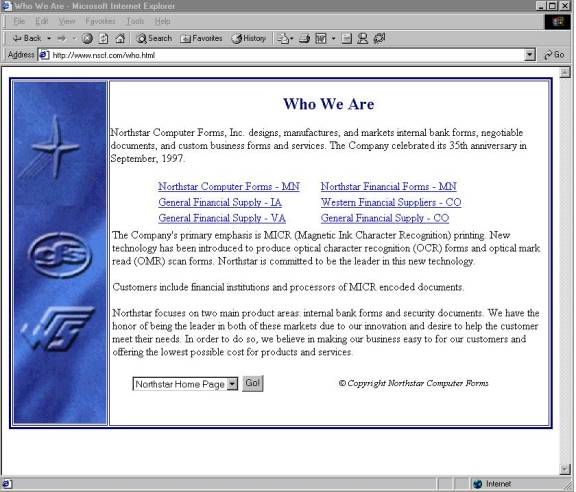
This page uses
table entries to create a two-column display for the six company locations. By
using tables with percent of total width rather than a fixed size, it is
possible to maintain alignment on a variety of screen display sizes, and
personal settings. The html code is shown below.
<html>
<head>
<title>Who We
Are</title>
</head>
<body>
<table
border="3" width="100%" height="500"
bordercolor="#000080" cols="2">
<tr>
<td width="135"
height="500"><img src="nscflogo2.jpg"
width="135" height="501"></td>
<td align="center"
valign="top"><br>
<font color="#000080"
size="5"><b>Who We Are</b></font> <p
align="left"><font color="#000000">Northstar
Computer Forms, Inc. designs, manufactures, and markets internal
bank forms, negotiable documents, and
custom business forms and services. The Company
celebrated its 35th anniversary in
September, 1997.</font> </p>
<table border="0"
colspan="2" width="503">
<tr>
<td align="center"
width="210"><p align="left"><a
href="hownscf.html">Northstar Computer
Forms - MN</a></td>
<td align="center"
width="285"><p
align="left">
<a href="hownsff.html">Northstar Financial Forms -
MN</a></td>
</tr>
<tr>
<td align="center"
width="210"><p align="left"><a
href="howgfsia.html">General Financial
Supply - IA</a></td>
<td align="center"
width="285"><p
align="left">
<a href="howwfsco.html">Western Financial Suppliers -
CO</a></td>
</tr>
<tr>
<td align="center"
width="210"><p align="left"><a
href="howgfsva.html">General Financial
Supply - VA</a></td>
<td align="center"
width="285"><p align="left">
<a href="howgfsco.html">General Financial
Supply - CO</a></td>
</tr>
</table>
<table border="0"
colspan="2">
<tr>
<td><font
color="#000000">The Company's primary emphasis is MICR (Magnetic
Ink Character
Recognition) printing. New technology
has been introduced to produce optical character
recognition (OCR) forms and optical
mark read (OMR) scan forms. Northstar is committed to
be the leader in this new
technology.</font> <p><font
color="#000000">Customers include
financial institutions and processors
of MICR encoded documents.</font></p>
<p><font
color="#000000">Northstar focuses on two main product areas:
internal bank forms
and security documents. We have the
honor of being the leader in both of these markets due
to our innovation and desire to help
the customer meet their needs. In order to do so, we
believe in making our business easy to
for our customers and offering the lowest possible
cost for products and services.
</font></td>
</tr>
</table>
<table border="0"
width="580">
<tr>
<td width="248" height="25"><br>
<form
name="MainChoiceForm">
<p><select
name="MainChoiceSelect" size="1">
<option selected>Northstar
Home Page</option>
<option>General
Information</option>
<option>What We
Do</option>
<option>Where We Operate</option>
<option>Customer
Service</option>
<option>--------------------</option>
</select> <input
type="button" name="MainChoiceButton" value="Go!"
onclick="window.open(MainChoiceArray[document.MainChoiceForm.MainChoiceSelect.selectedIndex],
'_self')" </form> <script language="Javascript">
<!--//hide script from old browsers
var NUMBER_OF_LINKS=11
MainChoiceArray=new
Array(NUMBER_OF_LINKS)
MainChoiceArray[0]="index.html"
MainChoiceArray[1]="wwa.html"
MainChoiceArray[2]="what.html"
MainChoiceArray[3]="where.html"
MainChoiceArray[4]="cs.html"
//end hiding contents -->
</script> </p>
</form>
</td>
<td align="center"><!--webbot
bot="HTMLMarkup" StartSpan --><font color="#000000"
size="2"><i>©
Copyright Northstar Computer
Forms </i></font><!--webbot BOT="HTMLMarkup" endspan
--><!--webbot bot="HTMLMarkup" StartSpan
--><br><!--webbot BOT="HTMLMarkup" endspan
--><table border="0">
</table>
</td>
</tr>
</table>
</td>
</tr>
</table>
</body>
</html>
By clicking on
any one of the six hyperlinks at the center of the page, a page specific to the
location will be displayed. I will demonstrate the Northstar Computer Forms
page. This page displays information about the company headquarters and the
manufacturing facility located in Brooklyn Park, Minnesota. Contact names and
email hyperlinks are provided as well as a hyperlink to the sales and customer
service contacts at this location.
The other hyperlinks on the current page direct the user to information about the other manufacturing facilities operated by Northstar, and are similar in construction to the page shown below.
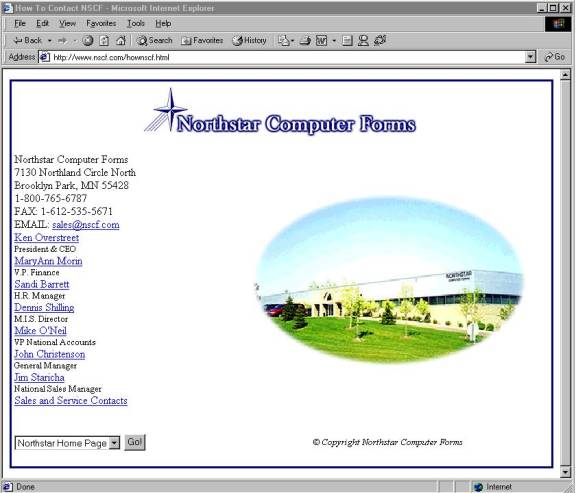
The following
code is the html text for this web page.
<html>
<head>
<title>How To Contact NSCF</title>
</head>
<body TEXT="#000000" BGCOLOR="#FFFFFF">
<table width="100%" height="558"
border="3" bordercolor="#000080">
<tr>
<td bordercolor="#FFFFFF"
colspan="2" height="38"><p
align="center"><img src="Pics/nscfhdr.jpg"
WIDTH="408" HEIGHT="80"></td>
</tr>
<tr>
<td width="40%"
bordercolor="#FFFFFF" height="404">Northstar Computer
Forms<br>
7130 Northland Circle
North<br>
Brooklyn Park, MN
55428<br>
1-800-765-6787<br>
FAX:
1-612-535-5671<br>
EMAIL: <a
HREF="mailto:sales@nscf.com">sales@nscf.com</a><br>
<a
href="mailto:ken.o@nscf.com">Ken Overstreet</a><br>
<font
size="-1">President & CEO</font><br>
<a href="mailto:maryann@nscf.com">MaryAnn
Morin</a><br>
<font
size="-1">V.P. Finance</font><br>
<a
href="mailto:sandi@nscf.com">Sandi Barrett</a><br>
<font
size="-1">H.R. Manager</font><br>
<a
href="mailto:denniss@nsff.com">Dennis Shilling</a><br>
<font
size="-1">M.I.S. Director</font><br>
<a
href="mailto:mikeo@nscf.com">Mike O'Neil</a><br>
<font
size="-1">VP National Accounts</font><br>
<a
href="mailto:john@nscf.com">John Christenson</a><br>
<font
size="-1">General Manager</font><br>
<a
href="mailto:jim@nscf.com">Jim Staricha</a><br>
<font
size="-1">National Sales Manager</font><br>
<a
href="ncf-contacts.html">Sales and Service
Contacts</a></td>
<td
ALIGN="center" width="60%" height="404"
bordercolor="#FFFFFF"><img SRC="Pics/Nscf.jpg"
WIDTH="400" HEIGHT="250"></td>
</tr>
<tr>
<td width="40%"
height="25" bordercolor="#FFFFFF"><br>
<form
name="MainChoiceForm">
<p><select
name="MainChoiceSelect" size="1">
<option
selected>Northstar Home Page</option>
<option>General
Information</option>
<option>What We
Do</option>
<option>Where We
Operate</option>
<option>Customer
Service</option>
<option>--------------------</option>
</select> <input
type="button" name="MainChoiceButton" value="Go!"
onclick="window.open(MainChoiceArray[document.MainChoiceForm.MainChoiceSelect.selectedIndex],
'_self')" </form> <script language="Javascript">
<!--//hide script from old browsers
var NUMBER_OF_LINKS=11
MainChoiceArray=new Array(NUMBER_OF_LINKS)
MainChoiceArray[0]="index.html"
MainChoiceArray[1]="wwa.html"
MainChoiceArray[2]="what.html"
MainChoiceArray[3]="where.html"
MainChoiceArray[4]="cs.html"
//end hiding contents -->
</script> </p>
</form>
</td>
<td bordercolor="#FFFFFF"
align="center"><!--webbot bot="HTMLMarkup" StartSpan
--><font color="#000000" size="2"><i>©
Copyright Northstar Computer
Forms</i></font><!--webbot BOT="HTMLMarkup" endspan
--><!--webbot bot="HTMLMarkup" StartSpan
--><br><!--webbot BOT="HTMLMarkup" endspan
--><table border="0">
</table>
</td>
</tr>
</table>
</body>
</html>
Next we will go back to the ‘What We Do’ page and click on the hyperlink for the ‘Current News’ page. A news page provides the user with information about newsworthy activities inside the company. I have developed this page as an index to news events so that the user can scan the titles and select the full news article of interest.
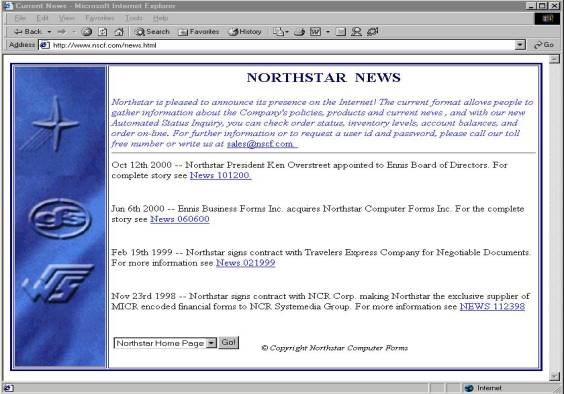
The following html code produces the news web page.
<html>
<head>
<title>Current News</title>
</head>
<table BORDER="3" WIDTH="100%" height="550" bordercolor="#000080">
<tr>
<td WIDTH="135" height="550"><img src="nscflogo2.jpg" width="135" height="550"></td>
<td><p align="center"><b><font color="#000066" size="+2">NORTHSTAR NEWS</font></b> <br>
</p>
<table BORDER="0" COLS="1" WIDTH="100%">
<tr>
<td><i><font color="#3333FF">Northstar is pleased to announce its presence on the
Internet! The current format allows people to gather information about the Company's
policies, products and current news , and with our new Automated Status Inquiry, you can
check order status, inventory levels, account balances, and order on-line. For further
information or to request a user id and password, please call our toll free number or
write us at</font></i> <a href="mailto:sales@nscf.com">sales@nscf.com. </a><hr>
</td>
</tr>
<tr>
<td>Oct 12th 2000 -- Northstar President Ken Overstreet appointed to Ennis Board of
Directors. For complete story see <a href="../news101200.html">News 101200.</a><p> </td>
</tr>
<tr>
<td>Jun 6th 2000 -- Ennis Business Forms Inc. acquires Northstar Computer Forms Inc. For
the complete story see <a href="../news060600.html">News 060600</a><p> </td>
</tr>
<tr>
<td>Feb 19th 1999 -- Northstar signs contract with Travelers Express Company for
Negotiable Documents. For more information see <a href="../news021999.html">News 021999</a><p> </td>
</tr>
<tr>
<td>Nov 23rd 1998 -- Northstar signs contract with NCR Corp. making Northstar the
exclusive supplier of MICR encoded financial forms to NCR Systemedia Group. For more
information see <a href="../news112398.html">NEWS 112398</a><p> </td>
</tr>
<tr>
<td><table border="0" height="25">
<tr>
<td align="center" width="40%"><form name="MainChoiceForm">
<p><select name="MainChoiceSelect" size="1">
<option selected>Northstar Home Page</option>
<option>General Information</option>
<option>What We Do</option>
<option>Where We Operate</option>
<option>Customer Service</option>
<option>--------------------</option>
</select><input type="button" name="MainChoiceButton" value="Go!" onclick="window.open(MainChoiceArray[document.MainChoiceForm.MainChoiceSelect.selectedIndex], '_self')" </form> <script language="Javascript">
<!--//hide script from old browsers
var NUMBER_OF_LINKS=11
MainChoiceArray=new Array(NUMBER_OF_LINKS)
MainChoiceArray[0]="index.html"
MainChoiceArray[1]="wwa.html"
MainChoiceArray[2]="what.html"
MainChoiceArray[3]="where.html"
MainChoiceArray[4]="cs.html"
//end hiding contents -->
</script> </p>
</form>
</td>
<td align="center"><!--webbot bot="HTMLMarkup" StartSpan --><font color="#000000" size="2"><i>©
Copyright Northstar Computer Forms</i></font><!--webbot BOT="HTMLMarkup" endspan --><!--webbot bot="HTMLMarkup" StartSpan --><br><!--webbot BOT="HTMLMarkup" endspan --><table border="0">
</table>
</td>
</tr>
</table>
</td>
</tr>
</table>
</body>
</html>
The next page to be shown is the ‘Where We Operate’ page off the main web page. This page uses a map to show the physical locations and has hot-spot images as buttons providing hyperlinks to the individual location pages. A summary of names, addresses, and phone numbers is also shown. The html code is shown below the screen shot.
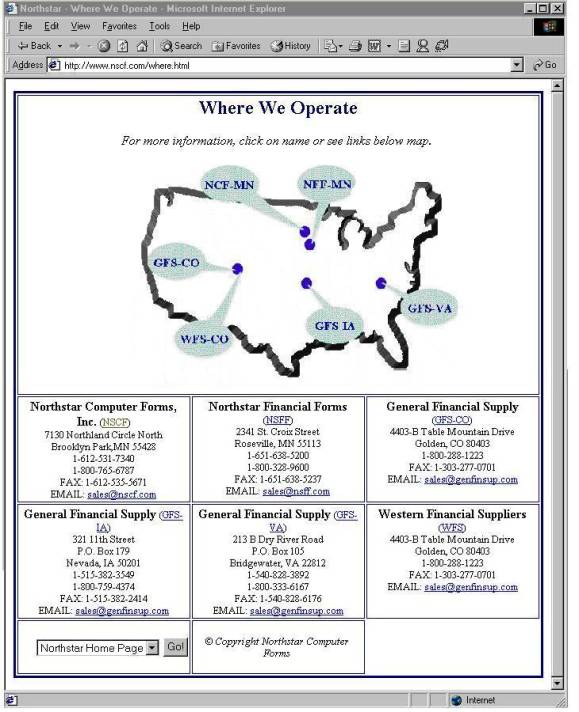
<html>
<head>
<title>Northstar - Where We Operate</title>
</head>
<body BGCOLOR="#FFFFFF">
<table width="100%" height="679" bordercolor="#000080" border="3" cellpadding="2" bordercolorlight="#000080" bordercolordark="#000080">
<tr>
<td width="100%" height="367" colspan="3"><h2 align="center"><font color="#000080">Where
We Operate</font></h2>
<p align="center"><em>For more information, click on name or see links below map.</em></p>
<p align="center"> <!--webbot bot="ImageMap" default="where.html" rectangle="(88,1) (171, 52) hownscf.html" rectangle="(216,3) (289, 50) hownsff.html" rectangle="(289,14) (360, 65) howwbf.html" rectangle="(223,179) (298, 230) howgfsia.html" rectangle="(342,160) (416, 209) howgfsva.html" rectangle="(22,101) (102, 148) howgfsco.html" rectangle="(56,197) (138, 246) howwfsco.html" SRC="Pics/wheremap.gif" border="0" alt="Click on a position for more details" width="417" height="280" startspan --><MAP NAME="FrontPageMap"><AREA SHAPE="RECT" COORDS="88, 1, 171, 52" HREF="hownscf.html"><AREA SHAPE="RECT" COORDS="216, 3, 289, 50" HREF="hownsff.html"><AREA SHAPE="RECT" COORDS="289, 14, 360, 65" HREF="howwbf.html"><AREA SHAPE="RECT" COORDS="223, 179, 298, 230" HREF="howgfsia.html"><AREA SHAPE="RECT" COORDS="342, 160, 416, 209" HREF="howgfsva.html"><AREA SHAPE="RECT" COORDS="22, 101, 102, 148" HREF="howgfsco.html"><AREA SHAPE="RECT" COORDS="56, 197, 138, 246" HREF="howwfsco.html"><AREA COORDS="0,0,10000,10000" HREF="where.html"></MAP><a href="_vti_bin/shtml.exe/where.html/map"><img ismap usemap="#FrontPageMap" border="0" height="280" alt="Click on a position for more details" src="Pics/wheremap.gif" width="417"></a><!--webbot bot="ImageMap" endspan i-checksum="35474" --></td>
</tr>
<tr align="center">
<td VALIGN="TOP" width="33%" height="124"><b><font SIZE="3">Northstar Computer Forms, Inc.
</font></b><font SIZE="2">(<a HREF="hownscf.html">NSCF</a>)<br>
7130 Northland Circle North<br>
Brooklyn Park,MN 55428<br>
1-612-531-7340<br>
1-800-765-6787<br>
FAX: 1-612-535-5671<br>
EMAIL: <a HREF="mailto:sales@nscf.com">sales@nscf.com</a> </font></td>
<td VALIGN="TOP" width="33%" height="124"><b><font SIZE="3">Northstar Financial Forms </font></b><font SIZE="2">(<a HREF="hownsff.html">NSFF</a>)<br>
2341 St. Croix Street<br>
Roseville, MN 55113<br>
1-651-638-5200<br>
1-800-328-9600<br>
FAX: 1-651-638-5237<br>
EMAIL: <a HREF="mailto:sales@nsff.com">sales@nsff.com</a> </font></td>
<td VALIGN="TOP" width="33%" height="124"><b><font SIZE="3">General Financial Supply </font></b><font SIZE="2"><br>
(<a HREF="howgfsco.html">GFS-CO</a>) <br>
4403-B Table Mountain Drive<br>
Golden, CO 80403<br>
1-800-288-1223<br>
FAX: 1-303-277-0701<br>
EMAIL: <a HREF="mailto:sales@genfinsup.com">sales@genfinsup.com</a> </font></td>
</tr>
<tr align="center">
<td VALIGN="TOP" width="33%" height="130"><b><font SIZE="3">General Financial Supply </font></b><font SIZE="2">(<a HREF="howgfsia.html">GFS-IA</a>)<br>
321 11th Street<br>
P.O. Box 179<br>
Nevada, IA 50201<br>
1-515-382-3549<br>
1-800-759-4374<br>
FAX: 1-515-382-2414<br>
EMAIL: <a HREF="mailto:sales@genfinsup.com">sales@genfinsup.com</a> </font></td>
<td VALIGN="TOP" width="33%" height="130"><b><font SIZE="3">General Financial Supply </font></b><font SIZE="2">(<a HREF="howgfsva.html">GFS-VA</a>)<br>
213 B Dry River Road<br>
P.O. Box 105<br>
Bridgewater, VA 22812<br>
1-540-828-3892<br>
1-800-333-6167<br>
FAX: 1-540-828-6176<br>
EMAIL: <a HREF="mailto:sales@genfinsup.com">sales@genfinsup.com</a> </font></td>
<td VALIGN="TOP" width="33%" height="130"><b><font SIZE="3">Western Financial Suppliers </font></b><font SIZE="2">(<a HREF="howwfsco.html">WFS</a>)<br>
4403-B Table Mountain Drive<br>
Golden, CO 80403<br>
1-800-288-1223<br>
FAX: 1-303-277-0701<br>
EMAIL: <a HREF="mailto:sales@genfinsup.com">sales@genfinsup.com</a> </font></td>
</tr>
<tr>
<td width="33%" height="25" align="right"><br>
<form NAME="MainChoiceForm">
<p><select NAME="MainChoiceSelect" size="1">
<option SELECTED>Northstar Home Page</option>
<option>General Information</option>
<option>What We Do</option>
<option>Where We Operate</option>
<option>Customer Service</option>
<option>--------------------</option>
</select> <input TYPE="BUTTON" Value="Go!" Name="MainChoiceButton" onClick="window.open(MainChoiceArray[document.MainChoiceForm.MainChoiceSelect.selectedIndex], '_self')" </FORM> <script LANGUAGE="Javascript">
<!--//hide script from old browsers
var NUMBER_OF_LINKS=11
MainChoiceArray=new Array(NUMBER_OF_LINKS)
MainChoiceArray[0]="index.html"
MainChoiceArray[1]="wwa.html"
MainChoiceArray[2]="what.html"
MainChoiceArray[3]="where.html"
MainChoiceArray[4]="cs.html"
//end hiding contents -->
</script> </p>
</form>
</td>
<td width="33%" align="center"><!--webbot bot="HTMLMarkup" StartSpan --><font color="#000000" size="2"><i>©
Copyright Northstar Computer Forms </i></font><!--webbot BOT="HTMLMarkup" endspan --><!--webbot bot="HTMLMarkup" StartSpan --><br><!--webbot BOT="HTMLMarkup" endspan --><table border="0">
</table>
</td>
</tr>
</table>
</body>
</html>
The customer service hyperlink from the main page provides us with information on services and customer support. An additional hyperlink is also provided for contact information similar to the information shown on the map page. A hyperlink to the customer feedback form is also provided. The feedback page is shown below.
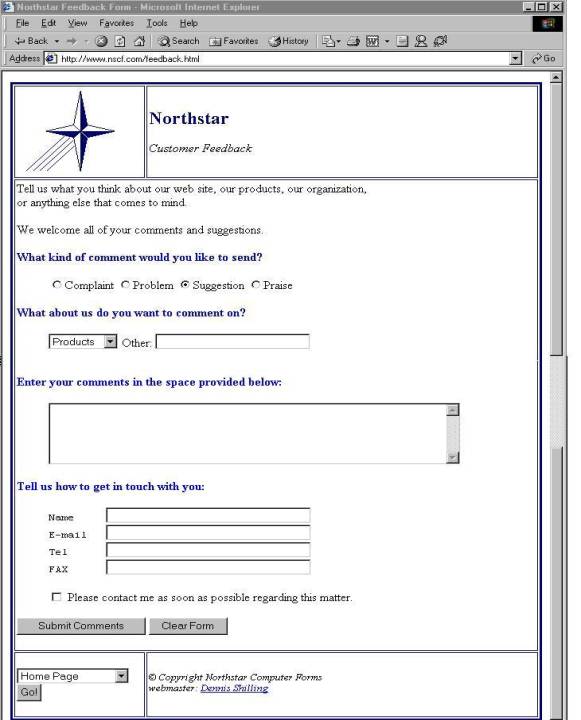
The customer feedback form allows a customer or web user to send comments back to the webmaster in an organized manner. The individual fields are composed of selection options and open text boxes making it easy for the user to express his opinion on the company or to make a suggestion for improving quality and customer service. The following is the html code for the feedback form page.
<html>
<head>
<title>Northstar Feedback Form</title>
</head>
<body>
<table border="3" width="100%" bordercolor="#000080" cellpadding="2">
<tr>
<td width="25%" bordercolor="#000080"><img src="Pics/nslogo.gif" alt="nslogo.gif (1587 bytes)" WIDTH="129" HEIGHT="122"></td>
<td bordercolor="#000080"><font face="Times New Roman" color="#000080" size="5"><strong>Northstar
</strong></font><p><em><font face="Times New Roman" size="3">Customer Feedback</font></em></td>
</tr>
<tr>
<td height="300" colspan="2"><font face="Times New Roman" color="#000000">Tell us what you
think about our web site, our products, our organization, <br>
or anything else that comes to mind.<p>We welcome all of your comments and suggestions.</p>
<form method="POST" action="http://12.1.184.2/cgi-bin/webfeedback" TARGET="_info">
<p><font color="#0000FF"><strong>What kind of comment would you like to send?</strong></font><dl>
<dd><input type="radio" name="MessageType" value="Complaint">Complaint <input type="radio" name="MessageType" value="Problem">Problem <input type="radio" checked name="MessageType" value="Suggestion">Suggestion <input type="radio" name="MessageType" value="Praise">Praise</dd>
</dl>
<p><font color="#0000FF"><strong>What about us do you want to comment on?</strong></font><dl>
<dd><select name="Subject" size="1">
<option>Company</option>
<option selected value="Products">Products</option>
<option value="Services">Services</option>
<option>Employee</option>
<option value="Web Site">Web Site</option>
<option>(Other)</option>
</select> Other: <input type="text" size="26" maxlength="56" name="SubjectOther"></dd>
</dl>
<p><font color="#0000FF"><strong>Enter your comments in the space provided below:</strong></font><dl>
<dd><textarea name="Comments" rows="5" cols="62"></textarea></dd>
</dl>
<p><font color="#0000FF"><strong>Tell us how to get in touch with you:</strong></font><dl>
<dd><pre>Name <input type="text" size="35" maxlength="56" name="Username">
E-mail <input type="text" size="35" maxlength="56" name="UserEmail">
Tel <input type="text" size="35" maxlength="56" name="UserTel">
FAX <input type="text" size="35" maxlength="56" name="UserFAX"> </pre>
</dd>
</dl>
<dl>
<dd><input type="checkbox" name="Contact" value="ContactRequested"> Please contact me as
soon as possible regarding this matter.</dd>
</dl>
<p><font color="#0000FF"><input type="submit" value="Submit Comments"></font> <font color="#0000FF"><input type="reset" value="Clear Form"></font></font></p>
</form>
</td>
</tr>
<tr>
<td width="25% height=" 25" valign="top"><br>
<form name="MainChoiceForm">
<p><select name="MainChoiceSelect" size="1">
<option selected>Home Page</option>
<option>General Information</option>
<option>What We Do</option>
<option>Where We Operate</option>
<option>Customer Service</option>
<option>--------------------</option>
</select> <input type="button" name="MainChoiceButton" value="Go!" onclick="window.open(MainChoiceArray[document.MainChoiceForm.MainChoiceSelect.selectedIndex], '_self')" </form> <script language="Javascript">
<!--//hide script from old browsers
var NUMBER_OF_LINKS=11
MainChoiceArray=new Array(NUMBER_OF_LINKS)
MainChoiceArray[0]="index.html"
MainChoiceArray[1]="wwa.html"
MainChoiceArray[2]="what.html"
MainChoiceArray[3]="where.html"
MainChoiceArray[4]="cs.html"
//end hiding contents -->
</script> </p>
</form>
</td>
<td><!--webbot bot="HTMLMarkup" StartSpan --><font color="#000000" size="2"><i>©
Copyright Northstar Computer Forms<br>webmaster: <a href="mailto:denniss@nsff.com">Dennis Shilling</i></font><!--webbot bot="HTMLMarkup" startspan --><br><!--webbot bot="HTMLMarkup" endspan --></a><table border="0">
<tr>
<td valign="top" width="250"></td>
</tr>
</table>
</td>
</tr>
</table>
</body>
</html>
<!--webbot
BOT="HTMLMarkup" endspan --></td>
</tr>
</table>
</body>
</html>
This page is a form using a form-post to http://12.1.184.2/cgi-bin/webfeedback and executes a tunnel process on the web server. The process starts by executing a cgi script which calls the Unix macro named ‘/MACROS/WEBFEEDBACK’. This macro executes a UBL program that parses the incoming form, creates a text file, and sends an email message to the Webmaster containing the posted data. The cgi-script, Unix macro, and UBL programs are shown below.
#!/usr/bin/perl
print "Content-type:text/html\n\n";
foreach $key (keys(%ENV)) {
if ($key eq "REMOTE_ADDR") {
$FILE = $ENV{$key};
open(F,">/STAT/$ENV{$key}.FEED");
@command = `chmod 777 \/STAT\/*.FEED`;
print @command;
}
}
read(STDIN, $buffer, $ENV{'CONTENT_LENGTH'});
print F "$buffer";
close(F);
@command = `\/MACROS\/WEBFEEDBACK $ENV{$key} >\/dev\/null`;
print @command;
@command = `cat \/STAT\/$FILE.STAT`;
print @command;
@command = `rm \/STAT\/$FILE.STAT`;
print @command;
exit;
This CGI script receives the incoming form information from the users PC in a hash table with elements identified by $ENV in named fields. From these fields we extract the users IP address, in order to send a confirmation, and the data entered by the user, in a buffer string. A file is created in the /STAT directory on the web server and is identified by the users IP address. The file is written containing the buffer data. The cgi script then issues a command to execute the following macro, and cleans up after itself by executing a Unix ‘rm’ on the temporary file.
trap "" 1 2 3
echo $*
PATH=/ubl:/MACROS:$PATH
BBROOT=/
BBHOME=/USR2/PROG/WEBOE
BBSEARCH=/USR2/PROG/WEBOE:/UBLUTILS:/ubl:/MACROS
export BBROOT BBSEARCH BBPROGS BBHOME PATH BBHELP BBSOURCE
#BBTERM=/ubb/dumb.tdf
BBTERM=/ubl/gui.tdf
BBENV=/ubl/BBENV
BBUSER=WWW
BBCASE=DU
BBBYE="Y"
export BBTERM BBENV BBUSER BBCASE
exec /ubl/ubl webfeedback $*
This Unix macro is used to set up a temporary environment in order to execute a UBL program that will process the incoming file. The UBL program resides in the directory /USR2/PROG/WEBOE and requires specific environmental conditions including a search path and user identification. In this case the user is identified as www and is set up as a dumb user, allowing no direct user interface. This user will be identified as ‘nouser’ by the Webs Unix process ID. The last line of the macro executes UBL and calls the program named ‘WEBFEEDBACK’ shown below.
00001 REM ‘webfeedback’ Process Support Request
00008 CLOSE
00010 GOSUB 00100 : +_ Init
00020 GOSUB 00200 : + read file
00023 LET B$=FILL$(0)
00025 $DO_WHILE P>=0
00030 GOSUB 00300 : + Extract a field
00040 GOSUB 00400 : + Extract Tag
00050 GOSUB 00500 : + Format Data
00060 GOSUB 01000 : + Print Data
00070 $END_DO
00080 GOSUB 01058 : + Send Mail
00085 GOSUB 02200 : + send message
00099 BYE
00100 REM +_ Init
00101 READ DF2%,F22%,NF%
00102 DATA 2,32,42
00105 LET LINES=12
00115 DIMX$[2000],Y$[500],T$[30],D$[500],DATA$[#LINES,999],
H$[2],IFILE$[30],OFILE$[30],B$[544],TYPE$[1],PW$[6],LAST$[14],J$[100]
00116 DIM LFTABL$[NF%*26],PASSWD$[6],CUST$[30],F$[15],
ACC$[1],CUSTNO$[6]
00120 LET LFTABL$=FILL$(0)
00125 DEF FNL(X)=ASC(LFTABL$[(X-1)*26+19,(X-1)*26+20])
00150 REM + RFORMS
00151 RFORM A6
00152 RFORM +20LLLLCBBBBLA40A40
00153 RFORM +126A40A40A10
00154 RFORM +24A30
00155 REM + Open Files
00160 LET R2=0
00168 REM + DIM Records & Keys
00190 DIM MTYPE$[30],SUBJECT$[56],SUBJO$[56],COMMS$[999],UNAME$[56],
UEMAIL$[56],UPHONE$[15],UPHFAX$[15],CONTACT$[56]
00199 RETURN
00200 REM + read file
00201 LET X$="ls -l /STAT/*.FEED >/STAT/UBLFILES"
00202 REM $EXECUTE X$,E
00203 OPEN FILE[99,5],"!/STAT/UBLFILES"
00204 READ FILE[99],X$
00205 CLOSE FILE[99]
00206 LET P=0
00209 LET Y$=TRUN$(X$[61,LEN(X$)-1],1)
00210 LET IFILE$="!/STAT/",Y$
00211 LET F$=Y$[1,LEN(Y$)-5]
00240 OPEN FILE[99,4],IFILE$
00250 LET X$=FILL$(0)
00260 READ FILE[99],X$
00290 CLOSE FILE[99]
00292 REM DELETE IFILE$
00295 OPEN FILE[99,2],"FEEDBACK.TXT"
00296 LET X=SYS(28) \ Y=SYS(27)
00297 PRINT FILE[99], USING "A20,of8.0,2x,of8.0","Date & Time: ",X,Y
00299 RETURN
00300 REM + Extract a field
00310 EXTRACT Y$,X$,"&",P
00399 RETURN
00400 REM + Extract Tag
00405 LET PP=0
00410 EXTRACT T$,Y$,"=",PP
00430 LET D$=Y$[PP+1]
00499 RETURN
00500 REM + Format Data
00505 LET S=1
00506 FOR I=1 TO LINES
00507 LET DATA$[#I]=""
00508 NEXT I
00510 FOR I=1 TO LINES
00520 LET PPP=POS(D$,"%0D%0A",Q)
00525 LET Q=PPP+6
00530 IF PPP THEN
00540 LET DATA$[#I]=D$[S,PPP-1]
00550 LET S=PPP+6
00560 ELSE
00570 LET DATA$[#I]=D$[S,LEN(D$)] \ I=LINES
00580 END IF
00590 NEXT I
00591 FOR I=1 TO LINES
00592 IF LEN(DATA$[#I]) THEN
00593 LET Y$=DATA$[#I]
00594 GOSUB 00600 : + Translate Hex Characters
00595 LET DATA$[#I]=D$
00597 END IF
00598 NEXT I
00599 RETURN
00600 REM + Translate Hex Characters
00605 FOR PPP=1 TO LEN(Y$)
00610 IF Y$[PPP,PPP]="+" THEN LET Y$[PPP,PPP]=" "
00615 NEXT PPP
00618 LET Q=1 \ D$=""
00619 $DO_WHILE Q
00620 LET PPP=POS(Y$,"%",Q)
00625 IF PPP THEN
00630 LET D$[0]=Y$[Q,PPP-1] \ H$=Y$[PPP+1,PPP+2]
00640 GOSUB 00700 : + Get Hex Value
00650 LET D$[0]=CHR$(Z,1)
00655 LET Q=PPP+3
00660 ELSE
00670 LET D$[0]=Y$[Q,LEN(Y$)] \ Q=0
00675 END IF
00680 $END_DO
00699 RETURN
00700 REM + Get Hex Value
00720 LET Y=ASC(H$[1,1])
00725 IF Y<60 THEN LET Z=(Y-48)*16 ELSE LET Z=(Y-55)*48
00730 LET Y=ASC(H$[2,2])
00735 IF Y<60 THEN LET Z=Z+(Y-48) ELSE LET Z=Z+(Y-55)
00799 RETURN
01000 REM + Print Data
01027 IF T$="MessageType" THEN LET MTYPE$=TRUN$(D$,1),FILL$(0)
01028 IF T$="Subject" THEN LET SUBJECT$=TRUN$(D$,1),FILL$(0)
01029 IF T$="SubjectOther" THEN LET SUBJO$=TRUN$(D$,1),FILL$(0)
01030 IF T$="Comments" THEN LET COMMS$=TRUN$(D$,1),FILL$(0)
01031 IF T$="Username" THEN LET UNAME$=TRUN$(D$,1),FILL$(0)
01032 IF T$="UserEmail" THEN LET UEMAIL$=TRUN$(D$,1),FILL$(0)
01033 IF T$="UserTel" THEN LET UPHONE$=TRUN$(D$,1),FILL$(0)
01034 IF T$="UserFAX" THEN LET UPHFAX$=TRUN$(D$,1),FILL$(0)
01035 IF T$="Contact" THEN LET CONTACT$=TRUN$(D$,1),FILL$(0)
01044 IF T$="MessageType" THEN PRINT FILE[99], USING "A20,A56","Message Type:",MTYPE$
01045 IF T$="Subject" THEN PRINT FILE[99], USING "A20,A56","Subject:",SUBJECT$
01046 IF T$="SubjectOther" THEN PRINT FILE[99], USING "A20,A56","Other:",SUBJO$
01047 IF T$="Comments" THEN GOSUB 01070 : + get Comments
01049 IF T$="Username" THEN PRINT FILE[99], USING "A20,A56","User Name:",UNAME$
01050 IF T$="UserEmail" THEN PRINT FILE[99], USING "A20,A56","Email Address:",UEMAIL$
01052 IF T$="UserTel" THEN PRINT FILE[99], USING "A20,A15","Phone No:",UPHONE$
01054 IF T$="UserFAX" THEN PRINT FILE[99], USING "A20,A15","Fax Number:",UPHFAX$
01055 IF T$="Contact" THEN PRINT FILE[99], USING"A20,A56","Contact:",
CONTACT$
01057 RETURN
01058 REM + Send Mail
01059 CLOSE FILE[99]
01060 LET X$="mail -s FEEDBACK denniss@nsff.com < FEEDBACK.TXT"
01065 REM $EXECUTE X$,E
01068 RETURN
01070 REM + get Comments
01072 PRINT FILE[99], USING "A20","Comments:"
01073 FOR X=1 TO LINES
01074 LET COMMS$=TRUN$(DATA$[#X],1)
01076 IF LEN(COMMS$) THEN PRINT FILE[99], USING "5X,A74",COMMS$
01078 NEXT X
01099 RETURN
02200 REM + send message
02215 GOSUB 07000 : + Open Status Output File
02220 PRINT FILE[LP%],"<H1>Thank you.. Your feedback has been posted.</H1>"
02222 PRINT FILE[LP%],"<p>Please click the X in the upper right corner to close
this window</p>"
02230 GOSUB 07050 : + Close Output File
02240 DELETE "FEEDBACK.TXT"
02245 DELETE "!/STAT/*.FEED"
02299 RETURN
07000 REM + Open Status Output File
07005 DIM OUT$[30],USER$[5],OUT1$[30]
07010 STMA 9,0,USER$
07012 LET USER$=TRUN$(USER$,1)
07027 LET OUT$="/STAT/",F$,".STAT"
07029 LET LP%=14 \ LP1%=100
07030 OPEN E,FILE[LP%,1],OUT$
07049 RETURN
07050 REM + Close Output File
07070 CLOSE FILE[LP%]
07099 RETURN
The UBL code shown here and throughout the entire development, employs structured programming rules. The mainline of the program can be found between lines 1 and 99. All other code is executed as a sub-routine from the main line and begins with a remark showing the title of the sub-routine and ends with a return. The mainline executes an initialization sub-routine 100, then reads the incoming data file in sub-routine 200, extracts the data elements from the data file in sub-routine 300. The process extracts the data tags in sub-routine 400, formats the data in sub-routine 500, prints the data to create an email message body in subroutine 1000, executes a Unix call to send the email in sub-routine 1058, and sends a response message back to the users PC and deletes all temporary files in sub-routine 2200. The bye statement on line 99 terminates the UBL process, logs off the www user and the process is terminated.
This method of tunneling from browser to cgi script to Unix macro to UBL program is repeated in this development for each form-post used within the web pages. Therefore I will omit the narrative on subsequent tunneling, but I will outline the process and show the source code, pointing out any new or unique features.
The next page to review will be the ‘Forms Catalog’ off the main web page. For the catalog I use scanned images of the printed catalog in two sizes representing thumbnails and full size images of the catalog. I choose to use thumbnails to speed the display of the catalog sections and catalog pages. The thumbnails are of sufficient quality and size to give the user a preview, allowing him to choose full size images of only those pages of interest. Below is the first page of the catalog showing the main sections.
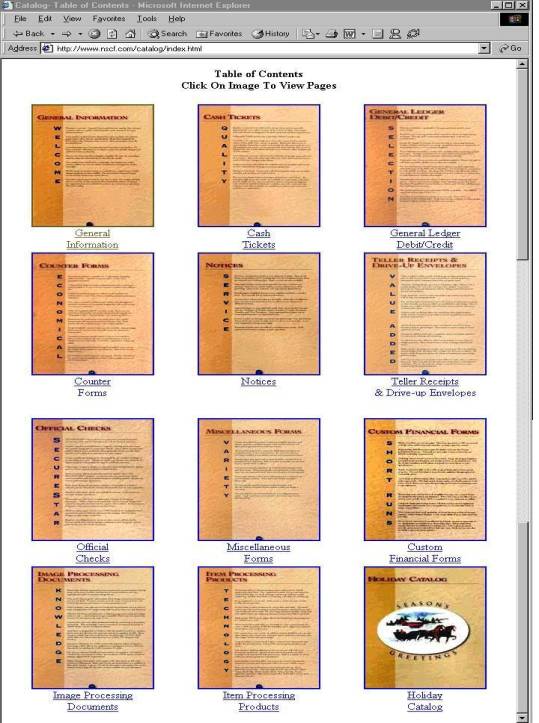
The user can select a section of the catalog by clicking on the thumbnail image or by selecting the text hyperlink below the image. For this example I will select the ‘Holiday Catalog’. From the Holiday Catalog page I will then select the ‘Coin Banks and Gift Labels’ page shown below. This page like all others is shown full size on the browser at 640 X 794 pixels, 154 dpi resolution, the standard resolution for web images.
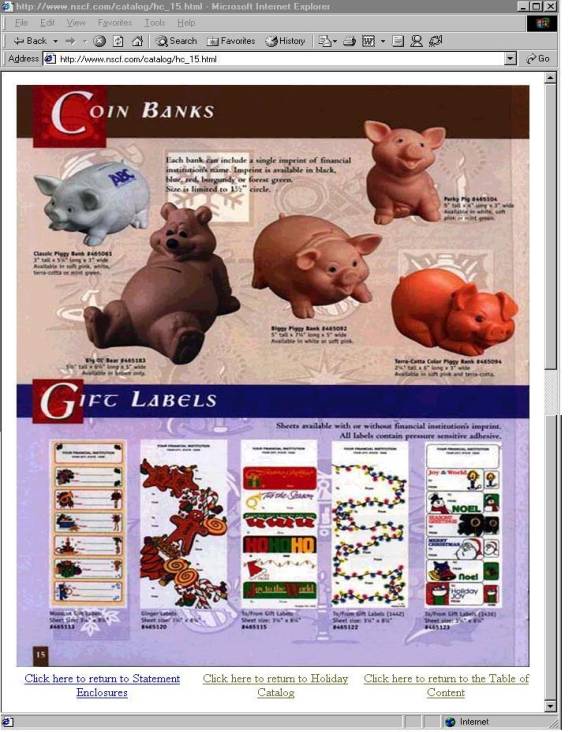
The last section of the website to be discussed is the ‘Account Inquiry’ pages. These pages are the pages that provide the electronic commerce connections in the area of customer service and on-line order entry. In order to use the account inquiry functions a customer must first request a user name and password. This can be accomplished using the feedback form or by sending an email to any customer service representative listed on the website. In addition a customer may request a user name and password by calling a sales office. Once a password is established the data will be posted to the web server during the next web update cycle. Currently the automated update cycle is at 10:00 AM and 10:0 PM CST, Monday through Friday. The page shown below is the access page to the automated status inquiry.
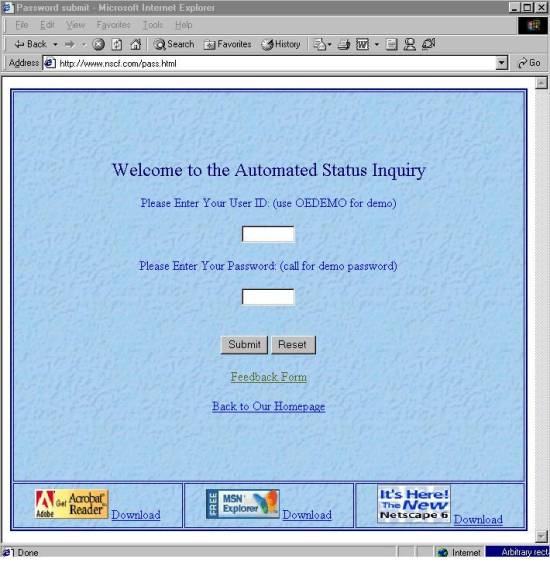
To access the users account the user enters a user name and password and clicks on submit which begins the logon tunnel process. The html code, cgi script, Unix macro, and UBL programs invoked are shown below.
<html>
<head>
<title>Password submit</title>
</head>
<body>
<table bordercolor="#000080" border="2" cellspacing="2"
width="100%" height="100%" background="Pics/crkpaper.jpg">
<tr>
<td width="99%" height="99%" colspan="3"><form METHOD="POST" ACTION="http://12.1.184.2/cgi-bin/pass"
TARGET="_info">
<div align="center"><div align="center"><center><p><big><big><font color="#000080">Welcome to
the Automated Status Inquiry </font></big></big></p>
</center></div><div align="center"></div><div align="center"><center><p><font
color="#0000FF">Please Enter Your User ID: (use OEDEMO for demo)</font></p>
</center></div><div align="center"><center><p><input TYPE="int" NAME="acct" SIZE="8"
MAXLENGTH="8"> </p>
</center></div><div align="center"><center><p><font color="#0000FF">Please Enter Your
Password: (call for demo password)</font></p>
</center></div><div align="center"><center><p><input TYPE="password" NAME="pass" SIZE="8"
MAXLENGTH="8"> </p>
</center></div><div align="center"><center><p><br>
<input TYPE="SUBMIT" VALUE="Submit"> <input TYPE="RESET" VALUE="Reset "> <br>
</p>
</center></div></div>
</form>
<p ALIGN="center"><a HREF="feedback.html" TARGET="_parent">Feedback Form</a>
<p align="center"><a HREF="index.html" TARGET="_parent">Back to Our Homepage</a>
</td>
</tr>
<tr>
<td width="28%" height="15%"><p align="center" valign="top"><img
src="Pics/getacro.gif" width="95" height="38"
alt="getacro.gif
(1692 bytes)">
<a href="http://www.adobe.com/products/acrobat/readstep2.html" target="_top">Download</a>
</td>
<td width="28%" height="15%"><p align="center" valign="top"><img
src="Pics/msnexp.gif" width="95" height="38"
alt="msnexp.gif (7401 bytes)">
<a href="http://www.explorer.msn.com/home.htm" target="_top">Download</a>
</td>
<td width="28%" height="15%"><p align="center" valign="top"><img
src="Pics/netscape.gif" width="95" height="50"
alt="netscape.gif (3949 bytes)">
<a href="http://www.netscape.com/download/index.html" target="_top">Download</a>
</td>
</tr>
</table>
</body>
</html>
The form-post calls the cgi script named ‘PASS’ shown below.
#!/usr/bin/perl
print "Content-type:text/html\n\n";
foreach $key (keys(%ENV)) {
if ($key eq "REMOTE_ADDR") {
$FILE = $ENV{$key};
open(F,">/STAT/$ENV{$key}.INP");
@command = `chmod 777 \/STAT\/*.INP`;
print @command;
}
}
read(STDIN, $buffer, $ENV{'CONTENT_LENGTH'});
print F "$buffer";
close(F);
@command = `\/MACROS\/PASSWORD $FILE >\/dev\/null`;
print @command;
@command = `cat \/STAT\/$FILE.STAT`;
print @command;
@command = `rm \/STAT\/$FILE.STAT`;
print @command;
exit;
The cgi script below executes the macro named ‘PASSWORD’.
trap "" 1 2 3
echo $*
PATH=/ubl:/MACROS:$PATH
BBROOT=/
BBHOME=/USR2/PROG/WEBOE
BBSEARCH=/USR2/PROG/WEBOE:/UBLUTILS:/ubl:/MACROS
export BBROOT BBSEARCH BBPROGS BBHOME PATH BBHELP BBSOURCE
#BBTERM=/ubb/dumb.tdf
BBTERM=/ubl/gui.tdf
BBENV=/ubl/BBENV
BBUSER=WWW
BBCASE=DU
BBBYE="Y"
export BBTERM BBENV BBUSER BBCASE
exec /ubl/ubl passck $*
The Unix macro executes the UBL program named ‘PASSCK’ shown below.
00001 REM ‘passck’ Process Support Request
00008 CLOSE
00010 GOSUB 00100 : +_ Init
00020 GOSUB 00200 : + read file
00023 LET B$=FILL$(0)
00025 $DO_WHILE P>=0
00030 GOSUB 00300 : + Extract a field
00040 GOSUB 00400 : + Extract Tag
00050 GOSUB 00500 : + Format Data
00060 GOSUB 01000 : + DEDODE DATA
00070 $END_DO
00071 IF LEN(CUSTNO$)=0 THEN GOSUB 02215
00072 CHAIN "WEBMENU"
00099 BYE
00100 REM +_ Init
00101 READ DF2%,F22%,NF%
00102 DATA 2,32,42
00105 LET LINES=12
00115 DIM X$[2000],Y$[500],T$[30],D$[500],DATA$[#LINES,80],H$[2],
IFILE$[30],OFILE$[30],B$[544],TYPE$[1],PW$[6],LAST$[14],J$[100]
00116 DIM LFTABL$[NF%*26],PASSWD$[6],CUST$[30],F$[15],ACC$[1],
CUSTNO$[6]
00120 LET LFTABL$=FILL$(0)
00125 DEF FNL(X)=ASC(LFTABL$[(X-1)*26+19,(X-1)*26+20])
00150 REM + RFORMS
00151 RFORM A6
00152 RFORM +20LLLLCBBBBLA40A40
00153 RFORM +126A40A40A10
00154 RFORM +24A30
00155 REM + Open Files
00156 LOPEN FILE[DF2%,B$],"OEMAIL"
00157 LOPEN FILE[F22%,B$],"OEMAILI2"
00160 LET R2=0
00168 REM + DIM Records & Keys
00169 DIM R2$[FNL(DF2%)],K22$[12]
00199 RETURN
00200 REM + read file
00201 BLOCK READ X$
00205 LET P=0
00210 LET IFILE$="!/STAT/",TRUN$(X$[8,22],1),".INP"
00215 LET F$=TRUN$(X$[8,22],1)
00240 OPEN FILE[99,4],IFILE$
00250 LET X$=FILL$(0)
00260 READ FILE[99],X$
00290 CLOSE FILE[99]
00299 RETURN
00300 REM + Extract a field
00310 EXTRACT Y$,X$,"&",P
00399 RETURN
00400 REM + Extract Tag
00405 LET PP=0
00410 EXTRACT T$,Y$,"=",PP
00430 LET D$=Y$[PP+1]
00499 RETURN
00500 REM + Format Data
00505 LET S=1
00506 FOR I=1 TO LINES
00507 LET DATA$[#I]=""
00508 NEXT I
00510 FOR I=1 TO LINES
00520 LET PPP=POS(D$,"%0D%0A",Q)
00525 LET Q=PPP+6
00530 IF PPP THEN
00540 LET DATA$[#I]=D$[S,PPP-1]
00550 LET S=PPP+6
00560 ELSE
00570 LET DATA$[#I]=D$[S,LEN(D$)] \ I=LINES
00580 END IF
00590 NEXT I
00591 FOR I=1 TO LINES
00592 IF LEN(DATA$[#I]) THEN
00593 LET Y$=DATA$[#I]
00594 GOSUB 00600 : + Translate Hex Characters
00595 LET DATA$[#I]=D$
00597 END IF
00598 NEXT I
00599 RETURN
00600 REM + Translate Hex Characters
00605 FOR PPP=1 TO LEN(Y$)
00610 IF Y$[PPP,PPP]="+" THEN LET Y$[PPP,PPP]=" "
00615 NEXT PPP
00618 LET Q=1 \ D$=""
00619 $DO_WHILE Q
00620 LET PPP=POS(Y$,"%",Q)
00625 IF PPP THEN
00630 LET D$[0]=Y$[Q,PPP-1] \ H$=Y$[PPP+1,PPP+2]
00640 GOSUB 00700 : + Get Hex Value
00650 LET D$[0]=CHR$(Z,1)
00655 LET Q=PPP+3
00660 ELSE
00670 LET D$[0]=Y$[Q,LEN(Y$)] \ Q=0
00675 END IF
00680 $END_DO
00699 RETURN
00700 REM + Get Hex Value
00720 LET Y=ASC(H$[1,1])
00725 IF Y<60 THEN LET Z=(Y-48)*16 ELSE LET Z=(Y-55)*48
00730 LET Y=ASC(H$[2,2])
00735 IF Y<60 THEN LET Z=Z+(Y-48) ELSE LET Z=Z+(Y-55)
00799 RETURN
01000 REM + DEDODE DATA
01028 IF T$="acct" THEN LET CUSTNO$=TRUN$(D$,1)
01029 IF T$="acct" AND LEN(CUSTNO$)=0 THEN GOSUB 02215
01030 IF T$="pass" THEN
01035 LET PW$=TRUN$(D$,1)
01036 IF LEN(PW$)=0 THEN GOSUB 02215
01046 GOSUB 02200 : + Validate Password
01047 END IF
01050 LET B$[10,15]=CUSTNO$,FILL$(0)
01055 LET B$[16,21]=PW$,FILL$(0)
01058 LET B$[22,36]=F$
01060 BLOCK WRITE B$
01099 RETURN
02100 REM + READ MAIL FILE
02101 LET R2$=FILL$(0) \ K22$=FILL$(0)
02102 STMA 14,CUSTNO$,0
02103 STMA 14,PW$,0
02104 LET K22$=CUSTNO$,PW$
02105 KFIND F22%,B$,K22$,R2
02106 IF R2<1 THEN LET R2=0
02107 IF R2<1 THEN
02108 IF PW$[1,4]="J753" THEN
02109 LET K22$=CUSTNO$,FILL$(0)
02110 KFIND F22%,B$,K22$,R2
02111 IF K22$[1,6]=CUSTNO$ THEN LET R2=ABS(R2) ELSE LET R2=0
02112 IF R2 THEN LET PW$=K22$[7,12],FILL$(0)
02113 END IF
02114 END IF
02148 IF R2 THEN
02150 LREAD FILE[DF2%,R2],R2$
02165 LET PASSWD$=R2$[344,349]
02166 IF PASSWD$<>PW$ THEN LET R2=0
02190 END IF
02195 IF R2=0 THEN LET PASSWD$=FILL$(0)
02199 RETURN
02200 REM + Validate Password
02205 GOSUB 02100 : + READ MAIL FILE
02210 IF PW$<>PASSWD$ THEN
02215 GOSUB 07000 : + Open Status Output File
02220 PRINT FILE[LP%],"<H1>Password was invalid... Try again!</H1>"
02230 GOSUB 07050 : + Close Output File
02235 BYE
02290 END IF
02299 RETURN
07000 REM + Open Status Output File
07005 DIM OUT$[30],USER$[5],OUT1$[30]
07010 STMA 9,0,USER$
07012 LET USER$=TRUN$(USER$,1)
07027 LET OUT$="/STAT/",F$,".STAT"
07029 LET LP%=14 \ LP1%=100
07030 OPEN E,FILE[LP%,1],OUT$
07032 IF E THEN
07034 LET X$="<7>",ERM$(E)
07036 PRINT @(-30);@(-40);@(10,10);X$;@(-41)
07038 DELAY 50
07040 BYE
07041 END
07042 END IF
07049 RETURN
07050 REM + Close Output File
07070 CLOSE FILE[LP%]
07099 RETURN
Sub-routines 2100 and 2200 are used to validate the incoming user name and password. This data is validated against the user name and password found in the UBL database named ‘MAIL’. A picture of the database record is shown below. A successful logon will result in the execution of line 72 and the UBL program named ‘WEBMENU’ will be called. An un-successful login attempt will result in the execution of line 2220 causing an ‘Invalid Password’ message to be sent to the users browser.
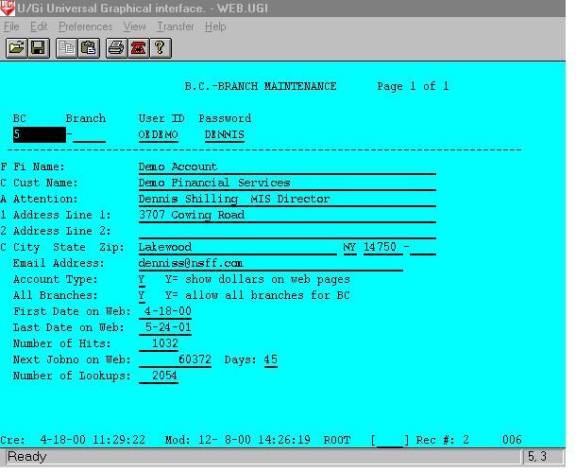
This data file contains a record for each user assigned on the web inquiry. The data record is stored in an ISAM database that is indexed by an account number called BC and Branch and by an index of User Name and Password. Additional information such as user account name and address is also stored. The file is updated by activity on the account, providing first and last access dates, the number of accesses to date, and the number of individual order or release lookups to date. The code used to update the number of access is shown below in the ‘WEBMENU’ program, sub-routine 2100.
00001 REM *** 'WEBMENU' -- HTML Menu for Web Account Inquiry
00005 CLOSE
00009 ON IKEY THEN GOTO 00096
00010 GOSUB 00100 : + Init
00026 GOSUB 07000 : + Open Printer and Print Specs
00027 ON IKEY THEN GOTO 00080
00040 GOSUB 02100 : + READ MAIL FILE
00050 GOSUB 03000 : + Print Routine
00060 REM + Qprint The Report
00085 GOSUB 07050 : + Close Printer
00099 BYE
00100 REM + Init
00102 READ F34%,DF4%,F22%,DF2%,NF%
00103 DATA 34,4,22,2,34
00105 ON ERR THEN GOTO 08000 : + Unrecoverable Error
00120 DEF FNZ(X)=VAL(X$,E)*10^MAX(0,X-E)/10^MAX(0,E-X)
00125 DEF FNR(X)=(X+5*SGN(X))/10
00140 DIM LFTABL$[NF%*26],X$[132],B$[544],B1$[544],LINE$[512],CPNY$[30],RDATE$[8]
00141 DIM B2$[544],Q$[8],ALL$[1],STLIT$[36],MENU$[10],RPT$[32],
PASSWD$[6],PW$[6],F$[15],P$[2],CUSTNO$[6]
00145 BLOCK READ B$
00146 LET CPNY$=B$[23,52] \ RPT$="WEB INQUIRY MENU",FILL$(0)
00147 LET METRIC=0 \ CUSTNO$=B$[10,15] \ PW$=B$[16,21] \ F$=TRUN$(B$[22,36],1)
00149 PRINT @(-30);RPT$[1,LEN(RPT$)]
00151 LET LFTABL$=FILL$(0)
00155 REM + Open Files
00156 LOPEN FILE[DF2%,B$],"OEMAIL"
00157 LOPEN FILE[F22%,B$],"OEMAILI2"
00160 LET R2=0
00168 REM + DIM Records & Keys
00169 DIM R2$[512],K22$[12]
00175 DEF FNL(X)=ASC(LFTABL$[(X-1)*26+19,(X-1)*26+20])
00176 LET N=6 \ X=((MOD(SYS(3),100)+((SYS(3)>1999)*100)))*10000+SYS(28)/100 \ E=0
00181 GOSUB 07300 : + Decode Date/Size
00183 LET X$=""
00184 IF LEN(X$) THEN GOSUB 07200 : + Encode Date/Size
00185 IF E THEN GOTO 00176
00186 GOSUB 07300 : + Decode Date/Size
00187 LET RDATE$=X$ \ RDATE=X
00196 LET IMAX=-1 \ NST=0 \ NFLDS=3 \ MAXLPP=55 \ MAXSLPP=60
00198 LET IPAGE=0 \ LCNT=99 \ RCOUNT=0 \ TCOUNT=0
00200 REM + DIM Masks & Other Variables
00202 DIM NOTES1$[40],NOTES2$[40],FWDATE$[8],LWDATE$[8]
00203 DIM NOTES3$[40],NOTES4$[40],CONT$[10],DESC$[30],ASSIGN$[40]
00204 DIM ST$[2],FAXDET$[60],PRIORTY$[10],CUST$[45],ADDR$[45],
ATTN$[45]
00700 REM + Clear Arrays
00705 DIM TOT[MAX(IMAX,0),MAX(NST,0)],T[MAX(NST,0)+1]
00710 FOR J=0 TO NST
00712 LET T[J]=0
00715 FOR I=0 TO IMAX
00720 LET TOT[I,J]=0
00725 NEXT I
00730 NEXT J
00740 LET R4=0
00741 LET R2=0
00800 REM + Keys And Tempx
00899 RETURN
02100 REM + READ MAIL FILE
02101 LET R2$=FILL$(0) \ K22$=FILL$(0)
02103 LET K22$=CUSTNO$,PW$
02105 KFIND F22%,B$,K22$,R2
02106 IF R2<1 THEN LET R2=0
02148 IF R2 THEN
02149 LREAD FILE[DF2%,R2],R2$
02165 LET PASSWD$=TRUN$(R2$[344,349],1)
02166 IF PASSWD$<>PW$ THEN LET R2=0
02190 END IF
02195 IF R2=0 THEN LET PASSWD$=FILL$(0)
02196 LET CUST$=TRUN$(R2$[74,118],1) \ ATTN$=TRUN$(R2$[119,163],1)
02197 LET ADDR$=TRUN$(R2$[254,283],1)," ",R2$[284,285]," ",TRUN$(R2$[286,291],1)
02198 IF CUST$=ATTN$ THEN LET CUST$=TRUN$(R2$[29,73],1)
02222 IF ASC(R2$[338,341])=0 THEN LET R2$[338,341]=CHR$(RDATE,4)
02230 LET X=ASC(R2$[338,341]) \ N=6
02232 GOSUB 07300 : + Decode Date/Size
02234 LET FWDATE$=X$
02236 LET X=ASC(R2$[356,359]) \ N=6
02238 GOSUB 07300 : + Decode Date/Size
02240 LET LWDATE$=X$
02242 LET NOHITS=ASC(R2$[360,363])
02245 LET BANKCD=ASC(R2$[21,24])
02250 IF R2 THEN
02252 IF ASC(R2$[338,341])=0 THEN LET R2$[338,341]=CHR$(RDATE,4)
02254 LET R2$[356,359]=CHR$(RDATE,4)
02256 LET R2$[360,363]=CHR$(ASC(R2$[360,363])+1,4)
02258 LWRITE FILE[DF2%,R2],R2$
02260 END IF
02299 RETURN
03000 REM + Print Routine
03005 PRINT FILE[LP%],"<html>"
03010 PRINT FILE[LP%],"<head>"
03015 PRINT FILE[LP%],"<title></title>"
03020 PRINT FILE[LP%],"</head>"
03025 PRINT FILE[LP%],"<body>"
03030 PRINT FILE[LP%],"<table border=<34>2<34> width=<34>99%<34> height=<34>300<34> bordercolor=<34>#000080<34> cellspacing=<34>2<34> background=<34>http://12.1.184.2/Pics/crkpaper.jpg<34>>"
03035 PRINT FILE[LP%],"<tr height=<34>50<34>>"
03040 PRINT FILE[LP%],"<td><p align=<34>center<34>><em><big><font color=<34>#000080<34>>Welcome to the secure automated status inquiry menu.<br>"
03045 PRINT FILE[LP%]," Please select from the options below.</font></big></em></td>"
03050 PRINT FILE[LP%],"</tr>"
03055 PRINT FILE[LP%],"<tr align=<34>center<34>>"
03060 PRINT FILE[LP%],"<td>"
03065 LET LINE$="<form METHOD=<34>POST<34> ACTION=<34>http://12.1.184.2/cgi-bin/webordstat<34>>"
03070 LET LINE$[0]="<input type=<34>hidden<34> name=<34>acct<34> value=<34>",CUSTNO$,"<34>>"
03075 LET LINE$[0]="<input type=<34>hidden<34> name=<34>pass<34> value=<34>",PW$,"<34>>"
03080 LET LINE$[0]="<input type=<34>submit<34> value=<34>ORDER STATUS & TRACKING INQUIRY<34> style=<34>background=Pics/crkpaper.jpg;font-size: 14pt; color: #008000; border=none<34>></form>"
03085 PRINT FILE[LP%],LINE$
03090 IF BANKCD=6029 THEN GOTO 03120
03095 LET LINE$="<form METHOD=<34>POST<34>ACTION=
<34>http://12.1.184.2/cgi-bin/webrelstat<34>>"
03100 LET LINE$[0]="<input type=<34>hidden<34> name=<34>acct<34> value=<34>",CUSTNO$,"<34>>"
03105 LET LINE$[0]="<input type=<34>hidden<34> name=<34>pass<34> value=<34>",PW$,"<34>>"
03110 LET LINE$[0]="<input type=<34>submit<34> value=<34>RELEASE STATUS & TRACKING INQUIRY<34>style=<34>background=http://12.1.184.2
/Pics/crkpaper.jpg; font-size: 14pt; color: #70A03F; border=none <34>></form>"
03115 PRINT FILE[LP%],LINE$
03120 LET LINE$="<align=<34>center<34>><font color=<34>#808000<34>>Lookup Order by P.O.# or Order# or Customer Name:</font>"
03125 PRINT FILE[LP%],LINE$
03130 LET LINE$="<form METHOD=<34>POST<34> ACTION=<34>http://12.1.184.2/cgi-bin/webdpostat<34>>"
03135 LET LINE$[0]="<input type=<34>hidden<34> name=<34>acct<34> value=<34>",CUSTNO$,"<34>>"
03140 LET LINE$[0]="<input type=<34>hidden<34> name=<34>pass<34> value=<34>",PW$,"<34>>"
03145 IF BANKCD<>6029 THEN LET LINE$[0]="<input type=<34>submit<34> value=<34>P.O. NUMBER<34> style=<34>background=http://12.1.184.2/Pics/crkpaper.jpg; font-siz
e: 10pt; color: #808000; border:none<34>>"
03146 IF BANKCD=6029 THEN LET LINE$[0]="<input type=<34>submit<34> value=<34>CMS NUMBER<34> style=<34>background=http://12.1.184.2/Pics/crkpaper.jpg; font-size:
10pt; color: #808000; border:none<34>>"
03150 LET LINE$[0]="<input type=<34>text<34> name=<34>dpo<34> style=<34>font-size: 10pt; color: #808000;size=<34>20<34>></form>"
03155 PRINT FILE[LP%],LINE$
03160 LET LINE$="<form METHOD=<34>POST<34> ACTION=<34>http://12.1.184.2/cgi-bin/webolustat<34>>"
03165 LET LINE$[0]="<input type=<34>hidden<34> name=<34>acct<34> value=<34>",CUSTNO$,"<34>>"
03170 LET LINE$[0]="<input type=<34>hidden<34> name=<34>pass<34> value=<34>",PW$,"<34>>"
03175 IF BANKCD<>6029 THEN LET LINE$[0]="<input type=<34>submit<34> value=<34>ORDER NO. :<34> style=<34>background=http://12.1.184.2
/Pics/crkpaper.jpg; font-size: 10pt; color: #808000; border:none<34>>"
03176 IF BANKCD=6029 THEN LET LINE$[0]="<input type=<34>submit<34> value=<34>NCF ORDER #:<34>style=<34>background=
http://12.1.184.2/Pics/crkpaper.jpg; font-size: 10pt; color: #808000; border:none<34>>"
03180 LET LINE$[0]="<input type=<34>text<34> name=<34>dpo<34> style=<34>font-size: 10pt; color: #808000;size=<34>8<34>></form>"
03181 PRINT FILE[LP%],LINE$
03183 LET LINE$="<form METHOD=<34>POST<34> ACTION=<34>http://12.1.184.2/cgi-bin/webclustat<34>>"
03184 LET LINE$[0]="<input type=<34>hidden<34> name=<34>acct<34> value=<34>",CUSTNO$,"<34>>"
03185 LET LINE$[0]="<input type=<34>hidden<34> name=<34>pass<34> value=<34>",PW$,"<34>>"
03186 LET LINE$[0]="<input type=<34>submit<34> value=<34>CUST. NAME :<34> style=
<34>background=http://12.1.184.2/Pics/crkpaper.jpg; font-size: 10pt; color: #808
000; border:none<34>>"
03188 LET LINE$[0]="<input type=<34>text<34> name=<34>cust<34> style=<34>font-si
ze: 10pt; color: #808000;size=<34>20<34>></form>"
03189 PRINT FILE[LP%],LINE$
03194 IF BANKCD=6029 THEN GOTO 03340
03195 LET LINE$="<form METHOD=<34>POST<34> ACTION=<34>http://12.1.184.2/cgi-bin/webinvstat<34>>"
03200 LET LINE$[0]="<input type=<34>hidden<34> name=<34>acct<34> value=<34>",CUSTNO$,"<34>>"
03205 LET LINE$[0]="<input type=<34>hidden<34> name=<34>pass<34> value=<34>",PW$,"<34>>"
03210 LET LINE$[0]="<input type=<34>submit<34> value=<34>INVENTORY STATUS & HISTORY INQUIRY<34> style=<34>background=http://12.1.184.2/Pics/crkpaper.jpg; font-size: 14pt; color: #000080; border=none<34>></form>"
03215 PRINT FILE[LP%],LINE$
03220 LET LINE$="<align=<34>center<34>><font color=<34>#0000FF<34>>Lookup Inventory by Form Number:</font>"
03225 PRINT FILE[LP%],LINE$
03230 LET LINE$="<form METHOD=<34>POST<34> ACTION=<34>http://12.1.184.2/cgi-bin/webilustat<34>>"
03235 LET LINE$[0]="<input type=<34>hidden<34> name=<34>acct<34> value=<34>",CUSTNO$,"<34>>"
03240 LET LINE$[0]="<input type=<34>hidden<34> name=<34>pass<34> value=<34>",PW$,"<34>>"
03245 LET LINE$[0]="<input type=<34>submit<34> value=<34>FORM NO:<34> style=<34>background=http://12.1.184.2/Pics/crkpaper.jpg; font-size: 10pt; color: #0000FF;border:none<34>>"
03250 LET LINE$[0]="<input type=<34>text<34> name=<34>dpo<34> style=<34>font-size: 10pt; color: #0000FF;size=<34>20<34>></form>"
03255 PRINT FILE[LP%],LINE$
03260 LET LINE$="<form METHOD=<34>POST<34> ACTION=<34>http://12.1.184.2/cgi-bin/webardstat<34>>"
03265 LET LINE$[0]="<input type=<34>hidden<34> name=<34>acct<34> value=<34>",CUSTNO$,"<34>>"
03270 LET LINE$[0]="<input type=<34>hidden<34> name=<34>pass<34> value=<34>",PW$,"<34>>"
03275 LET LINE$[0]="<input type=<34>submit<34> value=<34>A/R BALANCE & INVOICE INQUIRY<34> style=<34>background=http://12.1.184.2/Pics/crkpaper.jpg; font-size:14pt; color: #800040; border=none<34>></form>"
03280 IF R2$[337,337]="Y" THEN PRINT FILE[LP%],LINE$
03285 LET LINE$="<form METHOD=<34>POST<34> ACTION=<34>http://12.1.183.45/Micrlink/logon_verify.asp<34>>"
03290 LET LINE$[0]="<input type=<34>hidden<34> name=<34>acct<34> value=<34>",CUSTNO$,"<34>>"
03295 LET LINE$[0]="<input type=<34>hidden<34> name=<34>pass<34> value=<34>",PW$,"<34>>"
03300 LET LINE$[0]="<input type=<34>submit<34> value=<34>MicrLink® AUTOMATED ORDER ENTRY <34>style=<34>background=http://12.1.184.2
Pics/crkpaper.jpg; font-family: Westminster; font-size: 16pt; color: #FF00FF; border:none<34>></form>"
03305 PRINT FILE[LP%],LINE$
03310 IF BANKCD=6895 THEN
03312 LET LINE$="<form ACTION=<34>http://12.1.184.2/priceest.html<34>>"
03315 LET LINE$[0]="<input type=<34>submit<34> value=<34>PRICE ESTIMATE INQUIRY<34> style=<34>background=http://12.1.184.2/Pics/crkpaper.jpg; font-size: 14pt; color: #008000; border=none<34>></form>"
03320 PRINT FILE[LP%],LINE$
03322 LET LINE$="<form ACTION=<34>http://12.1.184.2/pdffiles.html<34>>"
03325 LET LINE$[0]="<input type=<34>submit<34> value=<34>VIEW ORDER PROOF PDF
FILES<34> style=<34>background=http://12.1.184.2/Pics/crkpaper.jpg; font-size: 1
4pt; color: #008040; border=none<34>></form>"
03330 PRINT FILE[LP%],LINE$
03335 END IF
03340 PRINT FILE[LP%],"<p></p>"
03345 PRINT FILE[LP%],"<p></p>"
03350 LET X$="UserID=",CUSTNO$,"......Password=******<br>Your IP Address=",F$,""
03355 PRINT FILE[LP%],"<p align=<34>center<34>>",X$,"<br><br>"
03360 PRINT FILE[LP%]," ",CUST$,"<br>"
03365 PRINT FILE[LP%]," ",ATTN$,"<br>"
03370 PRINT FILE[LP%]," ",ADDR$,"<br>"
03375 LET X$="First Access: ",FWDATE$,".....Last Access: ",LWDATE$,".....No of A
ccess: ",NOHITS
03380 PRINT FILE[LP%]," ",X$,"</p>"
03385 PRINT FILE[LP%],"</td>"
03390 PRINT FILE[LP%],"</tr>"
03395 PRINT FILE[LP%],"</table>"
03400 PRINT FILE[LP%],"</body>"
03405 PRINT FILE[LP%],"</html>"
03410 RETURN
07000 REM + Open Printer and Print Specs
07005 DIM OUT$[30],USER$[5],OUT1$[30]
07010 STMA 9,0,USER$
07012 LET USER$=TRUN$(USER$,1)
07014 IF LEN(F$)=0 THEN LET F$="TEST"
07015 LET OUT$="/STAT/",F$,".STAT"
07020 LET LP%=14 \ LP1%=100
07030 OPEN E,FILE[LP%,1],OUT$
07032 IF E THEN
07034 LET X$="<7>",ERM$(E)
07036 PRINT @(-30);@(-40);@(10,10);X$;@(-41)
07038 DELAY 50
07040 BYE
07041 END
07042 END IF
07049 RETURN
07050 REM + Close Printer
07052 CLOSE FILE[LP%]
07099 RETURN
The ‘WEBMENU’ program creates dynamic html code in sub-routine 3000, to be sent to the users browser. This dynamic coding feature allows additional hyperlinks to be created based on the users profile and some additional adjustable settings. For example if a user is not valid to show dollars on the web, the UBL code will check the user profile for ‘account type’ and add the A/R hyperlink if the show dollars flag is marked ‘Y’. This same code is used to turn on dollar displays on the order inquiry screens and order detail inquiries.
This page is opened in a second window on the browser on top of the current window for security reasons. All activity in the secure window is re-verified by the user name and password that is passed during the initial access and therefore cannot be refreshed. Any attempt at refreshing the data will result in the browser issuing a re-post message that requires user consent prior to re-posting. Failure to properly re-post will result in termination of all future process in the secure window. The users id, name and address information, incoming IP address, first and last access date, and the number of logins is displayed. Because the demo user has permission to access accounting information and show dollars is marked ‘Y’ in the mail record, the hyperlink to A/R is shown. Other hyperlinks are to order status pages, release status pages, and order lookup by order number, purchase order number, and customer name. A hyperlink to inventory is available for inventory and usage history information as well as a lookup by the customers inventory item or form number. The last hyperlink on the status inquiry page is to the on-line order entry under the trademark name ‘MicrLink’.
The following page is the result of entering the ‘oedemo’ user name and password. The dynamic HTML code shown below the screen shot is produced as a result of the form-post action.
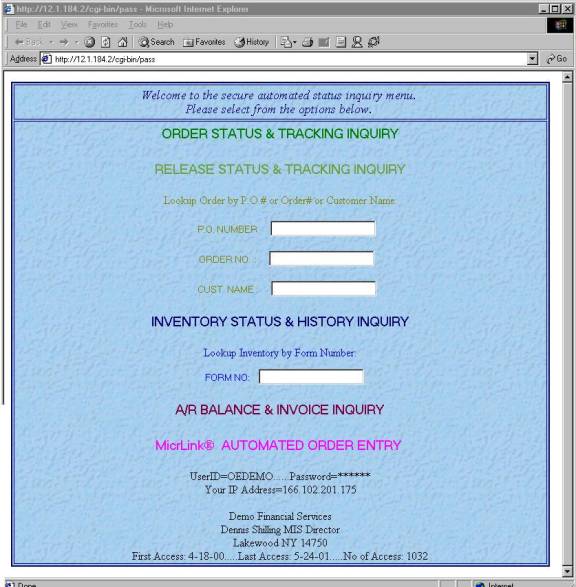
<html>
<head>
<title></title>
</head>
<body>
<table border="2" width="99%" height="300" bordercolor="#000080" cellspacing="2" background="http://12.1.184.2/Pics/crkpaper.jpg">
<tr height="50">
<td><p align="center"><em><big><font color="#000080">Welcome to the secure automated status inquiry menu.<br>
Please select from the options below.</font></big></em></td>
</tr>
<tr align="center">
<td>
<form METHOD="POST" ACTION="http://12.1.184.2/cgi-bin/webordstat"><input type="hidden" name="acct" value="OEDEMO"><input type="hidden" name="pass" value="DENNIS"><input type="submit" value="ORDER STATUS & TRACKING INQUIRY" style="background=Pics/crkpaper.jpg;font-size: 14pt; color: #008000; border=none"></form>
<form METHOD="POST" ACTION="http://12.1.184.2/cgi-bin/webrelstat"><input type="hidden" name="acct" value="OEDEMO"><input type="hidden" name="pass" value="DENNIS"><input type="submit" value="RELEASE STATUS & TRACKING INQUIRY" style="background=http://12.1.184.2/Pics/crkpaper.jpg; font-size: 14pt; color: #70A03F; border=none "></form>
<align="center"><font color="#808000">Lookup Order by P.O.# or Order# or Customer Name:</font>
<form METHOD="POST" ACTION="http://12.1.184.2/cgi-bin/webdpostat"><input type="hidden" name="acct" value="OEDEMO"><input type="hidden" name="pass" value="DENNIS"><input type="submit" value="P.O. NUMBER" style="background=http://12.1.184.2/Pics/crkpaper.jpg; font-size: 10pt; color: #808000; border:none"><input type="text" name="dpo" style="font-size: 10pt; color: #808000;size="20"></form>
<form METHOD="POST" ACTION="http://12.1.184.2/cgi-bin/webolustat"><input type="hidden" name="acct" value="OEDEMO"><input type="hidden" name="pass" value="DENNIS"><input type="submit" value="ORDER NO. :" style="background=http://12.1.184.2/Pics/crkpaper.jpg; font-size: 10pt; color: #808000; border:none"><input type="text" name="dpo" style="font-size: 10pt; color: #808000;size="8"></form>
<form METHOD="POST" ACTION="http://12.1.184.2/cgi-bin/webclustat"><input type="hidden" name="acct" value="OEDEMO"><input type="hidden" name="pass" value="DENNIS"><input type="submit" value="CUST. NAME :" style="background=http://12.1.184.2/Pics/crkpaper.jpg; font-size: 10pt; color: #808000; border:none"><input type="text" name="cust" style="font-size: 10pt; color: #808000;size="20"></form>
<form METHOD="POST" ACTION="http://12.1.184.2/cgi-bin/webinvstat"><input type="hidden" name="acct" value="OEDEMO"><input type="hidden" name="pass" value="DENNIS"><input type="submit" value="INVENTORY STATUS & HISTORY INQUIRY" style="background=http://12.1.184.2/Pics/crkpaper.jpg; font-size: 14pt; color: #000080; border=none"></form>
<align="center"><font color="#0000FF">Lookup Inventory by Form Number:</font>
<form METHOD="POST" ACTION="http://12.1.184.2/cgi-bin/webilustat"><input type="hidden" name="acct" value="OEDEMO"><input type="hidden" name="pass" value="DENNIS"><input type="submit" value="FORM NO:" style="background=http://12.1.184.2/Pics/crkpaper.jpg; font-size: 10pt; color: #0000FF; border:none"><input type="text" name="dpo" style="font-size: 10pt; color: #0000FF;size="20"></form>
<form METHOD="POST" ACTION="http://12.1.184.2/cgi-bin/webardstat"><input type="hidden" name="acct" value="OEDEMO"><input type="hidden" name="pass" value="DENNIS"><input type="submit" value="A/R BALANCE & INVOICE INQUIRY" style="background=http://12.1.184.2/Pics/crkpaper.jpg; font-size: 14pt; color: #800040; border=none"></form>
<form METHOD="POST" ACTION="http://12.1.183.45/Micrlink/logon_verify.asp"><input type="hidden" name="acct" value="OEDEMO"><input type="hidden" name="pass" value="DENNIS"><input type="submit" value="MicrLink® AUTOMATED ORDER ENTRY " style="background=http://12.1.184.2/Pics/crkpaper.jpg; font-family: Westminster; font-size: 16pt; color: #FF00FF; border:none"></form>
<p></p>
<p></p>
<p align="center">UserID=OEDEMO......Password=******<br>Your IP Address=166.102.113.60<br><br>
Demo Financial Services<br>
Dennis Shilling MIS Director<br>
Lakewood NY 14750<br>
First Access: 4-18-00.....Last Access: 6- 3-01.....No of Access: 1041</p>
</td>
</tr>
</table>
</body>
</html>
Now we will click on the first hyperlink and show the order status inquiry. Orders are shown with the most recent orders on top, as most customers are interested in status information on the most recent orders placed with Northstar. The display is limited to twenty orders per screen to avoid long down load times on slow browsers. Orders are places on the web during the next automated update after the order has been entered on any of the production servers. Orders remain on the web for up to one year depending on the customers order volume.
The next screen shows the order inquiry of orders in the demo account and is accessed by clicking on the ‘Order Status and Tracking’ hyperlink. A section of the html code is shown below the screen shot below.
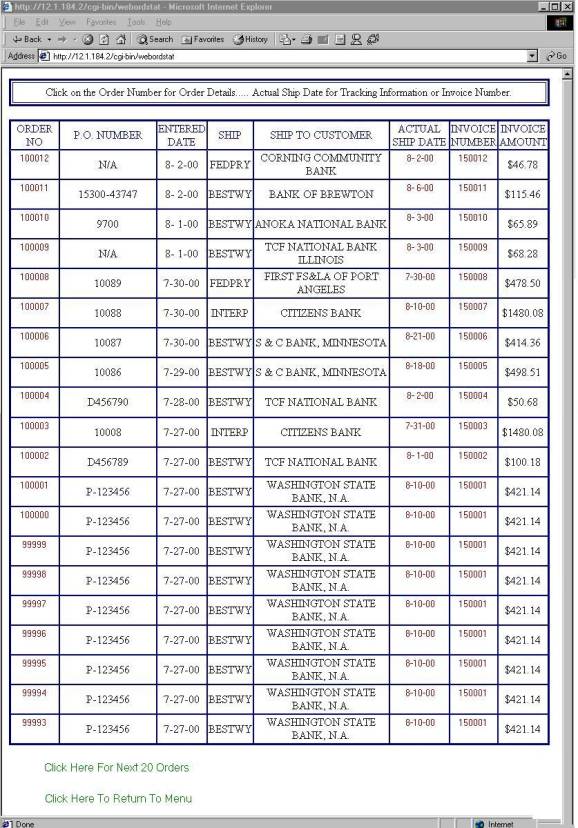
<html>
<head><title></title></head>
<body>
<table border="3" cellspacing="2" width="99%" height="30" bordercolor="#000080">
<tr>
<td height="30" align="center"><font color="#000000">Click on the Order Number for Order Details..... Actual Ship Date for Tracking Information or Invoice Number.</font></td>
</tr>
</table><br>
<table border="2" cellspacing="0" width="99%" height="30" bordercolor="#000080">
<tr>
<td width="11%" height="30" align="center"><font color="#000080">ORDER NO</font></td>
<td width="20%" height="30" align="center"><font color="#000080">P.O. NUMBER</font></td>
<td width="11%" height="30" align="center"><font color="#000080">ENTERED DATE</font></td>
<td width="10%" height="30" align="center"><font color="#000080">SHIP</font></td>
<td width="28%" height="30" align="center"><font color="#000080">SHIP TO CUSTOMER</font></td>
<td width="13%" height="30" align="center"><font color="#000080">ACTUAL SHIP DATE</font></td>
<td width="11%" height="30" align="center"><font color="#000080">INVOICE NUMBER</font></td>
<td width="11%" height="30" align="center"><font color="#000080">INVOICE AMOUNT</font></td>
</tr>
<tr>
<td align="center"><form METHOD="POST" ACTION="http://12.1.184.2/cgi-bin/webdetstat"><INPUT TYPE=HIDDEN NAME="acct" VALUE="OEDEMO"><p><INPUT TYPE=HIDDEN NAME="pass" VALUE="DENNIS"><p><INPUT TYPE=HIDDEN NAME="jobno" VALUE="100012"><p><INPUT TYPE=SUBMIT VALUE="100012" style="background-color: #FFFFFF; color: #800000; border: none"></p></form></td>
<td width="20%" height="28" align="center">N/A</td>
<td width="11%" height="28" align="center"> 8- 2-00</td>
<td width="10%" height="28" align="center">FEDPRY</td>
<td width="28%" height="28" align="center">CORNING COMMUNITY BANK <td align="center"><form METHOD="POST" ACTION="http://12.1.184.2/cgi-bin/webtrkstat"><INPUT TYPE=HIDDEN NAME="acct" VALUE="OEDEMO"><p><INPUT TYPE=HIDDEN NAME="pass" VALUE="DENNIS"><p><INPUT TYPE=HIDDEN NAME="jobno" VALUE="100012"><p><INPUT TYPE=SUBMIT VALUE=" 8- 2-00" style="background-color: #FFFFFF; color: #800000; border: none"></p></form></td>
<td align="center"><form METHOD="POST" ACTION="http://12.1.184.2/cgi-bin/webadtstat"><INPUT TYPE=HIDDEN NAME="acct" VALUE="OEDEMO"><p><INPUT TYPE=HIDDEN NAME="pass" VALUE="DENNIS"><p><INPUT TYPE=HIDDEN NAME="jobno" VALUE="150012"><p><INPUT TYPE=SUBMIT VALUE="150012" style="background-color: #FFFFFF; color: #800000; border: none"></p></form></td>
<td width="11%" height="28" align="center">$46.78</td>
</tr>
<tr>
<td align="center"><form METHOD="POST" ACTION="http://12.1.184.2/cgi-bin/webdetstat"><INPUT TYPE=HIDDEN NAME="acct" VALUE="OEDEMO"><p><INPUT TYPE=HIDDEN NAME="pass" VALUE="DENNIS"><p><INPUT TYPE=HIDDEN NAME="jobno" VALUE="100011"><p><INPUT TYPE=SUBMIT VALUE="100011" style="background-color: #FFFFFF; color: #800000; border: none"></p></form></td>
<td width="20%" height="28" align="center">15300-43747</td>
<td width="11%" height="28" align="center"> 8- 2-00</td>
<td width="10%" height="28" align="center">BESTWY</td>
<td width="28%" height="28" align="center">BANK OF BREWTON <td align="center"><form METHOD="POST" ACTION="http://12.1.184.2/cgi-bin/webtrkstat"><INPUT TYPE=HIDDEN NAME="acct" VALUE="OEDEMO"><p><INPUT TYPE=HIDDEN NAME="pass" VALUE="DENNIS"><p><INPUT TYPE=HIDDEN NAME="jobno" VALUE="100011"><p><INPUT TYPE=SUBMIT VALUE=" 8- 6-00" style="background-color: #FFFFFF; color: #800000; border: none"></p></form></td>
<td align="center"><form METHOD="POST" ACTION="http://12.1.184.2/cgi-bin/webadtstat"><INPUT TYPE=HIDDEN NAME="acct" VALUE="OEDEMO"><p><INPUT TYPE=HIDDEN NAME="pass" VALUE="DENNIS"><p><INPUT TYPE=HIDDEN NAME="jobno" VALUE="150011"><p><INPUT TYPE=SUBMIT VALUE="150011" style="background-color: #FFFFFF; color: #800000; border: none"></p></form></td>
<td width="11%" height="28" align="center">$115.46</td>
</tr>
<tr>
<form METHOD="POST" ACTION="http://12.1.184.2/cgi-bin/pass"><input type="hidden" name="acct" value="OEDEMO"><input type="hidden" name="pass" value="DENNIS"><input type="submit" value="Click Here To Return To Menu " style="background-color: #FFFFFF; font-size: 12pt; color: #008000; border: none"></p></form>
</tr>
</table>
</body>
</html>
The Order Number, Shipped Date, and Invoice Number fields displayed on the order inquiry page are hyperlinks to additional pages. These fields are shown in red on the browser. By clicking on the Order Number, a page is displayed giving order details. Clicking on the Shipped Date, if available, will display additional shipping data and shipment tracking numbers for most carriers. Clicking on the Invoice Number, if available, will display the billing details of the order. Two additional hyperlinks are presented at the bottom of the page. The first allows the user to access and display the next twenty orders and the last hyperlink returns the user to the main inquiry menu. Users may use the back button on the browser to redisplay prior pages. The following screen represents the order detail web page with the html code shown below.
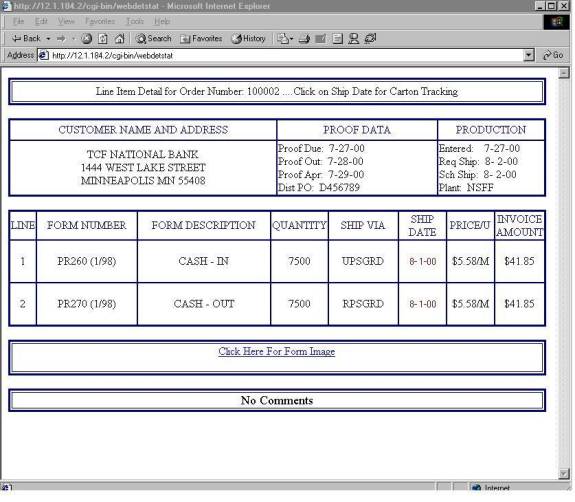
<html>
<head><title></title></head>
<body>
<table border="3" cellspacing="2" width="99%" height="30" bordercolor="#000080">
<tr>
<td height="30" align="center"><font color="#000000">Line Item Detail for Order Number: 100002 ....Click on Ship Date for Carton Tracking</font></td>
</tr>
</table><br>
<table border="2" cellspacing="0" width="99%" height="30" bordercolor="#000080">
<tr>
<td width="50%" height="30" align="center"<font color="#000080"><font color="#000080">CUSTOMER NAME AND ADDRESS</font></td>
<td width="30%" height="30" align="center"<font color="#000080"><font color="#000080">PROOF DATA </font></td>
<td width="20%" height="30" align="center"<font color="#000080"><font color="#000080">PRODUCTION </font></td>
</tr>
<tr>
<td width="50%" align="center">TCF NATIONAL BANK<br>1444 WEST LAKE STREET<br>MINNEAPOLIS MN 55408</td>
<td width="30%" align="left">Proof Due: 7-27-00<br>Proof Out: 7-28-00<br>Proof Apr: 7-29-00<br>Dist PO: D456789</td>
<td width="20%" align="left">Entered: 7-27-00<br>Req Ship: 8- 2-00<br>Sch Ship: 8- 2-00<br>Plant: NSFF</td>
</tr>
</table><br>
<table border="2" cellspacing="0" width="99%" height="30" bordercolor="#000080">
<tr>
<td width="3%" height="30" align="center"><font color="#000080">LINE</font></td>
<td width="14%" height="30" align="center"><font color="#000080">FORM NUMBER</font></td>
<td width="26%" height="30" align="center"><font color="#000080">FORM DESCRIPTION</font></td>
<td width="11%" height="30" align="center"><font color="#000080">QUANTITY</font></td>
<td width="15%" height="30" align="center"><font color="#000080">SHIP VIA</font></td>
<td width="10%" height="30" align="center"><font color="#000080">SHIP DATE</font></td>
<td width="10%" height="30" align="center"><font color="#000080">PRICE/U</font></td>
<td width="10%" height="30" align="center"><font color="#000080">INVOICE AMOUNT</font></td>
</tr>
<tr>
<td width="3%" height="28" align="center"> 1 </a></td>
<td width="20%" height="28" align="center">PR260 (1/98) <td width="26%" height="28" align="center">CASH - IN</td>
<td width="11%" height="28" align="center"> 7500 </td>
<td width="15%" height="28" align="center">UPSGRD</td>
<td width="10%" align="center"><br><form METHOD="POST" ACTION="http://12.1.184.2/cgi-bin/webtrkstat"><INPUT TYPE="HIDDEN" NAME="acct" VALUE="OEDEMO"><INPUT TYPE="HIDDEN" NAME="pass" VALUE="DENNIS"><INPUT TYPE="HIDDEN" NAME="jobno" VALUE="100002"><INPUT TYPE="SUBMIT" VALUE=" 8- 1-00" style="background-color: #FFFFFF; color: #800000; border: none"></form></td>
<td width="10%" height="28" align="center">$5.58/M</td>
<td width="10%" height="28" align="center">$41.85</td>
</tr>
<tr>
<td width="3%" height="28" align="center"> 2 </a></td>
<td width="20%" height="28" align="center">PR270 (1/98) <td width="26%" height="28" align="center">CASH - OUT</td>
<td width="11%" height="28" align="center"> 7500 </td>
<td width="15%" height="28" align="center">RPSGRD</td>
<td width="10%" align="center"><br><form METHOD="POST" ACTION="http://12.1.184.2/cgi-bin/webtrkstat"><INPUT TYPE="HIDDEN" NAME="acct" VALUE="OEDEMO"><INPUT TYPE="HIDDEN" NAME="pass" VALUE="DENNIS"><INPUT TYPE="HIDDEN" NAME="jobno" VALUE="100002"><INPUT TYPE="SUBMIT" VALUE=" 8- 1-00" style="background-color: #FFFFFF; color: #800000; border: none"></form></td>
<td width="10%" height="28" align="center">$5.58/M</td>
<td width="10%" height="28" align="center">$41.85</td>
</tr>
</table><br>
<table border="3" cellspacing="2" width="99%" height="30" bordercolor="#000080">
<tr>
<td height="30" align="center"><font color="#000000"<p><a href="http://12.1.184.2/Forms/D456789.100002.pdf">Click Here For Form Image</a></p></font></td>
</tr>
</table><br>
<table border="3" cellspacing="2" width="99%" height="30" bordercolor="#000080">
<tr><td align="center">
<font color="#000000"><big>No Comments</big><br></font>
</td></tr>
</table>
</body>
</html>
This page provides the user with details for the items associated with the order. In this example the customer has placed an order for 7500 cash-in tickets and 7500 cash-out tickets, both shipped on the same day but by different carriers, UPSGRD for UPS ground shipping and RPSGRD for RPS now Federal Express ground shipping. Notice also a hyperlink has been shown with the caption ‘Click Here For Form Image’. Clicking on this hyperlink will cause a process to download and display a PDF file image of the form or forms being produced. Many customers are using this feature as a method of performing on-line proofing of orders for approval prior to production. Additional security by password protects these images from being viewed by unauthorized individuals. The following screen shot is an example of a PDF proof file.
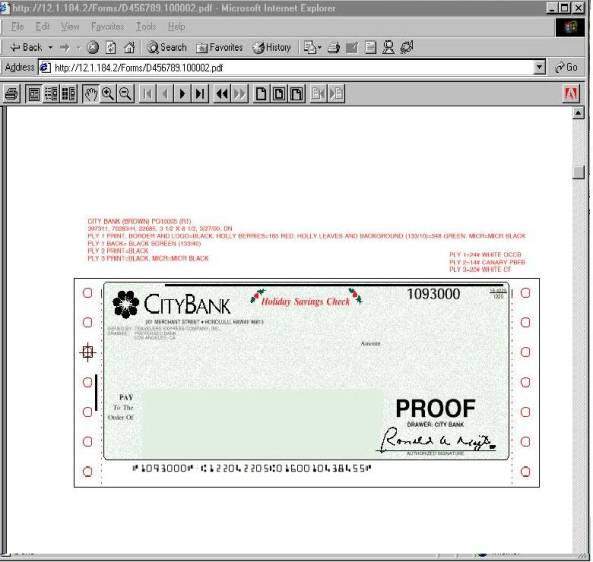
The order detail page provides hyperlinks to the shipping
details for the order. By clicking on the ship date the shipping and tracking
pages are displayed as follows.
The html code is shown below the page.
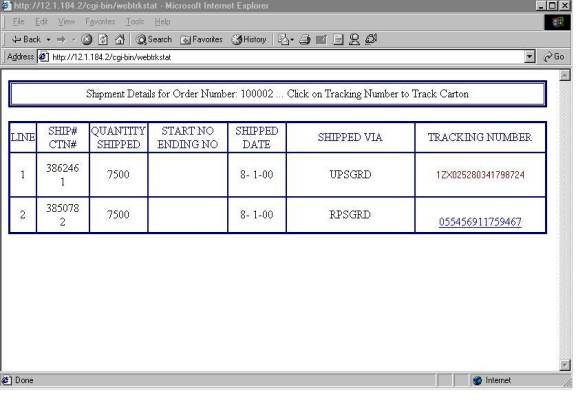
<html>
<head><title></title></head>
<body>
<table border="3" cellspacing="1" width="99%" height="30" bordercolor="#000080">
<tr>
<td height="30" align="center"><font color="#000000">Shipment Details for Order Number: 100002 ... Click on Tracking Number to Track Carton</font></td>
</tr>
</table><br>
<table border="2" cellspacing="0" width="99%" height="30" bordercolor="#000080">
<tr>
<td width="4%" height="30" align="center"><font color="#000080">LINE</font></td>
<td width="10%" height="30" align="center"><font color="#000080">SHIP# CTN#</font></td>
<td width="11%" height="30" align="center"><font color="#000080">QUANTITY SHIPPED</font></td>
<td width="15%" height="30" align="center"><font color="#000080">START NO ENDING NO</font></td>
<td width="11%" height="30" align="center"><font color="#000080">SHIPPED DATE</font></td>
<td width="24%" height="30" align="center"><font color="#000080">SHIPPED VIA</font></td>
<td width="24%" height="30" align="center"><font color="#000080">TRACKING NUMBER</font></td>
</tr>
<tr>
<td width="4%" height="50" align="center"> 1 </td>
<td width="10%" height="50" align="center">386246<br>1</td>
<td width="11%" height="50" align="center"> 7500 </td>
<td width="15%" height="50" align="center"><br></td>
<td width="11%" height="50" align="center"> 8- 1-00</td>
<td width="24%" height="50" align="center">UPSGRD</td>
<td align="center"><br><form METHOD="POST" ACTION="http://wwwapps.ups.com/tracking/tracking.cgi"><INPUT TYPE="HIDDEN" NAME="tracknum" VALUE="1ZX025280341798724"><INPUT TYPE="HIDDEN" NAME="accept_UPS_license_agreement" VALUE="yes"><INPUT TYPE="SUBMIT" VALUE="1ZX025280341798724" style="background-color: #FFFFFF; color: #800000; border: none"></form></td>
</tr>
<tr>
<td width="4%" height="50" align="center"> 2 </td>
<td width="10%" height="50" align="center">385078<br>2</td>
<td width="11%" height="50" align="center"> 7500 </td>
<td width="15%" height="50" align="center"><br></td>
<td width="11%" height="50" align="center"> 8- 1-00</td>
<td width="24%" height="50" align="center">RPSGRD</td>
<td align="center"><br><a href="http://www.fedex.com/cgi-bin/tracking?tracknumbers=055456911759467&action=track&language=english&cntry code=us">055456911759467</a></td>
</tr>
</table>
</body>
</html>
On this page the carton tracking numbers are shown next to the carrier code. These tracking numbers are hyperlinks to the various carrier websites available to track cartons from pickup at the production plant to delivery at the customers address. By clicking on the tracking number a form-post tunnel process is initiated passing the tracking number to the carrier’s web server, and providing any additional data necessary to track a carton.
The form-post actions shown above are links to UPS, passing the tracking number, calling a CGI script named ‘TRACKING.CGI’, and accepting a user license agreement required by UPS to use their website. The FedEx tracking link passes the tracking number, calling a CGI script named ‘TRACKING’. Both tracking sites are shown below.
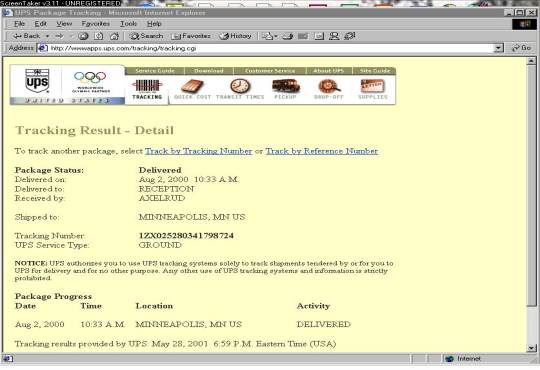
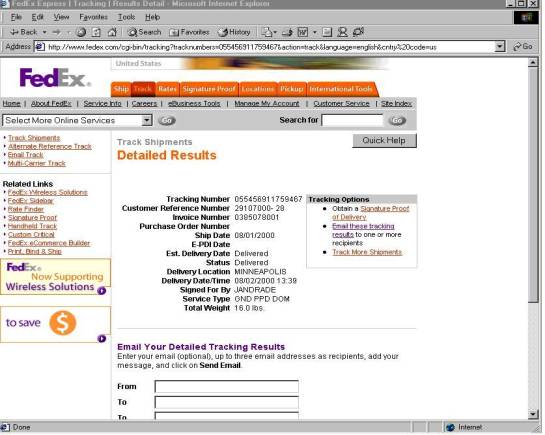
Clicking on the ‘Invoice Number’ while in the order header or detail screen will call a form-post to begin the tunneling process that will display details about the invoice for the order. The screen shot is shown below.
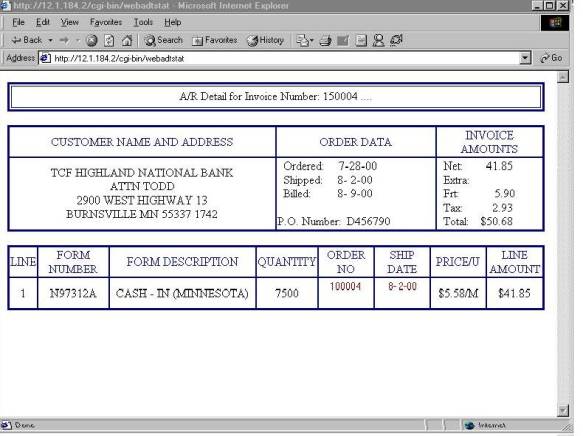
Each line of the invoice represents a line in the order entry showing net sales amount, extra charges, the freight charge for the line item, sales tax, and the invoice total. This page also has links to the order detail web page and the shipping detail web page.
Going back to the main account inquiry page we find a hyperlink to the ‘A/R and Invoice Inquiry’. By clicking on this hyperlink a web page of invoice data is displayed as shown below. The account balance is indicated at the top of the page showing the sum of all open invoices on the account. A running total of open invoices are shown on the right side of the page. Hyperlinks to the invoice detail web page is shown on the left side of the screen, shown here in red.
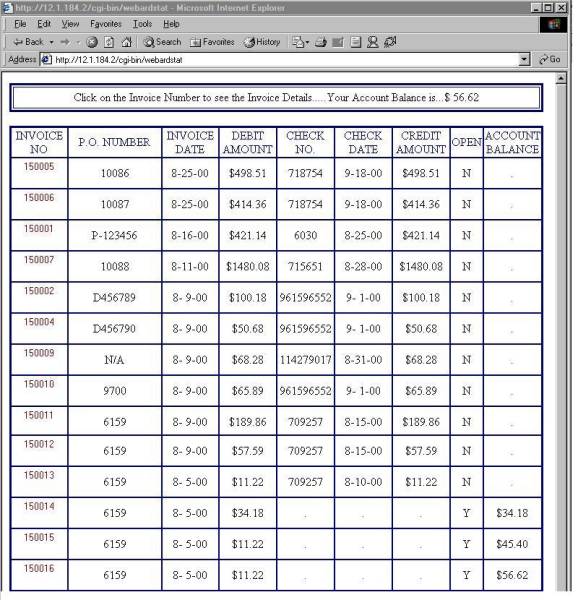
Now we will go to the ‘Inventory and Usage History’ hyperlink from the main status inquiry page. Inventory items are displayed in alphabetical order by item number by this hyperlink, or the user can enter an item number for direct access. The ‘Inventory Status’ screen shows the item number, item description, average usage, and quantity on hand in the Northstar warehouses. A hyperlink to the inventory detail web page is provided and is shown on the left side of the screen in red. Both screen shots are shown below.
The inventory activity, current balances, and up to 24 months of usage
is available for display to the user. Additional details about the stored
inventory are shown including the quantity on hand, the production run job
numbers, and for numbered forms, the starting and ending form numbers.
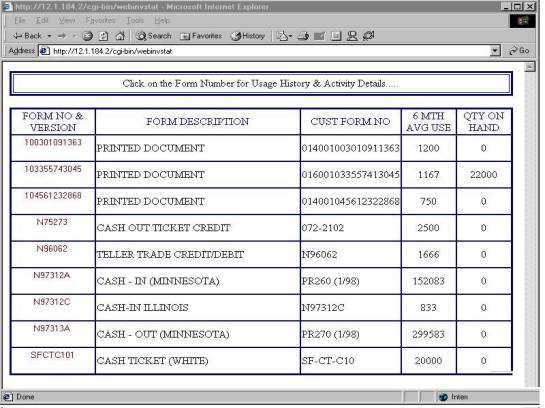
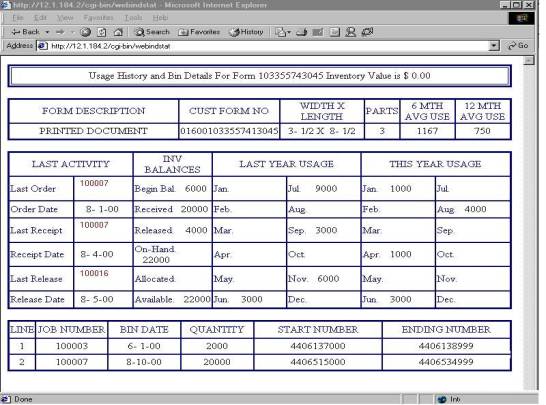
UPDATE PROCESSING
You have now seen a detailed overview of the data available on the web for user access. I will now discuss the update processing necessary to create and maintain the web database.
First lets review the database information. On each of the three production servers we find data files that hold the production, inventory, and billing information. This production information is in ISAM databases broken down according to the owning application, i.e. inventory data is stored in the inventory database files, orders are stored in the order entry database files. These databases are similar but separate on each of the production servers. This separation is done in order to maintain control at the local level with each manufacturing location responsible for its own sales, production, and distribution of products. This does have one major drawback. The drawback is that a customer may place orders with all six manufacturing and distribution locations and therefore orders for the same customer may reside on three different servers. A customer would not accept having to log on to three or more websites in order to check status on orders, nor would he necessarily know which location would be the ‘owner’ of a particular order. To solve this problem a single database containing all orders for an active web customer has been developed on the web server. The data files on the web server are basically a subset of the data files on the production server, containing only the data that is necessary to support the customer inquiry activity shown on the web pages. In addition to limiting the data fields on the web server, I also limit the age of records held on the web to one year. This limits the number of records and storage space required and helps to speed processing time. Customers rarely have questions on orders that are over a year old, and if they do, the data is still available on the production server for customer service support.
A crontab process on each of the four servers governs the updates to the web server databases. The crontab executes macros at specific times determined by a pre-set schedule, set in the /cron/crontab/root file. The macros execute programs that are designed to extract data from the production servers, execute FTP instructions, and execute programs that are designed to update the data on the web server. The crontab file syntax is shown here. Reading from left to right the fields represent the time of day, the hour of the day, the month, the year, the days of the week, and the Unix command to be executed. In the following example: 0 6,12 * * 1-5 /MACROS/WEBBATCH the crontab executes the command /MACROS/WEBBATCH at 0 minutes after 6 and 12 o’clock, every month, every year, Monday through Friday. The crontab files from the WEB server and the NFF production server are listed below.
Web server
#
1 0 * * * /MACROS/REBOOT.CLI
15 0 * * * /MACROS/SHARE
30 0 * * * /MACROS/BACKUP > /dev/null
0 6,12 * * 1-5 /MACROS/WEBBATCH1
5 6,12 * * 1-5 /MACROS/WEBBATCH2
15 6,8,10,12,14,16,18,20 * * 1-5 /MACROS/WEBBATCH3
25 6,18 * * 1-5 /MACROS/WEBBATCH4
0 7 * * 1-5 /MACROS/INDEXBATCH
0 3 * * * /etc/cleanup > /dev/null
10 3 * * * /usr/lib/cron/logchecker
20 3 * * * /usr/lib/cleantmp > /dev/null
30 3 * * * /etc/setclk -rd1800 > /dev/null 2>&1
40 3 * * * /etc/custom -V symlinks;# CUSTOM_SYMLINK_REPORT
50 3 * * * scosh cronsched -r
55 3 * * * scosh cronsched –wr
NFF server
#
1 0 * * * /MACROS/REBOOT.CLI
30 0 * * 1-5 /MACROS/INDEXBATCH
35 0 * * 1-5 /MACROS/INDEXBATCH2
0 1 * * 1-5 /etc/edge.nightly -MB -n root -d /dev/null 1>/dev/null 2>&1
15 3 * * 1-5 /MACROS/WEBBATCH
15 10 * * 1-5 /MACROS/WEBBATCH
0,10,20,30,40,50 8-17 * * 1-5 /MACROS/TRANBATCH > /dev/null
5,15,25,35,45,55 8-17 * * 1-5 /MACROS/TRANBATCH1 > /dev/null
33 8-17 * * 1-5 /MACROS/TRANBATCH2 > /dev/null
0 3 * * * /usr/lib/cron/logchecker
10 3 * * * /usr/lib/cleantmp > /dev/null
20 3 * * * /etc/setclk -rd1800 > /dev/null 2>&1
30 3 * * * /usr/lib/sa/sa2 -s 8:00 -e 18:01 -i 1200 -A
40 3 * * * /etc/custom -V symlinks
50 3 * * * scosh cronsched -r
55 3 * * * scosh cronsched -wr
0 4 * * 1-5 /MACROS/TRAVBATCH2 > /dev/null
30 4 * * 1-5 /MACROS/TRANSORD4BATCH > /dev/null
45 23 * * * /MACROS/SENDMESSAGE.CLI
1,31 * * * 1-5 /usr/bin/gl > /tmp/umblog
8 6,12 * * * /etc/cleanup > /dev/null
0 18 * * 1-5 /MACROS/sendfax
22 6-18 * * 1-5 /MACROS/TRAVBATCH > /dev/null
In the crontab file you will find a line that schedules a system reboot at 1 minute past midnight each night, this is recommended for maximum system performance as it resets fragmented memory and removes all temporary processes. I have also scheduled index rebuilds on the active data files to maximize the speed of data retrieval from the ISAM databases. The nightly backup using EDGE backup software is called along with other house keeping processes. You will also find a crontab process that schedules a macro named ‘/MACROS/TRAVBATCH’ that executes at 22 minutes past the hour from 6:00 AM through 6:00 PM Monday through Friday. This macro executes a program that reads in orders from our customer ‘Travelers Express’ and auto-uploads orders into the production system. Similar macros are executed on the other servers to support electronic commerce with customers who choose to send in orders electronically from their internal systems. These processes invoke email messages, so that the system manager can monitor these processes at any time and from any location. The systems reboot and backup email messages are shown below.
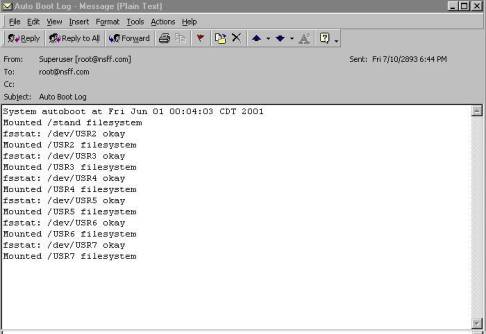
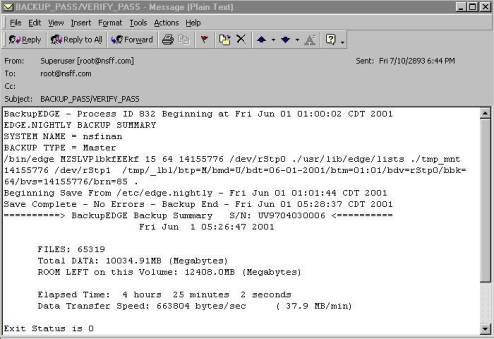
The first macro to execute in the schedule of web updates is the ‘WEBBATCH’ macro on the production server shown below.
cd /NFS/PROG/FM
PATH=/ubl:$PATH
BBROOT=/
BBHOME=`pwd`
BBSEARCH=/USR5/DATA.1:/USR4/DATA.1:/USR3/DATA.1:/USR6/DATA.1:/USR7/DATA.1:/USR2/
DATA.1:/NFS/PROG/FM:/NFS/PROG/TX:/NFS/PROG/PG:/UBLUTILS:/ubl
BBPROGS=$BBHOME
BBSOURCE=$BBHOME
export BBROOT BBSEARCH BBPROGS BBHOME PATH BBHELP BBSOURCE
/MACROS/XUBL WEBBATCH
/MACROS/FTPWEB
exit
This macro sets up the necessary environment and executes a UBL program named ‘WEBBATCH’ show below.
00001 REM 'webbatch' -- auto update web user data
00010 GOSUB 00100 : + Init
00022 PRINT RPT$
00035 STMA 6,5
00040 SWAP "webmail"
00042 SWAP "webords"
00044 SWAP "webarda"
00085 CLOSE
00099 BYE
00100 REM + Init
00101 CLOSE
00103 READ DF16%,F42%
00104 DATA 16,42
00106 STMA 6,1
00110 ON ERR THEN GOTO 08000 : + Unrecoverable Error
00112 DIM X$[80],B$[512],B1$[544],MENU$[10],SYSDIR$[50],SYSFIL$[12],SA$[1]
00116 DEF FNL(X)=ASC(LFTABL$[(X-1)*26+19,(X-1)*26+20])
00133 DEF FNO(X)=ASC(R16$[X+1,X+1])
00134 DEF FNT(X)=ASC(R16$[X+1,X+2])
00138 DIM CPNY$[30],RPT$[32],LFILE$[10],TYP$[1]
00144 BLOCK READ B$[1,512]
00148 LET CPNY$=B$[23,52] \ OPTION=ASC(B$[129,129]) \ LP%=140
00150 STMA 9,1,SYSDIR$
00151 LET MENU$=SYSDIR$[LEN(SYSDIR$)-1,LEN(SYSDIR$)],"GO"
00152 LET RPT$="NFF WEB UPLOAD " \ NF%=99
00199 RETURN
07000 REM + Open Printer and Print Specs
07020 OPEN_PRINTER(RPT$,QUE$,LP%,IS$,MENU$,OUT$,USER$)
07049 RETURN
07050 REM + Close Printer
07051 IF QUE$="EMAIL" OR QUE$="email" THEN GOTO 07070 : E-Mail Output
07052 CLOSE_PRINTER(CU$,PCPY$,LP%,QUE$,PFRM$,OUT$,PDELS$)
07060 RETURN
07070 REM E-Mail Output
07075 LET X$="mutt -s REPORT -a ",OUT$," ",IS$," </dev/null"
07080 REM $EXECUTE X$,E
07090 CLOSE_PRINTER(CU$,PCPY$,LP%,QUE$,PFRM$,OUT$,PDELS$)
07099 RETURN
08000 REM + Unrecoverable Error
08005 ON ERR THEN GOTO 08045
08010 DIM PROG$[13],DIR$[40],USER$[5]
08015 STMA 9,0,USER$
08020 STMA 9,1,DIR$
08025 STMA 9,2,PROG$
08030 LET X$=ERM$(SYS(7))," At ",SYS(20),"<7> In ",DIR$,":",PROG$," By ",USER$
08040 PRINT @(22,1);X$;@(-32)
08045 PRINT @(-40);"System Error...E-Mail denniss@nsff.com or call 716-763-0272
For Assistance";;@(-41);@(-32)
08046 ON ERR THEN GOTO 08098
08050 OPEN FILE[150,2],"ERRORLOG"
08055 PRINT FILE[150], USING "A80,2X,' / /',T0,F8.0,2X,' : :',T0,F8.0",X$,SY
S(28),SYS(27)
08060 CLOSE FILE[150]
08065 POSITION FILE[15,0]
08070 READ FILE[15],E%
08074 POSITION FILE[15,0]
08075 LET E%=E%+1 \ E=0
08076 WRITE FILE[15],E%
08078 STRPOS E,PROG$,".",1,1
08079 IF E=0 THEN LET E=LEN(PROG$)+1
08080 LET PROG$=PROG$[1,E-1],".E",E%
08082 ON ERR THEN GOTO 08000 : + Unrecoverable Error
08085 REPLACEV PROG$
08098 ON ERR THEN GOTO 08000 : + Unrecoverable Error
08099 IF SYS(24) THEN STOP ELSE END
This program is very short and serves only as an entry point for the three UBL programs used to create ASCII flat files of data to be sent to the web server. These programs are called on lines 40, 42, and 44. An email message is sent to the system manager upon completion of this program. The email message is executed by sub-routine 7050 using Mutt and is shown below.
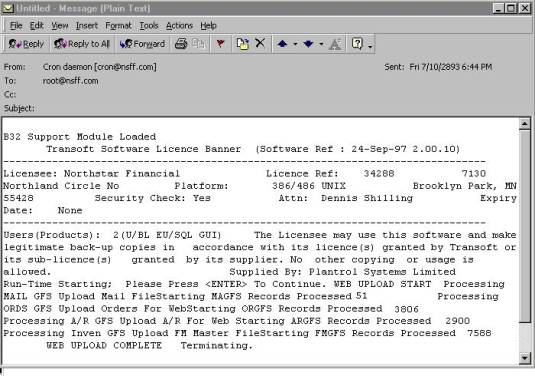
The first program called by the swap in ‘WEBBATCH’ is ‘WEBMAIL’ shown below.
00001 REM *** 'WEBMAIL' -- Upload Web Mail File
00002 REM Report Number: 12 User: AABDB8 Date: 3-16-0
00005 CLOSE
00009 ON IKEY THEN GOTO 00096
00010 GOSUB 00100 : + INIT WITH KIND FILE
00020 GOSUB 01000 : + Find Record
00025 IF R2 THEN
00026 GOSUB 07000 : + Open Printer and Print Specs
00027 ON IKEY THEN GOTO 00080 : + Qprint The Report
00030 REM + Main Process Loop
00040 GOSUB 02000 : + READ MAIL FILE
00042 IF ASC(PASSWD$[1,4])>0 THEN
00050 GOSUB 03000 : + Print Routine
00062 END IF
00070 GOSUB 04000 : + Find Next Record
00075 IF R2 THEN GOTO 00030 : + Main Process Loop
00080 REM + Qprint The Report
00084 PRINT FILE[LP%],"||||||||||"
00085 GOSUB 07050 : + Close Printer
00091 ELSE
00092 PRINT "No Records Found"
00093 DELAY 30
00094 END IF
00096 CLOSE
00097 IF SYS(24) THEN END
00099 CHAIN "FMGO"
00100 REM + INIT WITH KIND FILE
00102 READ F32%,DF2%,NF%
00103 DATA 32,2,32
00104 LET NF%=MAX(NF%,38) \ DF5%=5 \ F35%=35 \ F38%=38 \ R5=0
00105 ON ERR THEN GOTO 08000 : + Unrecoverable Error
00120 DEF FNZ(X)=VAL(X$,E)*10^MAX(0,X-E)/10^MAX(0,E-X)
00125 DEF FNR(X)=(X+5*SGN(X))/10
00140 DIM LFTABL$[NF%*26],X$[132],B$[544],B1$[544],LINE$[132],
CPNY$[30],RDATE$[8]
00141 DIM B2$[544],Q$[8],ALL$[1],STLIT$[36],MENU$[10],RPT$[32],PCODE$[12],
PRCAT$[2]
00145 BLOCK READ B$
00146 LET CPNY$=B$[23,52] \ MENU$="PROGMENU" \ RPT$="Upload Web Mail File",FILL$(0)
00147 LET METRIC=AND(ASC(B$[54,54]),128)
00149 IF NOT INBATCH% THEN PRINT @(-30);RPT$[1,LEN(RPT$)]
00150 LET LFTABL$=FILL$(0)
00175 DEF FNL(X)=ASC(LFTABL$[(X-1)*26+19,(X-1)*26+20])
00180 LET N=6 \ X=((MOD(SYS(3),100)+((SYS(3)>1999)*100)))*10000+SYS(28)/100 \ E=0
00186 GOSUB 07300 : + Decode Date/Size
00187 LET RDATE$=X$ \ RDATE=X
00196 LET IMAX=-1 \ NST=0 \ NFLDS=2 \ MAXLPP=55 \ MAXSLPP=60
00198 LET IPAGE=0 \ LCNT=99 \ RCOUNT=0 \ TCOUNT=0
00200 REM + DIM Masks & Other Variables
00201 DIM MSK1$[22],MSK2$[57],MSK3$[104],MSK4$[44],MSK5$[82],
MSK6$[45],MSK7$[22],MSK8$[125]
00202 DIM MSK9$[188],ACTTYP$[1],FINAME$[45],CUST$[45],ATTN$[45],
ADDR1$[45],ADDR2$[45],CITY$[30],USERID$[6]
00203 DIM STATE$[2],ZIP$[6],ZIP4$[4],TAXABL$[1],SVIA$[6],EMAIL$[40],
PASSWD$[6]
00300 REM + RFORMS
00301 RFORM +20LL+45A1+8A45A45A45A45A45A30A2A6A4
00302 RFORM +488A1+114A6+359A40+3A6A6
00400 REM + Print Masks
00409 LET MSK8$="A3,'|',OF8.0,'|',OF5.0,'|',A6,'|',A45,'|',A45,'|',A45,'|',A45,Z”
00411 LET MSK9$="'|',A45,'|',A30,'|',A2,'|',A6,'|',A4,'|',A1,'|',A1,'|',A6,'|',A
40,'|',A6,'|',A1,'|',A1,'|',F2.0"
00500 REM + Open Files
00502 LOPEN FILE[DF2%,B$],"MAIL"
00505 LOPEN FILE[DF5%,B$],"KIND"
00532 LOPEN FILE[F32%,B$],"MAILI1"
00535 LOPEN FILE[F35%,B$],"KINDI1"
00538 LOPEN FILE[F38%,B$],"KINDI2"
00600 REM + DIM Records & Keys
00605 DIM LK$[8],SK$[8],EK$[8]
00609 DIM K35$[4],K38$[14],R5$[FNL(DF5%)]
00610 DIM R2$[FNL(DF2%)],K32$[8]
00700 REM + Clear Arrays
00705 DIM TOT[MAX(IMAX,0),MAX(NST,0)],T[MAX(NST,0)+1]
00710 FOR J=0 TO NST
00712 LET T[J]=0
00715 FOR I=0 TO IMAX
00720 LET TOT[I,J]=0
00725 NEXT I
00730 NEXT J
00740 LET R2=0
00800 REM + Keys And Tempx
00810 GOSUB 01100 : + Select Options
00815 GOSUB 07800 : + Print Specs
00898 IF QUE$="$SCR" THEN LET MAXLPP=20 \ MAXSLPP=23
00899 RETURN
01000 REM + Find Record
01006 LET K32$=SK$
01010 KFIND F32%,B1$,K32$,R2
01011 IF R2 THEN IF K32$>EK$ THEN LET R2=0
01015 LET R2=ABS(R2)
01099 RETURN
01100 REM + Select Options
01101 PRINT @(-5,30);@(-30);
01102 STMA 6,3
01103 STMA 6,1
01104 LET SK$=FILL$(0) \ EK$=FILL$(255)
01105 DIM MIN$[30],MAX$[30],H$[750],KEY$[20],V$[400],MSK$[80],
SPACES$[30],E$[160]
01106 DIM PARAM1$[30],PARAM2$[30],PARAM3$[30],PARAM4$[30],
PARAM5$[30],PARAM6$[30],PARAM7$[30],PARAM8$[30]
01107 LET MIN$,MAX$,H$,V$,E$=FILL$(0) \ I=0 \ SPACES$=FILL$(32)
01108 DEF FNC(X)=OR(X,-AND(X,2^(L*8-1)))
01109 PRINT @(-30);
01199 RETURN
01900 REM + Key Data Statements
01901 DATA "Bank Code",2,8,0,99999999,0,4,0
01902 DATA "Branch Number",2,5,0,99999,4,4,0
01930 REM + Exception Data Statements
01950 REM + Subtotal Data Statements
01970 DATA "Grand Totals"
02000 REM + READ MAIL FILE
02050 LREAD FILE[DF2%,R2],R2$
02051 UNPACK 00301,R2$,BANKCD,BRNO,ACTTYP$,FINAME$,CUST$,ATTN$,ADDR1$,ADDR2$,CITY$,STATE$,ZIP$,ZIP4$
02052 UNPACK 00302,R2$,TAXABL$,SVIA$,EMAIL$,USERID$,PASSWD$
02099 RETURN
03000 REM + Print Routine
03008 LET T[1]=T[1]+1 \ T[0]=T[0]+1 \ RCOUNT=1 \ TCOUNT=TCOUNT+1
03011 PRINT FILE[LP%], USING MSK8$,"MAI",BANKCD,BRNO,
PASSWD$,FINAME$,CUST$,ATTN$,ADDR1$
03012 PRINT FILE[LP%], USING MSK9$,ADDR2$,CITY$,STATE$,ZIP$,ZIP4$,
ACTTYP$,TAXABL$,SVIA$,EMAIL$,USERID$,R2$[874,874],R2$[769,769],ASC(R2$[750,750])
03013 LET LCNT=LCNT+2
03099 RETURN
04000 REM + Find Next Record
04002 LET LK$=K32$
04004 KNEXT F32%,B1$,K32$,R2
04099 RETURN
07000 REM + Open Printer and Print Specs
07010 LET LP%=140
07020 OPEN FILE[LP%,1],OUT$
07049 RETURN
07050 REM + Close Printer
07052 CLOSE
07099 RETURN
07200 REM + Encode Date/Size
07202 LET METRIC=METRIC+0
07210 ENCODE X,X$,JD,E,METRIC,N
07215 LET X1=X/10000 \ X2=MOD(X/100,100) \ X3=MOD(X,100)
07299 RETURN
07300 REM + Decode Date/Size
07302 LET METRIC=METRIC+0
07310 DECODE X,X$,JD,E,METRIC,N
07315 LET X1=X/10000 \ X2=MOD(X/100,100) \ X3=MOD(X,100)
07399 RETURN
07400 REM + Encode Kind
07410 LET X=0 \ K38$=CHR$(N-70,1),X$ \ X$=TRUN$(K38$,1)
07420 KFIND F38%,B$,K38$,R5
07422 LET REC5=ABS(R5) \ E=46
07424 IF R5<0 THEN
07426 IF K38$[1,LEN(X$)]=X$ THEN
07428 KNEXT F38%,B$,K38$,R5
07430 IF K38$[1,LEN(X$)]=X$ THEN LET REC5=0 \ E=46
07432 ELSE
07436 LET REC5=0
07438 END IF
07440 END IF
07442 IF REC5>0 THEN
07444 LREAD FILE[DF5%,REC5],R5$
07446 LET X=ASC(R5$[21,22]) \ E=0
07448 END IF
07470 RETURN
07500 REM + CRAM
07510 LET LINE$[1,L]=CRM$(X$)
07520 LET X$=LINE$
07549 RETURN
07550 REM + Un-Cram
07560 LET LINE$=UCM$(X$[1,L])
07570 LET X$=LINE$
07599 RETURN
07700 REM + Decode Kind
07710 LET K35$=CHR$(N-70,1),CHR$(X,2) \ X$=FILL$(42,12)
07720 KFIND F35%,B$,K35$,R5
07730 IF R5>0 THEN
07740 LREAD FILE[DF5%,R5],R5$
07770 LET X$=TRUN$(R5$[23,34],1) \ LINE$=TRUN$(R5$[35,46],1)
07775 IF LEN(LINE$) THEN LET X$=LINE$
07795 END IF
07799 RETURN
07800 REM + Print Specs
07804 DIM PFRM$[30],PCPY$[11],PDELS$[4],QUE$[10],OUT$[30],USER$[5]
07810 LET OUT$="/NFFXMIT/MANFF"
07899 RETURN
08000 REM + Unrecoverable Error
08005 ON ERR THEN GOTO 08045
08010 DIM PROG$[13],DIR$[40],USER$[5]
08015 STMA 9,0,USER$
08020 STMA 9,1,DIR$
08025 STMA 9,2,PROG$
08030 LET X$=ERM$(SYS(7))," At ",SYS(20),"<7> In ",DIR$,":",PROG$," By ",USER$
08040 PRINT @(22,1);X$;@(-32)
08045 PRINT @(-40);"System Error...E-Mail denniss@nsff.com for assistance";@(-41);@(-32)
08046 ON ERR THEN GOTO 08098
08050 OPEN FILE[150,2],"ERRORLOG"
08055 PRINT FILE[150], USING "A80,2X,' / /',T0,F8.0,2X,' : :',T0,F8.0",X$,SY S(28),SYS(27)
08060 CLOSE FILE[150]
08065 POSITION FILE[15,0]
08070 READ FILE[15],E%
08074 POSITION FILE[15,0]
08075 LET E%=E%+1 \ E=0
08076 WRITE FILE[15],E%
08078 STRPOS E,PROG$,".",1,1
08079 IF E=0 THEN LET E=LEN(PROG$)+1
08080 LET PROG$=PROG$[1,E-1],".E",E%
08082 ON ERR THEN GOTO 08000 : + Unrecoverable Error
08085 REPLACEV PROG$
08098 ON ERR THEN GOTO 08000 : + Unrecoverable Error
08099 IF SYS(24) THEN STOP ELSE END
This program reads the production mail list database in order by account number and checks for the presence of a user name and password in the accounts mail record. Order entry and customer service employees, who can assign user names and passwords upon a customer’s request, update the mail records on the production server. Once a user name and password is found in the production server database, subroutine 3000 is executed to create an entry in the OE update file. This process in effect creates a copy of the mail list record to be used in updating the mail list on the web server. Using this technology, mail list changes are updated to the web server database during each update. A count of the mail list records processed is added to the email message to be sent.
The next program to be executed is named ‘WEBORDS’ and is shown below.
00001 REM *** 'WEBORDS' -- Upload Web Orders
00002 REM Report Number: 12 User: AABDB8 Date: 3-17-0
00005 CLOSE
00009 ON IKEY THEN GOTO 00096
00010 GOSUB 00100 : + INIT WITH KIND FILE
00020 GOSUB 01000 : + Find Record
00025 IF R2 THEN
00026 GOSUB 07000 : + Open Printer and Print Specs
00027 ON IKEY THEN GOTO 00080 : + Qprint The Report
00030 REM + Main Process Loop
00040 GOSUB 02000 : + READ MAIL FILE
00042 IF ASC(PASSWD$[1,4])>0 THEN
00045 GOSUB 03000 : + Print Routine
00050 GOSUB 02100 : + READ OEORD FILE
00055 IF SYS(27)<80000 THEN GOSUB 02500 : + Read Item Master File
00062 END IF
00070 GOSUB 04000 : + Find Next Record
00075 IF R2 THEN GOTO 00030 : + Main Process Loop
00080 REM + Qprint The Report
00082 IF QUE$="$SCR" AND IPAGE THEN INPUT USING "","Press (NewLine) To Continue ",X$
00083 PRINT FILE[LP%],"|||||||||"
00084 PRINT FILE[LP2%],"|||||||||"
00085 GOSUB 07050 : + Close Printer
00091 ELSE
00092 PRINT "No Records Found"
00093 DELAY 30
00094 END IF
00096 CLOSE
00097 IF SYS(24) THEN END
00099 CHAIN "FMGO"
00100 REM + INIT WITH KIND FILE
00102 READ F32%,DF2%,F56%,DF3%,F34%,DF4%,F37%,DF7%,F31%,DF25%,NF%,DF12%,F42%,DF17%,F57%
00103 DATA 32,2,56,3,34,4,37,7,31,25,58,12,42,17,57
00104 LET NF%=MAX(NF%,38) \ DF5%=5 \ F35%=35 \ F38%=38 \ R5=0
00105 ON ERR THEN GOTO 08000 : + Unrecoverable Error
00120 DEF FNZ(X)=VAL(X$,E)*10^MAX(0,X-E)/10^MAX(0,E-X)
00125 DEF FNR(X)=(X+5*SGN(X))/10
00140 DIM LFTABL$[NF%*26],X$[132],B$[544],B1$[544],LINE$[299],
CPNY$[30],RDATE$[8]
00141 DIM B2$[544],Q$[8],ALL$[1],STLIT$[36],MENU$[10],RPT$[32],
PCODE$[12],PRCAT$[2],B3$[544]
00145 BLOCK READ B$
00146 LET CPNY$=B$[23,52] \ MENU$="PROGMENU" \ RPT$="Upload Web Orders",FILL$(0)
00147 LET METRIC=AND(ASC(B$[54,54]),128)
00149 IF NOT INBATCH% THEN PRINT @(-30);RPT$[1,LEN(RPT$)]
00150 LET LFTABL$=FILL$(0)
00175 DEF FNL(X)=ASC(LFTABL$[(X-1)*26+19,(X-1)*26+20])
00180 LET N=6 \ X=(((MOD(SYS(3),100)+((SYS(3)>1999)*100)))*10000+SYS(28)/100) \ E=0
00181 GOSUB 07300 : + Decode Date/Size
00187 LET RDATE$=X$ \ RDATE=X \ RJD=JD
00196 LET IMAX=-1 \ NST=0 \ NFLDS=2 \ MAXLPP=55 \ MAXSLPP=60
00198 LET IPAGE=0 \ LCNT=99 \ RCOUNT=0 \ TCOUNT=0
00200 REM + DIM Masks & Other Variables
00201 DIM MSK5$[40],MSK7$[200],MSK8$[99],MSK9$[99],MSK10$[99],
MSK11$[99],MSK12$[99],MSK13$[99],MSK14$[199]
00202 DIM MSK15$[99],MSK16$[99],MSK17$[99],MSK18$[99],MSK19$[120]
00203 DIM PASSWD$[6],OTYPE$[2],OTYPTX$[4],EDATE$[8],
ENTBY$[3],SFINM$[45]
00204 DIM SCUST$[45],STATTN$[45],SADDR1$[45],SADDR2$[45],
SCITY$[30],SSTATE$[2],SZIP$[6],SZIP4$[4]
00205 DIM SCNTY$[30],SCTRY$[30],SDATE$[8],IDATE$[8],SVIA$[6],
SVIATX$[17],INSDL$[1],PRRTY$[1]
00206 DIM PRRTX$[8],RSDATE$[8],PRECOL$[1],PRCLTX$[7],FOB$[1],
FOBTXT$[7],DISTPO$[15],TAXABL$[1]
00207 DIM EXCODE$[1],EXCDTX$[10],PLTCD$[4],PLTCDT$[14],
SHPWTH$[16],TXCD1$[2],TXCD2$[3],TXCD3$[5]
00208 DIM CS$[1],SPLTCD$[4],SPLTCDT$[14],CUSTPO$[15],FNUMB$[8],
VERSN$[4],FNAME$[30],CFORMN$[20]
00209 DIM CFDESC$[30],COWNED$[1],OUNIT$[1],SDATE$[8],
RSDATE$[8],PRDUE$[8],PROUT$[8],PRAPPR$[8]
00210 DIM SFINM$[45],SCUST$[45],STATTN$[45],SADDR1$[45],SADDR2$[45],
SCITY$[30],SSTATE$[2],SZIP$[6]
00211 DIM SZIP4$[4],OSVIA$[6],SSVIA$[6],CTRY$[30],TXCD1$[2],
TXCD2$[3],TXCD3$[5],TRKID$[25]
00212 DIM ASVIAL$[6],ASDATE$[8],CNFLG$[1],ENNO$[13],
STNO$[13],FDESC$[30]
00300 REM + RFORMS
00301 RFORM LL
00302 RFORM L
00303 RFORM L
00304 RFORM L
00305 RFORM +20LL+989A6
00306 RFORM +20L+8A2+2A4+12L+4A3+8A45A45A45A45A45A30
00307 RFORM +326A2A6A4A30A30+51LLLA6A17A1+4A1
00308 RFORM +490A8LA1A7A1A7A15+9A1A1A10
00309 RFORM +559A4A14+22A16+26LLLLLL+1241A2A3A5+10A1
00310 RFORM +1958A4A14+27A15
00311 RFORM +24C+12A8A4A30A20A30+76L+56A1+15LLA1+2L
00312 RFORM +305LL+1L+47L+8L+412L+82L+248LLL+450L
00313 RFORM +30LLA45A45A45A45A45A30A2A6A4
00314 RFORM +310A6+33C+8C+3A6+32A30+27A2A3A5
00315 RFORM +24CCLC+19A25+320L+18A6L+61L+2A13A13
00316 RFORM +231L+4L+4L+4L+4L+4LLLLLLLLLLLLL
00317 RFORM +323LLLLLLLLLLLLLLLLLLLLLL
00400 REM + Print Masks
00405 LET MSK5$="OF8.0,2X,OF5.0,2X,A6"
00407 LET MSK7$="A3,'|',OF8.0,'|',OF8.0,'|',OF5.0,'|',A15,'|',A3,'|',OF8.0,'|',A
1,'|',A45,'|',A45,'|',A45,'|',A45,Z"
00408 LET MSK8$="'|',A45,'|',A30,'|',A2,'|',A6,'|',A4,'|',A30,'|',A30,'|',A1,'|',A8,'|',A1,Z"
00409 LET MSK9$="'|',A7,'|',A1,'|',A7,'|',A6,'|',A17,'|',Z"
00410 LET MSK10$="A1,'|',A1,'|',A1,'|',A10,'|',A2,'|',A3,'|',A5,'|',OF8.0,'|',OF8.0,Z"
00411 LET MSK11$="'|',OF8.0,'|',OF8.0,'|',A2,'|',A4,'|',A4,'|',A14,'|',A4,'|',A14,'|',A15,Z"
00412 LET MSK12$="'|',A16,'|',OF8.2,'|',OF8.2,'|',OF8.2,'|',OF8.2,'|',OF8.2,'|', OF8.2"
00413 LET MSK13$="A3,'|',OF3.0,'|',A8,'|',A4,'|',A30,'|',A1,'|',OF6.2,'|',OF6.2,
'|',A1,'|',OF5.0,'|',A20,Z"
00414 LET MSK14$="'|',A30,'|',OF8.0,'|',OF8.0,'|',OF8.0,'|',OF7.2,'|',OF9.2,'|',
OF9.2,'|',OF9.2,'|',OF8.0,"
00415 LET MSK14$[0]="'|',OF8.0,'|',OF8.0,'|',OF8.0,'|',OF8.0,'|',A15,'|',OF8.0"
00416 LET MSK16$="A3,'|',OF8.0,'|',OF5.0,'|',A45,'|',A45,'|',A45,'|',A45,Z"
00417 LET MSK17$="'|',A45,'|',A30,'|',A2,'|',A6,'|',A4,'|',A30,'|',A2,'|',A3,'|'
,A5,'|',OF3.0,Z"
00418 LET MSK18$="'|',OF3.0,'|',A6,'|',A6,'|',OF4.0"
00419 LET MSK19$="A3,'|',OF3.0,'|',OF3.0,'|',OF6.0,'|',OF3.0,'|',OF6.0,'|',OF8.0
,'|',OF8.0,'|',A6,'|',A25,'|',A13,'|',A13"
00500 REM + Open Files
00502 LOPEN FILE[DF2%,B$],"MAIL"
00503 LOPEN FILE[DF3%,B$],"OEORD"
00504 LOPEN FILE[DF4%,B$],"OEITM"
00505 LOPEN FILE[DF5%,B$],"KIND"
00507 LOPEN FILE[DF7%,B$],"OEVSH"
00512 LOPEN FILE[DF12%,B$],"FMMST"
00517 LOPEN FILE[DF17%,B$],"FMBIN"
00525 LOPEN FILE[DF25%,B$],"SHPCT"
00531 LOPEN FILE[F31%,B$],"SHPCTI1"
00532 LOPEN FILE[F32%,B$],"MAILI1"
00534 LOPEN FILE[F34%,B$],"OEITMI1"
00535 LOPEN FILE[F35%,B$],"KINDI1"
00537 LOPEN FILE[F37%,B$],"OEVSHI1"
00538 LOPEN FILE[F38%,B$],"KINDI2"
00542 LOPEN FILE[F42%,B$],"FMMSTI1"
00556 LOPEN FILE[F56%,B$],"OEORDI2"
00557 LOPEN FILE[F57%,B$],"FMBINI2"
00600 REM + DIM Records & Keys
00605 DIM LK$[8],SK$[8],EK$[8]
00606 DIM SK2$[12],EK2$[12]
00609 DIM K35$[4],K38$[14],R5$[FNL(DF5%)]
00610 DIM R2$[FNL(DF2%)],K32$[8]
00611 DIM R3$[FNL(DF3%)],K56$[12]
00612 DIM R4$[FNL(DF4%)],K34$[6]
00613 DIM R7$[FNL(DF7%)],K37$[10]
00614 DIM R25$[FNL(DF25%)],K31$[14]
00615 DIM R12$[FNL(DF12%)],K42$[20]
00616 DIM R17$[FNL(DF17%)],K57$[28]
00700 REM + Clear Arrays
00705 DIM TOT[MAX(IMAX,0),MAX(NST,0)],T[MAX(NST,0)+1]
00710 FOR J=0 TO NST
00712 LET T[J]=0
00715 FOR I=0 TO IMAX
00720 LET TOT[I,J]=0
00725 NEXT I
00730 NEXT J
00740 LET R2=0
00741 LET R3=0
00742 LET R4=0
00743 LET R7=0
00744 LET R25=0
00800 REM + Keys And Tempx
00810 GOSUB 01100 : + Select Options
00815 GOSUB 07800 : + Print Specs
00898 IF QUE$="$SCR" THEN LET MAXLPP=20 \ MAXSLPP=23
00899 RETURN
01000 REM + Find Record
01006 LET K32$=CHR$(6,4),FILL$(0)
01010 KFIND F32%,B1$,K32$,R2
01011 IF R2 THEN IF K32$>EK$ THEN LET R2=0
01015 LET R2=ABS(R2)
01099 RETURN
01100 REM + Select Options
01101 PRINT @(-5,30);@(-30);
01102 STMA 6,3
01103 STMA 6,1
01104 LET SK$=FILL$(0) \ EK$=FILL$(255)
01105 DIM MIN$[30],MAX$[30],H$[750],KEY$[20],V$[400],MSK$[80],
SPACES$[30],E$[160]
01106 DIM PARAM1$[30],PARAM2$[30],PARAM3$[30],PARAM4$[30],
PARAM5$[30],PARAM6$[30],PARAM7$[30],PARAM8$[30]
01107 LET MIN$,MAX$,H$,V$,E$=FILL$(0) \ I=0 \ SPACES$=FILL$(32)
01108 DEF FNC(X)=OR(X,-AND(X,2^(L*8-1)))
01109 PRINT @(-30);
01199 RETURN
01900 REM + Key Data Statements
01901 DATA "Bank Code",2,8,6,99999999,0,4,0
01902 DATA "Branch Number",2,5,0,99999,4,4,0
01930 REM + Exception Data Statements
01950 REM + Subtotal Data Statements
01970 DATA "Grand Totals"
02000 REM + READ MAIL FILE
02050 LREAD FILE[DF2%,R2],R2$
02051 UNPACK 00305,R2$,BANKCD,BRNO,PASSWD$
02054 LET STNO=BRNO \ ENNO=BRNO
02055 IF R2$[769,769]="Y" THEN LET STNO=0 \ ENNO=99999
02060 IF ASC(R2$[750,750]) THEN LET WJD=RJD-ASC(R2$[750,750]) ELSE LET WJD=RJD-180
02065 IF SYS(27)>80000 THEN LET WJD=RJD-10
02099 RETURN
02100 REM + READ OEORD FILE
02101 LET R3$=FILL$(0) \ K56$=FILL$(0) \ SK2$=FILL$(0) \ EK2$=FILL$(255)
02102 PACK 00301,K56$,BANKCD,STNO
02103 PACK 00301,SK2$,BANKCD,STNO
02104 PACK 00301,EK2$,BANKCD,ENNO
02105 KFIND F56%,B2$,K56$,R3
02106 LET R3=ABS(R3)
02107 IF K56$>EK2$ THEN LET R3=0
02110 REM READ SECONDARY FILE
02148 IF R3 THEN
02149 LREAD FILE[DF3%,R3],R3$SFINM$,SCUST$,STATTN$,SADDR1$,
SADDR2$,SCITY$
2153 UNPACK 00308,R3$,PRRTX$,RSDATE,PRECOL$,PRCLTX$,FOB$,
2154 FOBTXT$,DISTPO$,TAXABL$,EXCODE$,EXCDTX$
02154 UNPACK 00309,R3$,PLTCD$,PLTCDT$,SHPWTH$,PRDC,EXTCH,DSCT,FRGHT,SLSTX,IAMT,TXCD1$,TXCD2$,TXCD3$,CS$
02155 UNPACK 00310,R3$,SPLTCD$,SPLTCDT$,CUSTPO$
02156 LET X=EDATE \ N=6
02157 GOSUB 07300 : + Decode Date/Size
02158 LET EJD=JD
02160 IF SPLTCD$="MINN" AND EJD>WJD THEN
02161 GOSUB 03200 : + Write Order Header
02162 LET RCOUNT=RCOUNT+1
02190 GOSUB 02200 : + READ OEITM FILE
02191 GOSUB 02300 : + READ OEVSH FILE
02192 GOSUB 02400 : + READ SHPCT FILE
02193 END IF
02195 KNEXT F56%,B2$,K56$,R3
02196 IF K56$>EK2$ THEN LET R3=0
02197 END IF
02198 IF R3 THEN GOTO 02110 : READ SECONDARY FILE
02199 RETURN
02200 REM + READ OEITM FILE
02201 LET R4$=FILL$(0) \ K34$=FILL$(0)
02202 PACK 00302,K34$,JOBNO
02204 LET X$=K34$
02205 KFIND F34%,B$,K34$,R4
02206 LET R4=ABS(R4)
02207 IF X$[1,4]<>K34$[1,4] THEN LET R4=0
02248 IF R4 THEN
02250 LREAD FILE[DF4%,R4],R4$
02251 UNPACK 00311,R4$,LINENO,FNUMB$,VERSN$,FNAME$,CFORMN$,CFDESC$,SPCHG,COWNED$,OQTY,SPRICE,OUNIT$,EXT
2252ACK 00312,R4$,SDATE,SQTY,SHPPRC,BQTYU,BEXT,FPU,
RSDATE,PRDUE,PROUT,PRAPPR,EXTWD
02255 LET SJOBNO=ASC(R4$[1045,1048])
02260 GOSUB 03300 : + Write Line Item
02270 KNEXT F34%,B$,K34$,R4
02272 IF ASC(K34$[1,4])<>JOBNO THEN LET R4=0
02290 END IF
02295 IF R4 THEN GOTO 02248
02299 RETURN
02300 REM + READ OEVSH FILE
02301 LET R7$=FILL$(0) \ K37$=FILL$(0)
02302 PACK 00303,K37$,JOBNO
02304 LET X$=K37$
02305 KFIND F37%,B$,K37$,R7
02306 LET R7=ABS(R7)
02307 IF X$[1,4]<>K37$[1,4] THEN LET R7=0
02348 IF R7 THEN
02350 LREAD FILE[DF7%,R7],R7$
02360 GOSUB 03100 : + WRITE VAR RECORD
02370 KNEXT F37%,B$,K37$,R7
02375 IF ASC(K37$[1,4])<>JOBNO THEN LET R7=0
02390 END IF
02395 IF R7 THEN GOTO 02348
02399 RETURN
02400 REM + READ SHPCT FILE
02401 LET R25$=FILL$(0) \ K31$=FILL$(0)
02402 PACK 00304,K31$,JOBNO
02404 LET X$=K31$
02405 KFIND F31%,B$,K31$,R25
02406 LET R25=ABS(R25)
02407 IF X$[1,4]<>K31$[1,4] THEN LET R25=0
02448 IF R25 THEN
02450 LREAD FILE[DF25%,R25],R25$
02452 LET X=ASC(R25$[35,38])
02453 LET SHIPID=X/1000 \ CTN=MOD(X,1000)
02460 GOSUB 03400 : + Write Shipping Record
02465 KNEXT F31%,B$,K31$,R25
02470 IF ASC(K31$[1,4])<>JOBNO THEN LET R25=0
02490 END IF
02495 IF R25 THEN GOTO 02448
02499 RETURN
02500 REM + Read Item Master File
02501 GOSUB 02900 : + BANKCD X-REF
02502 LET K42$=CHR$(BANKCD,4),CHR$(STNO,4)
02504 KFIND F42%,B$,K42$,R12
02506 IF ASC(K42$[1,4])=BANKCD THEN LET R12=ABS(R12) ELSE LET R12=0
02508 IF R12 THEN
02510 LREAD FILE[DF12%,R12],R12$
02512 LET FNUMB$=TRUN$(R12$[29,36],1) \ VERSN$=TRUN$(R12$[37,40],1) \ FDESC$=TRUN$(R12$[41,70],1) \ CFORMN$=TRUN$(R12$[71,90],1)
02518 LET SMOA=ASC(R12$[408,411]) \ TMOA=ASC(R12$[412,415]) \ SIZE1=ASC(R12$[9
1,94]) \ SIZE2=ASC(R12$[95,98]) \ NPTS=ASC(R12$[103,103])
02519 IF OHTOT OR SMOA OR TMOA THEN
02520 LET LINE$="FMM|",BANKCD,"|",BRNO,"|",FNUMB$,"|",VERSN$,"|",FDESC$,"|",
CFORMN$,"|"
02522 PRINT FILE[LP2%],LINE$[1,LEN(LINE$)]
02524 LET LINE$=BBTOT,"|",RCTOT,"|",RLTOT,"|",OHTOT,"|",ALLTOT,"|",AVLTOT,"|
",JANULY,"|",FEBULY,"|",MARULY,"|",APRULY,"|",MAYULY,"|",JUNULY,"|",JULULY,"|"
02526 PRINT FILE[LP2%],LINE$[1,LEN(LINE$)]
02528 LET LINE$=AUGULY,"|",SEPULY,"|",OCTULY,"|",NOVULY,"|",DECULY,"|",JANUT
Y,"|",FEBUTY,"|",MARUTY,"|",APRUTY,"|",MAYUTY,"|",JUNUTY,"|",JULUTY,"|",AUGUTY,"|”
02530 PRINT FILE[LP2%],LINE$[1,LEN(LINE$)]
02532 LET LINE$=SEPUTY,"|",OCTUTY,"|",NOVUTY,"|",DECUTY,"|",LORDNO,"|",LRECN
O,"|",LRELNO,"|",LODT,"|",LCDT,"|",LRDT,"|",LOQTY,"|",LCQTY,"|",LRQTY,"|"
02534 PRINT FILE[LP2%],LINE$[1,LEN(LINE$)]
02536 LET LINE$=SMOA,"|",TMOA,"|",SIZE1,"|",SIZE2,"|",NPTS,"|"
02538 PRINT FILE[LP2%],LINE$[1,LEN(LINE$)]
02539 IF SYS(24)=0 THEN PRINT FNUMB$
02540 GOSUB 02600 : + Process Bins
02541 END IF
02542 KNEXT F42%,B$,K42$,R12
02544 IF ASC(K42$[5,8])>ENNO THEN LET R12=0
02546 END IF
02548 IF R12 THEN GOTO 02506
02550 RETURN
02600 REM + Process Bins
02610 LET K57$=R12$[21,40],FILL$(0)
02612 KFIND F57%,B3$,K57$,R17
02614 IF K57$[1,20]=R12$[21,40] THEN LET R17=ABS(R17) ELSE LET R17=0
02620 IF R17 THEN
02622 LREAD FILE[DF17%,R17],R17$
02630 IF ASC(R17$[89,92]) THEN
02640 PRINT FILE[LP2%], USING "A3,A16,A106,A39","BIN",R17$[21,36],R17$[81,18
6],R17$[187,225]
02650 END IF
02676 KNEXT F57%,B3$,K57$,R17
02680 END IF
02682 IF R17 THEN GOTO 02614
02699 RETURN
02900 REM + BANKCD X-REF
02940 IF BANKCD=9100002 THEN LET BANKCD=0
02999 RETURN
03000 REM + Print Routine
03004 LET RCOUNT=1
03011 PRINT USING MSK5$,BANKCD,BRNO,PASSWD$
03012 LET LCNT=LCNT+1
03099 RETURN
03100 REM + WRITE VAR RECORD
03120 PRINT FILE[LP%], USING MSK16$,"VAR",SBANKCD,SBRNO,SFINM$,SCUST$,STATTN$,SA DDR1$
03121 PRINT FILE[LP%], USING MSK17$,SADDR2$,SCITY$,SSTATE$,SZIP$,SZIP4$,CTRY$,TX
CD1$,TXCD2$,TXCD3$,ONLBL
03122 PRINT FILE[LP%], USING MSK18$,SNLBL,OSVIA$,SSVIA$,LINENO
03124 LET LCNT=LCNT+7
03199 RETURN
03200 REM + Write Order Header
03211 PRINT FILE[LP%], USING MSK7$,"ORD",JOBNO,BANKCD,BRNO,DISTPO$,ENTBY$,EDATE,
CS$,SFINM$,SCUST$,STATTN$,SADDR1$
03212 PRINT FILE[LP%], USING MSK8$,SADDR2$,SCITY$,SSTATE$,SZIP$,SZIP4$,SCNTY$,SC
TRY$,PRRTY$,PRRTX$,PRECOL$
03213 PRINT FILE[LP%], USING MSK9$,PRCLTX$,FOB$,FOBTXT$,SVIA$,SVIATX$
03214 PRINT FILE[LP%], USING MSK10$,INSDL$,TAXABL$,EXCODE$,EXCDTX$,TXCD1$,TXCD2$
,TXCD3$,RSDATE,SDATE
03215 PRINT FILE[LP%], USING MSK11$,IDATE,INVNO,OTYPE$,OTYPTX$,PLTCD$,PLTCDT$,SP
LTCD$,SPLTCDT$,CUSTPO$
03216 PRINT FILE[LP%], USING MSK12$,SHPWTH$,PRDC,EXTCH,DSCT,FRGHT,SLSTX,IAMT
03218 PRINT FILE[LP%], USING "'|',A76",R3$[1091,1166]
03220 PRINT FILE[LP%], USING "A76",R3$[1167,1242]
03222 PRINT FILE[LP%], USING "A76",R3$[1243,1318]
03224 PRINT FILE[LP%], USING "A76",R3$[1319,1394]
03230 IF SYS(24)=0 THEN PRINT JOBNO
03280 STMA 8,5
03299 RETURN
03300 REM + Write Line Item
03317 PRINT FILE[LP%], USING MSK13$,"ITM",LINENO,FNUMB$,VERSN$,FNAME$,COWNED$,SP
RICE,SHPPRC,OUNIT$,FPU,CFORMN$
03318 PRINT FILE[LP%], USING MSK14$,CFDESC$,OQTY,SQTY,BQTYU,SPCHG,EXT,EXTWD,BEXT
,PRAPPR,PRDUE,PROUT,RSDATE,SDATE,R4$[1080,1094],SJOBNO
03399 RETURN
03400 REM + Write Shipping Record
03423 PRINT FILE[LP%], USING MSK19$,"SHP",LINENO,VARNO,SHPNO,CTN,SHIPID,SSQTY,AS
DATE,ASVIAL$,TRKID$,STNO$,ENNO$
03499 RETURN
04000 REM + Find Next Record
04002 LET LK$=K32$
04004 KNEXT F32%,B1$,K32$,R2
04099 RETURN
07000 REM + Open Printer and Print Specs
07010 LET LP%=140 \ LP2%=141
07020 OPEN FILE[LP%,1],OUT$
07022 OPEN FILE[LP2%,1],OUT2$
07049 RETURN
07050 REM + Close Printer
07052 CLOSE
07099 RETURN
07200 REM + Encode Date/Size
07202 LET METRIC=METRIC+0
07210 ENCODE X,X$,JD,E,METRIC,N
07215 LET X1=X/10000 \ X2=MOD(X/100,100) \ X3=MOD(X,100)
07299 RETURN
07300 REM + Decode Date/Size
07302 LET METRIC=METRIC+0
07310 DECODE X,X$,JD,E,METRIC,N
07315 LET X1=X/10000 \ X2=MOD(X/100,100) \ X3=MOD(X,100)
07399 RETURN
07400 REM + Encode Kind
07410 LET X=0 \ K38$=CHR$(N-70,1),X$ \ X$=TRUN$(K38$,1)
07420 KFIND F38%,B$,K38$,R5
07422 LET REC5=ABS(R5) \ E=46
07424 IF R5<0 THEN
07426 IF K38$[1,LEN(X$)]=X$ THEN
07428 KNEXT F38%,B$,K38$,R5
07430 IF K38$[1,LEN(X$)]=X$ THEN LET REC5=0 \ E=46
07432 ELSE
07436 LET REC5=0
07438 END IF
07440 END IF
07442 IF REC5>0 THEN
07444 LREAD FILE[DF5%,REC5],R5$
07446 LET X=ASC(R5$[21,22]) \ E=0
07448 END IF
07470 RETURN
07800 REM + Print Specs
07804 DIM PFRM$[30],PCPY$[11],PDELS$[4],QUE$[10],OUT$[30],USER$[5],OUT2$[30]
07810 LET OUT$="/NFFXMIT/ORNFF"
07812 LET OUT2$="/NFFXMIT/FMNFF"
07899 RETURN
08000 REM + Unrecoverable Error
08005 ON ERR THEN GOTO 08045
08010 DIM PROG$[13],DIR$[40],USER$[5]
08015 STMA 9,0,USER$
08020 STMA 9,1,DIR$
08025 STMA 9,2,PROG$
08030 LET X$=ERM$(SYS(7))," At ",SYS(20),"<7> In ",DIR$,":",PROG$," By ",USER$
08040 PRINT @(22,1);X$;@(-32)
08045 PRINT @(-40);"System Error...E-Mail denniss@nsff.com or call 716-763-0272
For Assistance";;@(-41);@(-32)
08046 ON ERR THEN GOTO 08098
08050 OPEN FILE[150,2],"ERRORLOG"
08055 PRINT FILE[150], USING "A80,2X,' / /',T0,F8.0,2X,' : :',T0,F8.0",X$,SY
S(28),SYS(27)
08060 CLOSE FILE[150]
08065 POSITION FILE[15,0]
08070 READ FILE[15],E%
08074 POSITION FILE[15,0]
08075 LET E%=E%+1 \ E=0
08076 WRITE FILE[15],E%
08078 STRPOS E,PROG$,".",1,1
08079 IF E=0 THEN LET E=LEN(PROG$)+1
08080 LET PROG$=PROG$[1,E-1],".E",E%
08082 ON ERR THEN GOTO 08000 : + Unrecoverable Error
08085 REPLACEV PROG$
08098 ON ERR THEN GOTO 08000 : + Unrecoverable Error
The presence of a user name and password triggers a subroutine that reads the orders database and adds order data to the OE update file. Line items of orders are then updated in a similar fashion as well as shipping records found for the same orders. The orders selected for update are based on last updated date stamps in the order header records. For new customers all orders up to one year old are added to the update file. For subsequent updates, the order updates are limited to 45 days to reduce the update processing required. The inventory process executes similar code to that of the order update, checking for a user name and password in the mail list. If found the program executes sub-routines that add inventory records and bin master records to the IN upload file. Inventory data is updated in its entirety because of frequent changes in inventory levels and usage history. Bin record data is added to the IN upload file for items stored in the Northstar warehouses. Output counts of order and inventory records processed are added to the email to be sent. The mail, order header, order line item, shipping records, inventory header, and bin records are shown below.
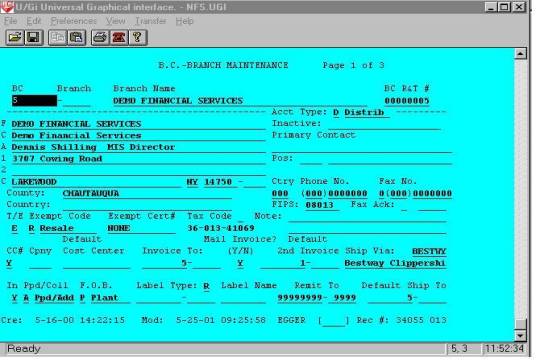
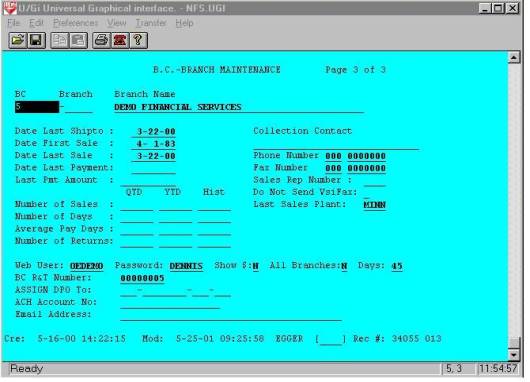
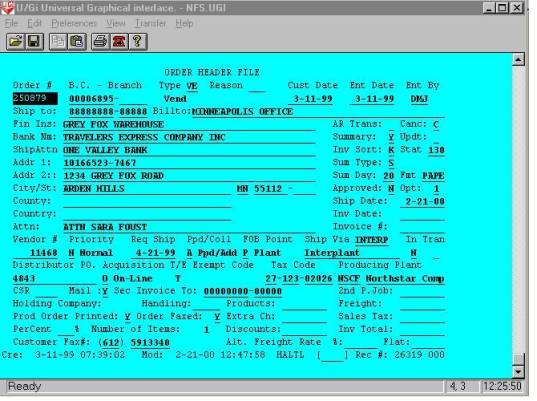
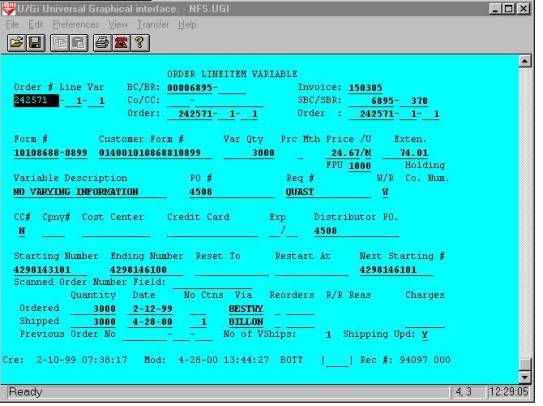
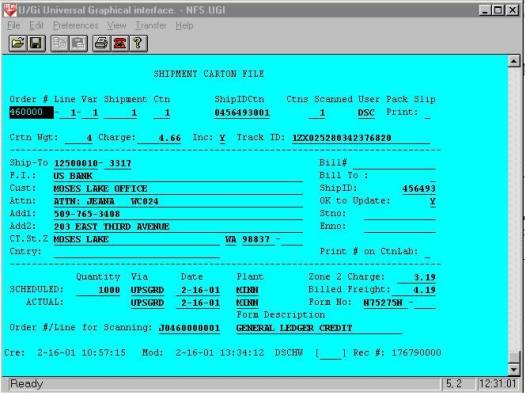
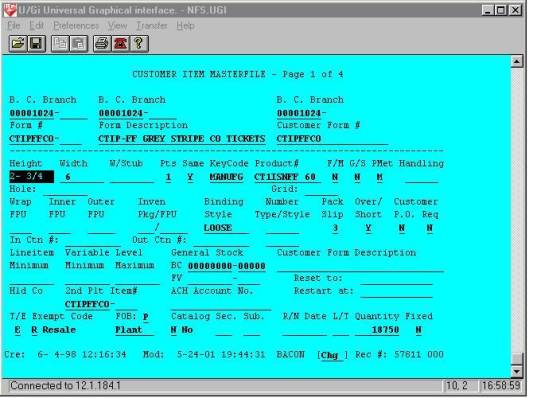
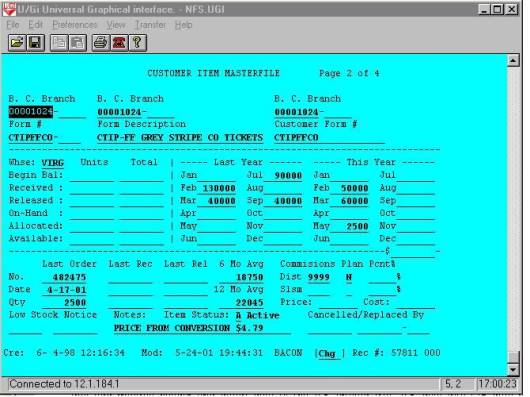
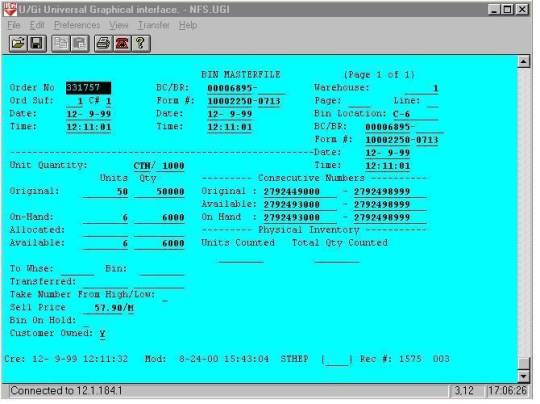
The next process to execute is the invoice and accounting data update program named ‘WEBARDA’ and is shown below.
00001 REM *** 'WEBARDA' --
Create Web AR Upload File
00002 REM Report Number:
12 User: AABDB8 Date: 4-11-0
00005 CLOSE
00009 ON IKEY THEN GOTO
00096
00010 GOSUB 00100 : + Init
00015 REM Main Process
00017 LET
K32$=CHR$(6,4),FILL$(0)
00019 KFIND F32%,B3$,K32$,R2
00021 LET R2=ABS(R2)
00023 IF R2 THEN
00025 LREAD FILE[DF2%,R2],R2$
00027 UNPACK 00307,R2$,BANKCD,BRNO,PASSWD$
00029 IF ASC(PASSWD$[1,4]) THEN
00031 LET STNO=BRNO \ ENNO=BRNO
00033 IF R2$[769,769]="Y" THEN LET
STNO=0 \ ENNO=99999
00034 IF ASC(R2$[750,750]) THEN LET
WJD=RJD-ASC(R2$[750,750]) ELSE LET WJD=R
JD-180
00035 IF SYS(27)<70000 THEN GOSUB 01100 : +
Process AR
00037 END IF
00039 KNEXT F32%,B3$,K32$,R2
00041 END IF
00043 IF R2 THEN GOTO 00023
00080 REM + Qprint The
Report
00082 IF
QUE$="$SCR" AND IPAGE THEN INPUT USING "","Press
(NewLine) To Continue",X$
00084 PRINT
FILE[LP%],"||||||||||"
00085 GOSUB 07050 : + Close
Printer
00096 CLOSE
00097 IF SYS(24) THEN END
00099 CHAIN "FMGO"
00100 REM + Init
00102 READ
F41%,DF4%,F48%,DF10%,F32%,DF2%,NF%
00103 DATA
41,4,48,10,32,2,48
00105 ON ERR THEN GOTO 08000
: + Unrecoverable Error
00120 DEF
FNZ(X)=VAL(X$,E)*10^MAX(0,X-E)/10^MAX(0,E-X)
00125 DEF
FNR(X)=(X+5*SGN(X))/10
00140 DIM
LFTABL$[NF%*26],X$[132],B$[544],B1$[544],LINE$[132],CPNY$[30],RDATE$[8
],B3$[544]
00141 DIM
B2$[544],Q$[8],ALL$[1],STLIT$[36],MENU$[10],RPT$[32],PCODE$[12],PRCAT$[2]
00145 BLOCK READ B$
00146 LET CPNY$=B$[23,52] \
MENU$="PROGMENU" \ RPT$="Create Web AR Upload File",
FILL$(0)
00147 LET
METRIC=AND(ASC(B$[54,54]),128)
00149 IF NOT INBATCH% THEN
PRINT @(-30);RPT$[1,LEN(RPT$)]
00150 LET LFTABL$=FILL$(0)
00175 DEF
FNL(X)=ASC(LFTABL$[(X-1)*26+19,(X-1)*26+20])
00180 LET N=6 \
X=(((MOD(SYS(3),100)+((SYS(3)>1999)*100)))*10000+SYS(28)/100) \E=0
00181 GOSUB 07300 : + Decode
Date/Size
00187 LET RDATE$=X$ \
RDATE=X \ RJD=JD
00196 LET IMAX=-1 \ NST=0 \
NFLDS=6 \ MAXLPP=55 \ MAXSLPP=60
00198 LET IPAGE=0 \ LCNT=99
\ RCOUNT=0 \ TCOUNT=0
00200 REM + DIM Masks &
Other Variables
00201 DIM
MSK1$[11],MSK2$[42],MSK3$[130],MSK4$[99],MSK5$[99],MSK6$[3],MSK7$[199]
,MSK8$[199],PERIOD$[4]
00202 DIM
TRNCD$[2],AGNDT$[8],IDATE$[8],LPDATE$[8],DISTPO$[16],SCUST$[36],SATTN$
[36],SADDR1$[36]
00203 DIM
SADDR2$[36],SCITY$[21],SSTATE$[2],SZIP$[6],SZIP4$[4],ODATE$[8],DESC1$[
32],UNIT$[1]
00204 DIM
SHPDT$[8],IDATE$[8],FNUMB$[8],VERSN$[4],CUSTPO$[16],PASSWD$[6]
00300 REM + RFORMS
00301 RFORM CLLLA2
00302 RFORM LL
00303 RFORM
+6L+10CCLA2LLLL+112L+8LL
00304 RFORM
+186L+49A16+44A36A36A36A36+4L+8A21A2A6A4
00305 RFORM
+24L+2CLL+2L+6LA32LA1+4LL+36L
00306 RFORM
+145A8A4A16+67L+20L+28L+149L+8L+8L+8L
00307 RFORM +20LL+989A6
00400 REM + Print Masks
00401 LET
MSK1$="A8,21X,A30"
00402 LET MSK2$="' :
:',T0,F8.0,21X,A32,8X,'Page: ',F3.0"
00403 LET
MSK3$="A3,'|',OF8.0,'|',OF5.0,'|',A4,'|',OF9.0,'|',OF8.0,'|',OF9.0,'|'
,OF11.2,'|',OF8.0,'|',OF9.0,'|',OF8.0,'|',Z"
00404 LET
MSK4$="OF11.2,'|',A36,'|',A36,'|',A36,'|',A36,'|',A21,'|',A2,'|',A6,'|',A4,'|',Z"
00405 LET MSK5$="A16,'|',A6"
00407 LET
MSK7$="A3,'|',OF9.0,'|',OF4.0,'|',OF8.0,'|',OF8.0,'|',A8,'|',A4,'|',A3
2,'|',A16,'|',OF8.0,'|',OF8.0,'|',Z"
00408 LET
MSK8$="OF9.2,'|',A1,'|',OF11.2,'|',OF11.2,'|',OF11.2,'|',OF11.2,'|',OF
11.2,'|',OF11.2,'|',OF11.2,'|',OF8.0"
00500 REM + Open Files
00502 LOPEN
FILE[DF2%,B$],"MAIL"
00504 LOPEN
FILE[DF4%,B$],"ARSAL"
00510 LOPEN
FILE[DF10%,B$],"ARDET"
00532 LOPEN
FILE[F32%,B$],"MAILI1"
00541 LOPEN
FILE[F41%,B$],"ARSALI2"
00548 LOPEN
FILE[F48%,B$],"ARDETI2"
00600 REM + DIM Records &
Keys
00605 DIM
LK$[22],SK$[22],EK$[22]
00606 DIM SK2$[22],EK2$[22]
00610 DIM
R4$[FNL(DF4%)],K41$[22]
00611 DIM
R10$[FNL(DF10%)],K48$[22]
00612 DIM
R2$[FNL(DF2%)],K32$[8]
00700 REM + Clear Arrays
00705 DIM
TOT[MAX(IMAX,0),MAX(NST,0)],T[MAX(NST,0)+1]
00710 FOR J=0 TO NST
00712 LET T[J]=0
00715 FOR I=0 TO IMAX
00720 LET TOT[I,J]=0
00725 NEXT I
00730 NEXT J
00740 LET R4=0
00741 LET R10=0
00742 LET R2=0
00800 REM + Keys And Tempx
00815 GOSUB 07800 : + Print
Specs
00816 GOSUB 07000 : + Open
Printer and Print Specs
00898 IF
QUE$="$SCR" THEN LET MAXLPP=20 \ MAXSLPP=23
00899 RETURN
01000 REM + Find Record
01004 LET
SK$=CHR$(0,2),CHR$(6,4),FILL$(0)
01005 LET
SK$=CHR$(0,2),CHR$(BANKCD,4),CHR$(STNO,4),FILL$(0)
01006 LET
EK$=CHR$(0,2),CHR$(BANKCD,4),CHR$(ENNO,4),FILL$(255)
01008 LET K41$=SK$
01010 KFIND F41%,B1$,K41$,R4
01011 IF R4 THEN IF
K41$>EK$ THEN LET R4=0
01015 LET R4=ABS(R4)
01099 RETURN
01100 REM + Process AR
01104 GOSUB 01000 : + Find
Record
01106 IF R4 THEN
01108 ON IKEY THEN GOTO 00080 : + Qprint The
Report
01110 REM + Main Process Loop
01112 GOSUB 02000 : + READ ARSAL FILE
01115 IF AJD>WJD THEN
01116 GOSUB 02100 : + READ ARDET FILE
01118 GOSUB 03000 : + Print Routine
01120 IF R10 THEN
01122 GOSUB 03100 : + Secondary File Print
01124 GOSUB 04100 : + Next Secondary File
01126 IF R10 THEN GOSUB 02110 : READ SECONDARY FILE
01128 IF R10 THEN GOTO 01122
01130 END IF
01132 END IF
01134 GOSUB 04000 : + Find Next Record
01136 IF R4 THEN GOTO 01110 : + Main Process Loop
01138 END IF
01199 RETURN
01900 REM + Key Data
Statements
01901 DATA
"Status/Batch",2,5,0,65535,0,2,0
01902 DATA "Bank
Code",2,8,6,99999999,2,4,0
01903 DATA "Branch
Number",2,5,0,99999,6,4,0
01904 DATA "Aging
Date",6,8,0,1191231,10,4,0
01905 DATA "Reference
Invoice Number",2,9,0,999999999,14,4,0
01906 DATA "System Date
and Time",2,8,0,99999999,18,4,0
01930 REM + Exception Data
Statements
01950 REM + Subtotal Data
Statements
01970 DATA "Grand
Totals"
02000 REM + READ ARSAL FILE
02001 LET R4$=FILL$(0)
02050 LREAD
FILE[DF4%,R4],R4$
02051 UNPACK
00303,R4$,SYSDTM,STAT,PERIOD,INVNO,TRNCD$,BANKCD,BRNO,AGNDT,REFINV,
ARAMT,IDATE,ARPAMT
02052 UNPACK
00304,R4$,LPDATE,DISTPO$,SCUST$,SATTN$,SADDR1$,SADDR2$,CHKNO,SCITY$
,SSTATE$,SZIP$,SZIP4$
02054 IF AGNDT=0 AND IDATE
THEN LET AGNDT=IDATE
02056 IF REFINV=0 AND INVNO
THEN LET REFINV=INVNO
02058 IF AGNDT=0 AND LPDATE
THEN LET AGNDT=LPDATE
02060 LET X=AGNDT \ N=6
02062 GOSUB 07300 : + Decode
Date/Size
02064 LET AJD=JD
02099 RETURN
02100 REM + READ ARDET FILE
02101 LET R10$=FILL$(0) \
K48$=FILL$(0) \ SK2$=FILL$(0) \ EK2$=FILL$(255)
02102 PACK
00301,K48$,STAT,BANKCD,BRNO,INVNO,TRNCD$
02103 PACK
00301,SK2$,STAT,BANKCD,BRNO,INVNO,TRNCD$
02104 PACK
00301,EK2$,STAT,BANKCD,BRNO,INVNO,TRNCD$
02105 KFIND F48%,B2$,K48$,R10
02106 LET R10=ABS(R10)
02107 IF K48$>EK2$ THEN
LET R10=0
02110 REM READ SECONDARY FILE
02111 UNPACK
00305,R10$,INVNO,LINENO,BANKCD,BRNO,JOBNO,ODATE,DESC1$,UPRICE,
UNIT$,QSHP,SHPDT,IDATE
02112 UNPACK
00306,R10$,FNUMB$,VERSN$,CUSTPO$,INVAMT,DARAMT,TAX,FRT,MSF,
WSF,HF
02148 IF R10 THEN
02150 LREAD FILE[DF10%,R10],R10$
02151 UNPACK
00305,R10$,INVNO,LINENO,BANKCD,BRNO,JOBNO,ODATE,DESC1$,UPRICE,UNI
T$,QSHP,SHPDT,IDATE
02155 LET DESC1$=R10$[106,137],FILL$(0)
02190 END IF
02199 RETURN
02200 REM + READ MAIL FILE
02201 LET R2$=FILL$(0) \
K32$=FILL$(0)
02202 PACK
00302,K32$,BANKCD,BRNO
02205 KFIND F32%,B$,K32$,R2
02206 IF R2<1 THEN LET
R2=0
02211 UNPACK
00307,R2$,PASSWD$
02248 IF R2 THEN
02250 LREAD FILE[DF2%,R2],R2$
02251 UNPACK 00307,R2$,PASSWD$
02290 END IF
02299 RETURN
03000 REM + Print Routine
03011 PRINT FILE[LP%], USING
MSK3$,"ARH",BANKCD,BRNO,PERIOD$,INVNO,AGNDT
,REFINV,
ARAMT,IDATE,CHKNO,LPDATE
03012 PRINT FILE[LP%], USING
MSK4$,ARPAMT,SCUST$,SATTN$,SADDR1$,SADDR2$,SCITY$,S
STATE$,SZIP$,SZIP4$
03013 PRINT FILE[LP%], USING
MSK5$,DISTPO$,PASSWD$
03099 RETURN
03100 REM + Secondary File
Print
03111 PRINT FILE[LP%], USING
MSK7$,"ARD",INVNO,LINENO,IDATE,SHPDT,FNUMB$,VERSN$,
DESC1$,CUSTPO$,JOBNO,QSHP
03112 PRINT FILE[LP%], USING
MSK8$,UPRICE,UNIT$,INVAMT,HF,MSF,WSF,FRT,TAX,DARAMT
,ODATE
03199 RETURN
04000 REM + Find Next Record
04002 LET LK$=K41$
04004 KNEXT F41%,B1$,K41$,R4
04006 IF R4 THEN IF
K41$>EK$ THEN LET R4=0
04099 RETURN
04100 REM + Next Secondary
File
04110 KNEXT
F48%,B2$,K48$,R10
04115 IF R10 THEN IF
K48$>EK2$ THEN LET R10=0
04199 RETURN
07000 REM + Open Printer and
Print Specs
07010 LET LP%=140
07020 OPEN FILE[LP%,1],OUT$
07049 RETURN
07050 REM + Close Printer
07052 CLOSE
07099 RETURN
07200 REM + Encode Date/Size
07202 LET METRIC=METRIC+0
07210 ENCODE
X,X$,JD,E,METRIC,N
07215 LET X1=X/10000 \
X2=MOD(X/100,100) \ X3=MOD(X,100)
07299 RETURN
07300 REM + Decode Date/Size
07302 LET METRIC=METRIC+0
07310 DECODE
X,X$,JD,E,METRIC,N
07315 LET X1=X/10000 \
X2=MOD(X/100,100) \ X3=MOD(X,100)
07399 RETURN
This process executes similar code to that of the order update, checking for the presence of a user name and password in the mail list. If found the program executes sub-routines that add invoice header and detail data to the AR upload file. Invoice data like order data is limited after the first update to 45 days or any open invoices. The invoice header and detail records are shown below.
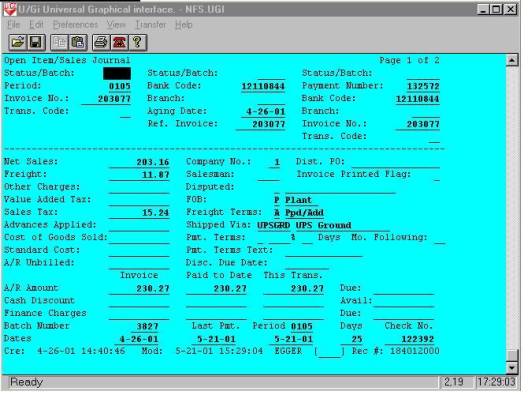
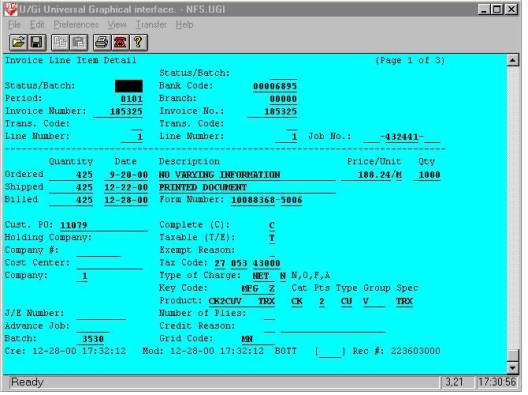
The next step in the process is executed by the ‘WEBBATCH1’ macro following the data uploads. This process calls a macro named ‘FTPWEB’ which uses the .netrc macro to transfer the files to the web server. FTPWEB and .NETRC are shown below.
#ftpweb
ftp –i web
#.netrc
machine web login xmit password ********
macdef init
bin
lcd /NFFXMIT
cd /WEBXMIT
mput *NFF
bye
close
machine gfs login xmit password ********
macdef init
bin
lcd /NFFXMIT
cd /GFSXMIT/TEMP
mget *MINN*
mdelete *MINN*
bye
close
machine ncf login xmit password ********
macdef init
bin
lcd /NFFXMIT
cd /NCFXMIT/TEMP
mget *MINN*
mdelete *MINN*
bye
close
The ftp macro executes a .netrc script that logs on to the web server, and transfers the web upload files to the /WEBXMIT directory on the web server. The same process occurs on the other two production servers using similar macros and UBL programs, and all are coordinated by the crontab schedule.
Once the files are all successfully transferred to the web server and placed in the /WEBXMIT directory, a crontab process on the web server executes the first web update process named ‘WEBBATCH1’ shown below.
cd /USR2/PROG/WEBOE
PATH=/ubl:$PATH
BBROOT=/
BBHOME=`pwd`
BBSEARCH=/USR2/PROG/WEBOE:/UBLUTILS:/ubl
BBPROGS=$BBHOME
BBSOURCE=$BBHOME
export BBROOT BBSEARCH BBPROGS BBHOME PATH BBHELP BBSOURCE
/MACROS/XUBL WEBBATCH1
exit
‘WEBBATCH1’ like the other macros, sets up the environment and executes a UBL program that reads in the OE upload file and processes the updates to the database files on the web server. The program named ‘WEBBATCH’ is shown below.
00001 REM 'webbatch' -- auto update web user data
00004 GOSUB 00100 : + Init
00026 PRINT RPT$
00028 STMA 8,5
00057 PRINT "Processing MAIL NFF"
00059 SWAP "webumailnff"
00060 PRINT
00061 PRINT "Processing ORDS NFF"
00063 SWAP "webuordsnff"
00064 PRINT
00065 PRINT "Processing A/R NFF"
00067 SWAP "webuardanff"
00068 PRINT
00072 PRINT "Processing Inven NFF"
00074 SWAP "webufmmsnff"
00076 PRINT
00077 PRINT "WEB UPLOAD COMPLETE"
00080 STMA 8,5
00085 CLOSE
00099 BYE
00100 REM + Init
00101 CLOSE
00103 READ DF16%,F42%
00104 DATA 16,42
00106 STMA 6,1
00110 ON ERR THEN GOTO 08000 : + Unrecoverable Error
00112 DIM X$[80],B$[512],B1$[544],MENU$[10],SYSDIR$[50],SYSFIL$[12],SA$[1]
00116 DEF FNL(X)=ASC(LFTABL$[(X-1)*26+19,(X-1)*26+20])
00133 DEF FNO(X)=ASC(R16$[X+1,X+1])
00134 DEF FNT(X)=ASC(R16$[X+1,X+2])
00138 DIM CPNY$[30],RPT$[32],LFILE$[10],TYP$[1]
00144 BLOCK READ B$[1,512]
00148 LET CPNY$=B$[23,52] \ OPTION=ASC(B$[129,129]) \ LP%=140
00150 STMA 9,1,SYSDIR$
00151 LET MENU$=SYSDIR$[LEN(SYSDIR$)-1,LEN(SYSDIR$)],"GO"
00152 LET RPT$="WEB UPLOAD START" \ NF%=99
00199 RETURN
08000 REM + Unrecoverable Error
08005 ON ERR THEN GOTO 08045
08010 DIM PROG$[13],DIR$[40],USER$[5]
08015 STMA 9,0,USER$
08020 STMA 9,1,DIR$
08025 STMA 9,2,PROG$
08030 LET X$=ERM$(SYS(7))," At ",SYS(20),"<7> In ",DIR$,":",PROG$," By ",USER$
08040 PRINT @(22,1);X$;@(-32)
08045 PRINT @(-40);"System Error...E-Mail denniss@cecomet.net or call 716-763-02
72 For Assistance";;@(-41);@(-32)
08046 ON ERR THEN GOTO 08098
08050 OPEN FILE[150,2],"ERRORLOG"
08055 PRINT FILE[150], USING "A80,2X,' / /',T0,F8.0,2X,' : :',T0,F8.0",X$,SY
S(28),SYS(27)
08060 CLOSE FILE[150]
08065 POSITION FILE[15,0]
08070 READ FILE[15],E%
08074 POSITION FILE[15,0]
08075 LET E%=E%+1 \ E=0
08076 WRITE FILE[15],E%
08078 STRPOS E,PROG$,".",1,1
08079 IF E=0 THEN LET E=LEN(PROG$)+1
08080 LET PROG$=PROG$[1,E-1],".E",E%
08082 ON ERR THEN GOTO 08000 : + Unrecoverable Error
08085 REPLACEV PROG$
08098 ON ERR THEN GOTO 08000 : + Unrecoverable Error
08099 IF SYS(24) THEN STOP ELSE END
‘WEBBATCH’ on the web server, like ‘WEBBATCH’ on the production server, is a small program that is used to start the upload processes of the ASCII flat files created on the production servers. It also creates an email message to verify the upload when complete. The upload programs are called on lines 59, 63,67, and 74. The email message is created and sent by sub-routine 7050. The email message is shown below.
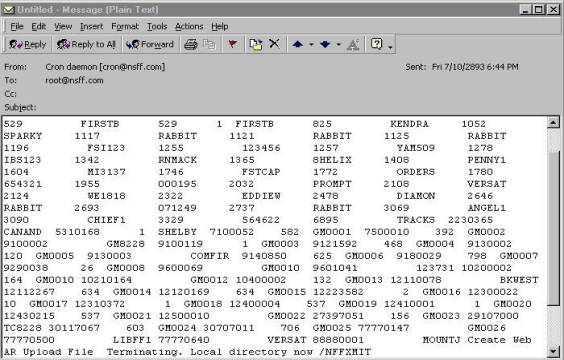
The first call is to a UBL program named ‘WEBUMAIL’ shown below.
00001 REM *** 'WEBUMAIL' -- Upload Mail File
00002 REM Report Number: 24 User: AABDB8 Date: 3-16-0
00005 CLOSE
00009 ON IKEY THEN GOTO 00096
00010 GOSUB 00100 : + INIT WITH KIND FILE
00026 GOSUB 07000 : + Open Printer and Print Specs
00027 ON IKEY THEN GOTO 00080 : + Qprint The Report
00029 LET PPOS=0
00030 REM + Main Process Loop
00031 READ FILE[100,PPOS],R$
00034 IF LEN(R$)<26 THEN GOTO 00080 : + Qprint The Report
00036 GOSUB 01000 : + Decode R$
00040 GOSUB 02000 : + READ OEMAIL FILE
00050 GOSUB 03000 : + Print Routine
00060 IF LEN(R$) AND EFILE=0 THEN GOTO 00030 : + Main Process Loop
00080 REM + Qprint The Report
00082 IF QUE$="$SCR" AND IPAGE THEN INPUT USING "","Press (NewLine) To Continue",X$
00085 GOSUB 07050 : + Close Printer
00086 PRINT USING "A20,of9.0","Records Processed",TCOUNT
00096 CLOSE
00097 IF SYS(24) THEN END
00099 IF ASC(MENU$[1,1]) THEN CHAIN MENU$ ELSE NEW
00100 REM + INIT WITH KIND FILE
00102 READ F22%,DF2%,NF%,F32%
00103 DATA 22,2,32,32
00104 LET NF%=MAX(NF%,38) \ DF5%=5 \ F35%=35 \ F38%=38 \ R5=0
00105 ON ERR THEN GOTO 08000 : + Unrecoverable Error
00120 DEF FNZ(X)=VAL(X$,E)*10^MAX(0,X-E)/10^MAX(0,E-X)
00125 DEF FNR(X)=(X+5*SGN(X))/10
00140 DIM LFTABL$[NF%*26],X$[132],B$[544],B1$[544],LINE$[132],
CPNY$[30],RDATE$[8]
00141 DIM B2$[544],Q$[8],ALL$[1],STLIT$[36],MENU$[10],RPT$[32],
PCODE$[12],PRCAT$[2]
00145 BLOCK READ B$
00146 LET CPNY$=B$[23,52] \ MENU$="PROGMENU" \ RPT$="Upload Mail File",FILL$(0)
00147 LET METRIC=AND(ASC(B$[54,54]),128)
00149 PRINT @(-30);RPT$[1,LEN(RPT$)]
00150 LET LFTABL$=FILL$(0)
00175 DEF FNL(X)=ASC(LFTABL$[(X-1)*26+19,(X-1)*26+20])
00180 LET N=6 \ X=((MOD(SYS(3),100)+((SYS(3)>1999)*100)))*10000+SYS(28)/100 \ E=0
00186 GOSUB 07300 : + Decode Date/Size
00187 LET RDATE$=X$ \ RDATE=X
00196 LET IMAX=-1 \ NST=0 \ NFLDS=2 \ MAXLPP=55 \ MAXSLPP=60
00198 LET IPAGE=0 \ LCNT=99 \ RCOUNT=0 \ TCOUNT=0
00200 REM + DIM Masks & Other Variables
00201 DIM MSK1$[8],MSK2$[28],MSK3$[24],MSK4$[14],MSK5$[17],
MSK6$[15],MSK7$[7],MSK8$[43],MSK9$[60]
00202 DIM FINAME$[45],CUST$[45],ATTN$[45],ADDR1$[45],ADDR2$[45],
CITY$[30],STATE$[2],ZIP$[6],ZIP4$[4],SHOWD$[1],ALLBR$[1]
00203 DIM EMAIL$[40],ACTTYP$[1],TAXABL$[1],SVIA$[6],PASSWD$[6],
USERID$[6]
00204 DIM R$[512],FILE$[22]
00300 REM + RFORMS
00301 RFORM +20LLA45A45A45A45A45A30A2A6A4A40
00302 RFORM +335A1A1+6A6A6
00400 REM + Print Masks
00401 LET MSK1$="24X,A30"
00402 LET MSK2$="A8,16X,A32,1X,'Page: ',F3.0"
00403 LET MSK3$="A8,2X,A5,2X,A45,2X,A45,Z"
00404 LET MSK4$="2X,A45,2X,A45"
00405 LET MSK5$="A8,2X,A5,2X,A45,Z"
00406 LET MSK6$="2X,A45,2X,A45,Z"
00407 LET MSK7$="2X,A45"
00408 LET MSK8$="OF8.0,2X,OF5.0,2X,A45,2X,A45,2X,A45,2X,A45"
00409 LET MSK9$="A45,2X,A30,2X,A2,2X,A6,2X,A4,2X,A40,2X,
A1,2X,A1,2X,A6,2X,A6"
00491 PRINT "Starting MANFF"
00499 LET E=0 \ FILE$="!/WEBXMIT/MANFF"
00500 OPEN E,FILE[100,5],FILE$
00501 IF E THEN GOTO 00086
00502 LOPEN FILE[DF2%,B$],"OEMAIL"
00506 LOPEN FILE[DF5%,B$],"KIND"
00522 LOPEN FILE[F22%,B$],"OEMAILI1"
00526 LOPEN FILE[F35%,B$],"KINDI1"
00532 LOPEN FILE[F32%,B$],"OEMAILI2"
00538 LOPEN FILE[F38%,B$],"KINDI2"
00600 REM + DIM Records & Keys
00605 DIM LK$[8],SK$[8],EK$[8]
00609 DIM K35$[4],K38$[14],R5$[FNL(DF5%)]
00610 DIM R2$[FNL(DF2%)],K22$[8],K32$[12]
00700 REM + Clear Arrays
00705 DIM TOT[MAX(IMAX,0),MAX(NST,0)],T[MAX(NST,0)+1]
00710 FOR J=0 TO NST
00712 LET T[J]=0
00715 FOR I=0 TO IMAX
00720 LET TOT[I,J]=0
00725 NEXT I
00730 NEXT J
00740 LET R2=0
00800 REM + Keys And Tempx
00815 GOSUB 07800 : + Print Specs
00898 IF QUE$="$SCR" THEN LET MAXLPP=20 \ MAXSLPP=23
00899 RETURN
01000 REM + Decode R$
01003 LET R=5
01005 STRPOS P,R$,"|",R,1
01008 LET X$=R$[R,P-1]
01010 LET E=0 \ BANKCD=VAL(X$,E)
01012 IF E THEN STOP
01014 LET R=P+1
01016 STRPOS P,R$,"|",R,1
01018 LET X$=R$[R,P-1]
01020 LET E=0 \ BRNO=VAL(X$,E)
01022 LET R=P+1
01024 STRPOS P,R$,"|",R,1
01026 LET X$=R$[R,P-1]
01028 LET PASSWD$=TRUN$(X$,1),FILL$(0)
01030 LET R=P+1
01032 STRPOS P,R$,"|",R,1
01034 LET X$=R$[R,P-1]
01036 LET FINAME$=TRUN$(X$,1),FILL$(0)
01038 LET R=P+1
01040 STRPOS P,R$,"|",R,1
01042 LET X$=R$[R,P-1]
01044 LET CUST$=TRUN$(X$,1),FILL$(0)
01048 LET R=P+1
01050 STRPOS P,R$,"|",R,1
01052 LET X$=R$[R,P-1]
01054 LET ATTN$=TRUN$(X$,1),FILL$(0)
01058 LET R=P+1
01060 STRPOS P,R$,"|",R,1
01062 LET X$=R$[R,P-1]
01064 LET ADDR1$=TRUN$(X$,1),FILL$(0)
01068 LET R=P+1
01070 STRPOS P,R$,"|",R,1
01072 LET X$=R$[R,P-1]
01074 LET ADDR2$=TRUN$(X$,1),FILL$(0)
01078 LET R=P+1
01080 STRPOS P,R$,"|",R,1
01082 LET X$=R$[R,P-1]
01084 LET CITY$=TRUN$(X$,1),FILL$(0)
01088 LET R=P+1
01090 STRPOS P,R$,"|",R,1
01092 LET X$=R$[R,P-1]
01094 LET STATE$=TRUN$(X$,1),FILL$(0)
01098 LET R=P+1
01100 STRPOS P,R$,"|",R,1
01102 LET X$=R$[R,P-1]
01104 LET ZIP$=TRUN$(X$,1),FILL$(0)
01108 LET R=P+1
01110 STRPOS P,R$,"|",R,1
01112 LET X$=R$[R,P-1]
01114 LET ZIP4$=TRUN$(X$,1),FILL$(0)
01118 LET R=P+1
01120 STRPOS P,R$,"|",R,1
01122 LET X$=R$[R,P-1]
01124 LET ACTTYP$=TRUN$(X$,1),FILL$(0)
01128 LET R=P+1
01130 STRPOS P,R$,"|",R,1
01132 LET X$=R$[R,P-1]
01134 LET TAXABL$=TRUN$(X$,1),FILL$(0)
01138 LET R=P+1
01140 STRPOS P,R$,"|",R,1
01142 LET X$=R$[R,P-1]
01144 LET SVIA$=TRUN$(X$,1),FILL$(0)
01148 LET R=P+1
01150 STRPOS P,R$,"|",R,1
01152 LET X$=R$[R,P-1]
01154 LET EMAIL$=TRUN$(X$,1),FILL$(0)
01156 LET R=P+1
01158 STRPOS P,R$,"|",R,1
01160 LET X$=R$[R,P-1]
01162 LET USERID$=TRUN$(X$,1),FILL$(0)
01164 LET R=P+1
01166 STRPOS P,R$,"|",R,1
01168 LET X$=R$[R,P-1]
01170 LET SHOWD$=TRUN$(X$,1),FILL$(0)
01172 LET R=P+1
01174 STRPOS P,R$,"|",R,1
01177 LET SHOWD$=R$[R-2,R-2]
01178 LET ALLBR$=R$[R,R]
01180 LET R=P+1
01182 STRPOS P,R$,"|",R,1
01184 LET DAYS=VAL(R$[R,R+1],E)
01140 STRPOS P,R$,"|",R,1
01142 LET X$=R$[R,P-1]
01144 LET SVIA$=TRUN$(X$,1),FILL$(0)
01148 LET R=P+1
01150 STRPOS P,R$,"|",R,1
01152 LET X$=R$[R,P-1]
01154 LET EMAIL$=TRUN$(X$,1),FILL$(0)
01156 LET R=P+1
01158 STRPOS P,R$,"|",R,1
01160 LET X$=R$[R,P-1]
01162 LET USERID$=TRUN$(X$,1),FILL$(0)
01164 LET R=P+1
01166 STRPOS P,R$,"|",R,1
01168 LET X$=R$[R,P-1]
01170 LET SHOWD$=TRUN$(X$,1),FILL$(0)
01172 LET R=P+1
01174 STRPOS P,R$,"|",R,1
01177 LET SHOWD$=R$[R-2,R-2]
01178 LET ALLBR$=R$[R,R]
01180 LET R=P+1
01182 STRPOS P,R$,"|",R,1
01184 LET DAYS=VAL(R$[R,R+1],E)
01190 LET PPOS=PPOS+R+2
01199 RETURN
01900 REM + Key Data Statements
01901 DATA "Bank Code",2,8,0,99999999,0,4,0
01902 DATA "Branch Number",2,5,0,99999,4,4,0
01930 REM + Exception Data Statements
01950 REM + Subtotal Data Statements
01970 DATA "Grand Totals"
02000 REM + READ OEMAIL FILE
02001 LET R2$=FILL$(0) \ REC2,R2=0
02005 LET K32$=USERID$,PASSWD$,FILL$(0)
02006 KFIND F32%,B$,K32$,R2
02010 IF R2>0 THEN
02015 LREAD FILE[DF2%,R2],R2$
02020 LET REC2=R2
02022 ELSE
02024 GETREC DF2%,R2
02026 IF R2<1 THEN STOP
02028 GOSUB 07100 : + Encode Date Time
02030 LET R2$=CHR$(1,2),CHR$(0,4),CHR$(X,4),CHR$(X,4),USER$,FILL$(0)
02032 END IF
02051 PACK 00301,R2$,BANKCD,BRNO,FINAME$,CUST$,ATTN$,
ADDR1$,ADDR2$,CITY$,STATE$, ZIP$,ZIP4$,EMAIL$
02052 PACK 00302,R2$,SHOWD$,ALLBR$,PASSWD$,USERID$
02055 IF DAYS<180 THEN LET R2$[368,368]=CHR$(DAYS,1) ELSE LET R2$[368,368]=FILL$(0)
02060 LWRITE FILE[DF2%,R2],R2$
02061 IF REC2=0 THEN
02062 LET K22$=R2$[21,28]
02064 KADD F22%,B$,K22$,R2
02070 LET K32$=R2$[350,355],R2$[344,349]
02072 KADD F32%,B$,K32$,R2
02080 END IF
02099 RETURN
03000 REM + Print Routine
03002 GOSUB 06200 : + Calculate Print Line
03005 IF LCNT>MAXLPP THEN GOSUB 06000 : + Print Headings
03008 LET T[1]=T[1]+1 \ T[0]=T[0]+1 \ RCOUNT=1 \ TCOUNT=TCOUNT+1
03011 PRINT FILE[LP%], USING MSK8$,BANKCD,BRNO,FINAME$,CUST$,ATTN$,ADDR1$
03013 LET LCNT=LCNT+1
03099 RETURN
06000 REM + Print Headings
06004 IF QUE$="$SCR" AND IPAGE THEN INPUT USING "","Press <NewLine> To Continue",X$
06005 IF IPAGE OR QUE$="$SCR" THEN WRITE FILE[LP%],"<12>"
06006 LET IPAGE=IPAGE+1 \ LCNT=0
06011 WRITE FILE[LP%],SF1$
06012 PRINT FILE[LP%], USING MSK1$,CPNY$
06013 WRITE FILE[LP%],EF1$
06014 WRITE FILE[LP%],SF1$
06015 PRINT FILE[LP%], USING MSK2$,RDATE$,"Upload Mail File",IPAGE
06016 WRITE FILE[LP%],EF1$
06017 PRINT FILE[LP%]
06018 PRINT FILE[LP%], USING MSK3$," Bank","Brnch","Financial Institution Name","Branch Name"
06019 PRINT FILE[LP%], USING MSK4$,"Attention","Address Line 1"
06020 PRINT FILE[LP%], USING MSK5$," Code","Numb.","~~~~~~~~~~~~~~~~~~~~~~~~~~~~~~"
06021 PRINT FILE[LP%], USING MSK6$,"~~~~~~~~~~~~~~~~~~~~~~~~~~~~~~",
"~~~~~~~~~~~~~~~~~~~~~~~~~~~~~~"
06022 PRINT FILE[LP%], USING MSK7$,"~~~~~~~~~~~~~~~~~~~~~~~~~~~~~~"
06023 PRINT FILE[LP%]
06024 LET LCNT=LCNT+6
06099 RETURN
06200 REM + Calculate Print Line
06499 RETURN
06500 REM + Calc Subtotal Line
06999 RETURN
07000 REM + Open Printer and Print Specs
07020 OPEN_PRINTER(RPT$,QUE$,LP%,IS$,MENU$,OUT$,USER$)
07049 RETURN
07050 REM + Close Printer
07070 CLOSE
07075 LET X$="mutt -s WEBMAILNFF -a ",OUT$," denniss@nsff.com </dev/null"
07099 RETURN
07100 REM + Encode Date Time
07110 ENCODE_TIME X
07111 LET JD=X/100000
07112 STMA 11,JD,MM,DD,YY
07119 RETURN
07120 REM + Decode Date Time
07124 LET JD=X/100000
07126 STMA 11,JD,MM,DD,YY
07130 DECODE_TIME X,LINE$
07149 RETURN
07200 REM + Encode Date/Size
07202 LET METRIC=METRIC+0
07210 ENCODE X,X$,JD,E,METRIC,N
07215 LET X1=X/10000 \ X2=MOD(X/100,100) \ X3=MOD(X,100)
07299 RETURN
07300 REM + Decode Date/Size
07302 LET METRIC=METRIC+0
07310 DECODE X,X$,JD,E,METRIC,N
07315 LET X1=X/10000 \ X2=MOD(X/100,100) \ X3=MOD(X,100)
07399 RETURN
07800 REM + Print Specs
07804 DIM PFRM$[30],PCPY$[11],PDELS$[4],QUE$[10],OUT$[30],USER$[5]
07806 DIM SF1$[5],EF1$[5],SF2$[5],EF2$[5],SF3$[5],EF3$[5],SF4$[5],
EF4$[5],IS$[60],CU$[20],AGAIN$[1]
07808 LET COPIES=0 \ LP=0
07825 LET QUE$="WEBMAILNFF" \ OUT$="WEBMAILNFF"
07830 LET LP%=140
07899 RETURN
08000 REM + Unrecoverable Error
08005 ON ERR THEN GOTO 08045
08010 DIM PROG$[13],DIR$[40],USER$[5]
08015 STMA 9,0,USER$
08020 STMA 9,1,DIR$
08025 STMA 9,2,PROG$
08030 LET X$=ERM$(SYS(7))," At ",SYS(20),"<7> In ",DIR$,":",PROG$," By ",USER$
08040 PRINT @(22,1);X$;@(-32)
08045 PRINT @(-40);"System Error...E-Mail denniss@cecomet.net or call 716-763-02
72 For Assistance";;@(-41);@(-32)
08046 ON ERR THEN GOTO 08098
08050 OPEN FILE[150,2],"ERRORLOG"
08055 PRINT FILE[150], USING "A80,2X,' / /',T0,F8.0,2X,' : :',T0,F8.0",X$,SY
S(28),SYS(27)
08060 CLOSE FILE[150]
08065 POSITION FILE[15,0]
08070 READ FILE[15],E%
08074 POSITION FILE[15,0]
08075 LET E%=E%+1 \ E=0
08076 WRITE FILE[15],E%
08078 STRPOS E,PROG$,".",1,1
08079 IF E=0 THEN LET E=LEN(PROG$)+1
08080 LET PROG$=PROG$[1,E-1],".E",E%
08082 ON ERR THEN GOTO 08000 : + Unrecoverable Error
08085 REPLACEV PROG$
08098 ON ERR THEN GOTO 08000 : + Unrecoverable Error
08099 IF SYS(24) THEN STOP ELSE END
Sub-routine 1000 in this program decodes the OE upload file. The mail list records are created or updated by sub-routine 2000 of this program. The upload process continues until the end if the upload file is reached. An email message is sent to the system manager to confirm the update completion, with record counts of all records processed.
The swap at line 63 starts the upload of the orders on the web by calling a program named ‘WEBUORDS’ shown below.
00001 REM *** 'WEBUORDS' -- Upload Orders For Web
00002 REM Report Number: 25 User: AABDB8 Date: 3-19-0
00005 CLOSE
00009 ON IKEY THEN GOTO 00096
00010 GOSUB 00100 : + INIT WITH KIND FILE
00026 GOSUB 07000 : + Open Printer and Print Specs
00027 ON IKEY THEN GOTO 00080 : + Qprint The Report
00029 LET PPOS=0
00030 REM + Main Process Loop
00031 READ FILE[100,PPOS],R$
00034 IF LEN(R$)<26 THEN GOTO 00080 : + Qprint The Report
00036 GOSUB 01000 : + Decode Record
00040 IF R$[1,3]="ORD" THEN
00042 IF BANKCD>5 THEN GOSUB 02000 : + Create OEHED
00043 GOSUB 02500 : + Delete Tracking file
00046 END IF
00048 IF R$[1,3]="ITM" THEN
00049 IF BANKCD>5 THEN GOSUB 02100 : + Create OEDET
00050 IF BANKCD>5 THEN GOSUB 02300 : + Update OEHED
00051 END IF
00052 IF R$[1,3]="VAR" THEN
00053 IF BANKCD>5 THEN GOSUB 02350 : + Update OEDET
00048 IF R$[1,3]="ITM" THEN
00049 IF BANKCD>5 THEN GOSUB 02100 : + Create OEDET
00050 IF BANKCD>5 THEN GOSUB 02300 : + Update OEHED
00051 END IF
00052 IF R$[1,3]="VAR" THEN
00053 IF BANKCD>5 THEN GOSUB 02350 : + Update OEDET
00055 END IF
00056 IF R$[1,3]="SHP" THEN
00058 IF BANKCD>5 THEN GOSUB 02200 : + Create OETRK
00059 IF BANKCD>5 THEN GOSUB 02400 : + Update OEDET SVIA
00062 END IF
00064 IF LEN(R$) AND EFILE=0 THEN GOTO 00030 : + Main Process Loop
00080 REM + Qprint The Report
00082 IF QUE$="$SCR" AND IPAGE THEN INPUT USING "","Press (NewLine) To Continue
00085 GOSUB 07050 : + Close Printer
00086 PRINT USING "A20,OF9.0","Records Processed",TCOUNT
00087 PRINT
00096 CLOSE
00097 IF SYS(24) THEN END
00099 IF ASC(MENU$[1,1]) THEN CHAIN MENU$ ELSE NEW
00100 REM + INIT WITH KIND FILE
00102 READ F43%,F33%,F23%,DF3%,F24%,DF4%,F28%,DF8%,NF%,F34%
00103 DATA 43,33,23,3,24,4,28,8,43,34
00104 LET NF%=MAX(NF%,38) \ DF5%=5 \ F35%=35 \ F38%=38 \ R5=0
00105 ON ERR THEN GOTO 08000 : + Unrecoverable Error
00120 DEF FNZ(X)=VAL(X$,E)*10^MAX(0,X-E)/10^MAX(0,E-X)
00125 DEF FNR(X)=(X+5*SGN(X))/10
00140 DIM LFTABL$[NF%*26],X$[132],B$[544],B1$[544],LINE$[132],
CPNY$[30],RDATE$[8]
00141 DIM B2$[544],Q$[8],ALL$[1],STLIT$[36],MENU$[10],RPT$[32],
PCODE$[12],PRCAT$
00145 BLOCK READ B$
00146 LET CPNY$=B$[23,52] \ MENU$="PROGMENU" \ RPT$="Upload Orders For Web",FILL
00147 LET METRIC=AND(ASC(B$[54,54]),128)
00149 PRINT @(-30);RPT$[1,LEN(RPT$)]
00150 LET LFTABL$=FILL$(0)
00175 DEF FNL(X)=ASC(LFTABL$[(X-1)*26+19,(X-1)*26+20])
00180 LET N=6 \ X=((MOD(SYS(3),100)+((SYS(3)>1999)*100)))*10000+SYS(28)/100 \ E=0
00186 GOSUB 07300 : + Decode Date/Size
00187 LET RDATE$=X$ \ RDATE=X
00196 LET IMAX=-1 \ NST=0 \ NFLDS=1 \ MAXLPP=55 \ MAXSLPP=60
00198 LET IPAGE=0 \ LCNT=99 \ RCOUNT=0 \ TCOUNT=0
00200 REM + DIM Masks & Other Variables
00201 DIM MSK1$[8],MSK2$[28],MSK3$[30],MSK4$[42],MSK5$[57],
MSK6$[45],MSK7$[44],MSK8$[49],MSK9$[49]
00202 DIM MSK10$[44],MSK11$[23],MSK12$[15],MSK13$[15],MSK14$[21],
MSK15$[20],MSK16$[38],MSK17$[45]
00203 DIM MSK18$[44],MSK19$[43],MSK20$[37],MSK21$[56],MSK22$[7],
MSK23$[80],MSK24$[63],MSK25$[58],IDISTPO$[16]
00204 DIM MSK26$[85],MSK27$[58],MSK28$[47],MSK29$[78],
MSK30$[60],MSK31$[71],MSK32$[94],MSK33$[9]
00205 DIM MSK34$[87],MSK35$[7],DISTPO$[15],FINM$[45],CUST$[45],
ATTN$[45],ADDR1$[45],ADDR2$[45]
00206 DIM CITY$[30],STATE$[2],ZIP$[6],ZIP4$[4],CNTY$[30],
CTRY$[30],ENTBY$[3],EDATE$[8],CS$[1]
00207 DIM PDUEDT$[8],POUTDT$[8],PAPPDT$[8],RSDATE$[8],
SCHSHP$[8],SDATE$[8],IDATE$[8],PTYPE$[8]
00208 DIM OTYPE$[2],OTYPTX$[4],REORDFL$[1],PLTCD$[4],
PLTCDT$[14],SPLTCD$[4],SPLTCDT$[14],PRRTY$[1]
00209 DIM PRRTX$[8],PRECOL$[1],PRCLTX$[7],FOB$[1],FOBTXT$[7],
CUSTPO$[15],TAXABL$[1],EXCODE$[1]
00210 DIM EXCDTX$[10],TXCD1$[2],TXCD2$[3],TXCD3$[5],SVIA$[16],
SVIATX$[17],INSDL$[1],FNUMB$[8]
00211 DIM VERSN$[4],SFINM$[45],SCUST$[45],SATTN$[45],SADDR1$[45],
SADDR2$[45],SCITY$[30],SSTATE$[2]
00212 DIM SZIP$[6],SZIP4$[4],FDESC$[30],COWNED$[1],PUNIT$[1],
TXCD1$[2],TXCD2$[3],TXCD3$[5],STNO$[13]
00213 DIM ENNO$[13],CFORMN$[20],CDESC$[30],OSVIA$[16],
SSVIA$[16],SDATE$[8],TRKNO$[20]
00214 DIM STNO$[13],ENNO$[13],R$[1280],FILE$[22],CCMT1$[76],
CCMT2$[76],CCMT3$[76],CCMT4$[76]
00300 REM + RFORMS
00301 RFORM L
00302 RFORM L
00303 RFORM +20LLLA15A45A45A45A45A45A30A2A6
00304 RFORM +310A4A30A30A3LA1LLLLLL
00305 RFORM +406LLLA8A2A4A1BA4A14A4
00306 RFORM +456A14A1A8A1A7A1A7A15A1A1
00307 RFORM +512A10A2A3A5A6A17A1LLLLL
00308 RFORM +576L+487L
00309 RFORM +20LCA45A45A45A45A45A30A2A6A4
00310 RFORM +293A8A4A30LA1CA2A3A5A13A13A20
00311 RFORM +398A30LCA16LLCA16LLLL
00312 RFORM +20LCCLCLLLA16A20A13A13
00400 REM + Print Masks
00401 LET MSK1$="24X,A30"
00402 LET MSK2$="A8,16X,A32,1X,'Page: ',F3.0"
00403 LET MSK3$="A8,2X,A8,2X,A5,2X,A15,2X,A45,Z"
00404 LET MSK4$="2X,A45,2X,A45,2X,A45,2X,A45,2X,A30,2X,A2,Z"
00405 LET MSK5$="2X,A6,2X,A4,2X,A30,2X,A30,2X,A1,2X,
A8,2X,A1,2X,A7,2X,A1,Z"
00406 LET MSK6$="2X,A7,2X,A6,2X,A17,2X,A1,2X,A15,2X,A1,2X,A1,Z"
00407 LET MSK7$="2X,A10,2X,A2,2X,A3,2X,A5,2X,A8,2X,A8,2X,A8,Z"
00408 LET MSK8$="2X,A8,2X,A8,2X,A8,2X,A3,2X,A8,2X,A1,2X,A8,2X,A8,Z"
00409 LET MSK9$="2X,A8,2X,A8,2X,A8,2X,A8,2X,A8,2X,A8,2X,A8,2X,A2,Z"
00410 LET MSK10$="2X,A4,2X,A1,2X,A1,2X,A4,2X,A14,2X,A4,2X,A14"
00411 LET MSK11$="A8,2X,A8,2X,A5,2X,A15,Z"
00412 LET MSK12$="2X,A45,2X,A45,Z"
00413 LET MSK13$="2X,A45,2X,A45,Z"
00414 LET MSK14$="2X,A45,2X,A30,2X,A2,Z"
00415 LET MSK15$="2X,A6,2X,A4,2X,A30,Z"
00416 LET MSK16$="2X,A30,2X,A1,2X,A8,2X,A1,2X,A7,2X,A1,Z"
00417 LET MSK17$="2X,A7,2X,A6,2X,A17,2X,A1,2X,A15,2X,A1,2X,A1,Z"
00418 LET MSK18$="2X,A10,2X,A2,2X,A3,2X,A5,2X,A8,2X,A8,2X,A8,Z"
00419 LET MSK19$="2X,A8,2X,A8,2X,A8,2X,A3,2X,A8,2X,A1,2X,A8,Z"
00420 LET MSK20$="2X,A8,2X,A8,2X,A8,2X,A8,2X,A8,2X,A8,Z"
00436 LET MSK34$="OF8.0,2X,OF3.0,2X,OF3.0,2X,OF6.0,2X,OF3.0,2X,
OF8.0,2X,OF8.0,2X,A8,2X,A6,2X,A20,"
00437 LET MSK34$[0]="2X,A13,Z"
00438 LET MSK35$="2X,A13"
00491 PRINT "Starting ORNFF"
00498 LET FILE$="!/WEBXMIT/ORNFF"
00499 LET E=0
00500 OPEN E,FILE[100,5],FILE$
00502 IF E THEN GOTO 00086
00503 LOPEN FILE[DF3%,B$],"OEHED"
00504 LOPEN FILE[DF4%,B$],"OEDET"
00506 LOPEN FILE[DF5%,B$],"KIND"
00508 LOPEN FILE[DF8%,B$],"OETRK"
00523 LOPEN FILE[F23%,B$],"OEHEDI1"
00524 LOPEN FILE[F24%,B$],"OEDETI1"
00526 LOPEN FILE[F35%,B$],"KINDI1"
00528 LOPEN FILE[F28%,B$],"OETRKI1"
00533 LOPEN FILE[F33%,B$],"OEHEDI2"
00534 LOPEN FILE[F34%,B$],"OEDETI2"
00538 LOPEN FILE[F38%,B$],"KINDI2"
00543 LOPEN FILE[F43%,B$],"OEHEDI3"
00600 REM + DIM Records & Keys
00605 DIM LK$[8],SK$[8],EK$[8]
00609 DIM K35$[4],K38$[14],R5$[FNL(DF5%)]
00610 DIM R3$[FNL(DF3%)],K23$[8],K33$[12],K43$[24]
00611 DIM R4$[FNL(DF4%)],K24$[10],K34$[30]
00612 DIM R8$[FNL(DF8%)],K28$[18]
00705 DIM TOT[MAX(IMAX,0),MAX(NST,0)],T[MAX(NST,0)+1]
00710 FOR J=0 TO NST
00712 LET T[J]=0
00715 FOR I=0 TO IMAX
00720 LET TOT[I,J]=0
00725 NEXT I
00730 NEXT J
00740 LET R3=0
00741 LET R4=0
00742 LET R8=0
00800 REM + Keys And Tempx
00815 GOSUB 07800 : + Print Specs
00898 IF QUE$="$SCR" THEN LET MAXLPP=20 \ MAXSLPP=23
00999 RETURN
01000 REM + Decode Record
01001 LET R=5
01002 IF R$[1,3]="ORD" THEN
01004 STRPOS P,R$,"|",R,1
01006 LET X$=R$[R,P-1]
01008 LET E=0 \ JOBNO=VAL(X$,E)
01010 IF E THEN STOP
01012 LET R=P+1
01014 STRPOS P,R$,"|",R,1
01016 LET X$=R$[R,P-1]
01018 LET E=0 \ BANKCD=VAL(X$,E)
01019 GOSUB 02900 : + BANKCD X-REF
01020 LET R=P+1
01022 STRPOS P,R$,"|",R,1
01024 LET X$=R$[R,P-1]
01026 LET E=0 \ BRNO=VAL(X$,E)
01028 LET R=P+1
01030 STRPOS P,R$,"|",R,1
01032 LET X$=R$[R,P-1]
01034 LET DISTPO$=TRUN$(X$,1),FILL$(0)
01036 LET R=P+1
01038 STRPOS P,R$,"|",R,1
01040 LET X$=R$[R,P-1]
01042 LET ENTBY$=TRUN$(X$,1),FILL$(0)
01044 LET R=P+1
01046 STRPOS P,R$,"|",R,1
01048 LET X$=R$[R,P-1]
01050 LET EDATE=VAL(X$,E)
01052 LET R=P+1
01054 STRPOS P,R$,"|",R,1
01056 LET X$=R$[R,P-1]
01058 LET CS$=TRUN$(X$,1),FILL$(0)
01060 LET R=P+1
01062 STRPOS P,R$,"|",R,1
01064 LET X$=R$[R,P-1]
01066 LET FINM$=TRUN$(X$,1),FILL$(0)
01068 LET R=P+1
01070 STRPOS P,R$,"|",R,1
01072 LET X$=R$[R,P-1]
01074 LET CUST$=TRUN$(X$,1),FILL$(0)
01075 LET R=P+1
01076 STRPOS P,R$,"|",R,1
01078 LET X$=R$[R,P-1]
01080 LET ATTN$=TRUN$(X$,1),FILL$(0)
01084 LET R=P+1
01086 STRPOS P,R$,"|",R,1
01088 LET X$=R$[R,P-1]
01090 LET ADDR1$=TRUN$(X$,1),FILL$(0)
01092 LET R=P+1
01094 STRPOS P,R$,"|",R,1
01096 LET X$=R$[R,P-1]
01098 LET ADDR2$=TRUN$(X$,1),FILL$(0)
01100 LET R=P+1
01102 STRPOS P,R$,"|",R,1
01104 LET X$=R$[R,P-1]
01106 LET CITY$=TRUN$(X$,1),FILL$(0)
01108 LET R=P+1
01110 STRPOS P,R$,"|",R,1
01112 LET X$=R$[R,P-1]
01114 LET STATE$=TRUN$(X$,1),FILL$(0)
01116 LET R=P+1
01118 STRPOS P,R$,"|",R,1
01120 LET X$=R$[R,P-1]
01122 LET ZIP$=TRUN$(X$,1),FILL$(0)
01124 LET R=P+1
01126 STRPOS P,R$,"|",R,1
01128 LET X$=R$[R,P-1]
01130 LET ZIP4$=TRUN$(X$,1),FILL$(0)
01131 LET R=P+1
01132 STRPOS P,R$,"|",R,1
01134 LET X$=R$[R,P-1]
01136 LET CNTY$=TRUN$(X$,1),FILL$(0)
01140 LET R=P+1
01142 STRPOS P,R$,"|",R,1
01146 LET X$=R$[R,P-1]
01148 LET CTRY$=TRUN$(X$,1),FILL$(0)
01150 LET R=P+1
01152 STRPOS P,R$,"|",R,1
01154 LET X$=R$[R,P-1]
01156 LET PRRTY$=TRUN$(X$,1),FILL$(0)
01158 LET R=P+1
01160 STRPOS P,R$,"|",R,1
01162 LET X$=R$[R,P-1]
01164 LET PRRTX$=TRUN$(X$,1),FILL$(0)
01166 LET R=P+1
01168 STRPOS P,R$,"|",R,1
01170 LET X$=R$[R,P-1]
01172 LET PRECOL$=TRUN$(X$,1),FILL$(0)
01174 LET R=P+1
01176 STRPOS P,R$,"|",R,1
01178 LET X$=R$[R,P-1]
01180 LET PRCLTX$=TRUN$(X$,1),FILL$(0)
01182 LET R=P+1
01184 STRPOS P,R$,"|",R,1
01186 LET X$=R$[R,P-1]
01188 LET FOB$=TRUN$(X$,1),FILL$(0)
01190 LET R=P+1
01192 STRPOS P,R$,"|",R,1
01194 LET X$=R$[R,P-1]
01196 LET FOBTXT$=TRUN$(X$,1),FILL$(0)
01198 LET R=P+1
01200 STRPOS P,R$,"|",R,1
01202 LET X$=R$[R,P-1]
01204 LET SVIA$=TRUN$(X$,1),FILL$(0)
01206 LET R=P+1
01208 STRPOS P,R$,"|",R,1
01210 LET X$=R$[R,P-1]
01212 LET SVIATX$=TRUN$(X$,1),FILL$(0)
01214 LET R=P+1
01216 STRPOS P,R$,"|",R,1
01218 LET X$=R$[R,P-1]
01176 STRPOS P,R$,"|",R,1
01178 LET X$=R$[R,P-1]
01180 LET PRCLTX$=TRUN$(X$,1),FILL$(0)
01182 LET R=P+1
01184 STRPOS P,R$,"|",R,1
01186 LET X$=R$[R,P-1]
01188 LET FOB$=TRUN$(X$,1),FILL$(0)
01190 LET R=P+1
01192 STRPOS P,R$,"|",R,1
01194 LET X$=R$[R,P-1]
01196 LET FOBTXT$=TRUN$(X$,1),FILL$(0)
01198 LET R=P+1
01200 STRPOS P,R$,"|",R,1
01202 LET X$=R$[R,P-1]
01204 LET SVIA$=TRUN$(X$,1),FILL$(0)
01206 LET R=P+1
01208 STRPOS P,R$,"|",R,1
01210 LET X$=R$[R,P-1]
01212 LET SVIATX$=TRUN$(X$,1),FILL$(0)
01214 LET R=P+1
01216 STRPOS P,R$,"|",R,1
01218 LET X$=R$[R,P-1]
01220 LET INSDL$=TRUN$(X$,1),FILL$(0)
01222 LET R=P+1
01224 STRPOS P,R$,"|",R,1
01226 LET X$=R$[R,P-1]
01228 LET TAXABL$=TRUN$(X$,1),FILL$(0)
01230 LET R=P+1
01232 STRPOS P,R$,"|",R,1
01234 LET X$=R$[R,P-1]
01236 LET EXCODE$=TRUN$(X$,1),FILL$(0)
01238 LET R=P+1
01240 STRPOS P,R$,"|",R,1
01242 LET X$=R$[R,P-1]
01244 LET EXCDTX$=TRUN$(X$,1),FILL$(0)
01246 LET R=P+1
01248 STRPOS P,R$,"|",R,1
01250 LET X$=R$[R,P-1]
01252 LET TXCD1$=TRUN$(X$,1),FILL$(0)
01254 LET R=P+1
01256 STRPOS P,R$,"|",R,1
01258 LET X$=R$[R,P-1]
01260 LET TXCD2$=TRUN$(X$,1),FILL$(0)
01262 LET R=P+1
01264 STRPOS P,R$,"|",R,1
01266 LET X$=R$[R,P-1]
01268 LET TXCD3$=TRUN$(X$,1),FILL$(0)
01270 LET R=P+1
01272 STRPOS P,R$,"|",R,1
01274 LET X$=R$[R,P-1]
01276 LET E=0 \ RSDATE=VAL(X$,E)
01280 LET R=P+1
01282 STRPOS P,R$,"|",R,1
01284 LET X$=R$[R,P-1]
01286 LET E=0 \ SDATE=VAL(X$,E)
01288 LET R=P+1
01290 STRPOS P,R$,"|",R,1
01292 LET X$=R$[R,P-1]
01294 LET E=0 \ IDATE=VAL(X$,E)
01296 LET R=P+1
01298 STRPOS P,R$,"|",R,1
01300 LET X$=R$[R,P-1]
01302 LET E=0 \ INVNO=VAL(X$,E)
01304 LET R=P+1
01306 STRPOS P,R$,"|",R,1
01308 LET X$=R$[R,P-1]
01310 LET OTYPE$=TRUN$(X$,1),FILL$(0)
01312 LET R=P+1
01314 STRPOS P,R$,"|",R,1
01316 LET X$=R$[R,P-1]
01318 LET OTYPTX$=TRUN$(X$,1),FILL$(0)
01320 LET R=P+1
01322 STRPOS P,R$,"|",R,1
01324 LET X$=R$[R,P-1]
01326 LET PLTCD$=TRUN$(X$,1),FILL$(0)
01328 LET R=P+1
01330 STRPOS P,R$,"|",R,1
01332 LET X$=R$[R,P-1]
01334 LET PLTCDT$=TRUN$(X$,1),FILL$(0)
01336 LET R=P+1
01338 STRPOS P,R$,"|",R,1
01340 LET X$=R$[R,P-1]
01342 LET SPLTCD$=TRUN$(X$,1),FILL$(0)
01344 LET R=P+1
01346 STRPOS P,R$,"|",R,1
01348 LET X$=R$[R,P-1]
01350 LET SPLTCDT$=TRUN$(X$,1),FILL$(0)
01352 LET R=P+1
01354 STRPOS P,R$,"|",R,1
01356 LET X$=R$[R,P-1]
01358 LET CUSTPO$=TRUN$(X$,1),FILL$(0)
01360 LET R=P+1
01362 STRPOS P,R$,"|",R,1
01364 LET X$=R$[R,P-1]
01365 REM shpwth
01366 LET X$=TRUN$(X$,1),FILL$(0)
01368 LET R=P+1
01369 STRPOS P,R$,"|",R,1
01370 LET X$=R$[R,P-1]
01371 LET E=0 \ TPROD=VAL(X$,E)
01372 LET R=P+1
01373 STRPOS P,R$,"|",R,1
01374 LET X$=R$[R,P-1]
01375 LET E=0 \ EXTCH=VAL(X$,E)
01376 LET R=P+1
01377 STRPOS P,R$,"|",R,1
01378 LET X$=R$[R,P-1]
01379 LET E=0 \ DSCT=VAL(X$,E)
01380 LET R=P+1
01381 STRPOS P,R$,"|",R,1
01382 LET X$=R$[R,P-1]
01383 LET E=0 \ FRGHT=VAL(X$,E)
01384 LET R=P+1
01385 STRPOS P,R$,"|",R,1
01386 LET X$=R$[R,P-1]
01387 LET E=0 \ SLSTX=VAL(X$,E)
01388 LET R=P+1
01389 STRPOS P,R$,"|",R,1
01390 LET X$=R$[R,P-1]
01391 LET E=0 \ IAMT=VAL(X$,E)
01392 LET CCMT1$=R$[P+1,P+76]
01393 LET CCMT2$=R$[P+78,P+153]
01394 LET CCMT3$=R$[P+155,P+230]
01395 LET CCMT4$=R$[P+232,P+307]
01397 LET PPOS=PPOS+P+308
01398 END IF
01400 IF R$[1,3]="SHP" THEN
01402 STRPOS P,R$,"|",R,1
01404 LET X$=R$[R,P-1]
01406 LET E=0 \ LINENO=VAL(X$,E)
01408 IF E THEN STOP
01410 LET R=P+1
01412 STRPOS P,R$,"|",R,1
01414 LET X$=R$[R,P-1]
01416 LET E=0 \ VARNO=VAL(X$,E)
01418 LET R=P+1
01420 STRPOS P,R$,"|",R,1
01422 LET X$=R$[R,P-1]
01424 LET E=0 \ SHIPNO=VAL(X$,E)
01426 LET R=P+1
01428 STRPOS P,R$,"|",R,1
01430 LET X$=R$[R,P-1]
01432 LET E=0 \ CTNNO=VAL(X$,E)
01434 LET R=P+1
01436 STRPOS P,R$,"|",R,1
01438 LET X$=R$[R,P-1]
01440 LET E=0 \ SHIPID=VAL(X$,E)
01442 LET R=P+1
01444 STRPOS P,R$,"|",R,1
01446 LET X$=R$[R,P-1]
01448 LET E=0 \ SQTY=VAL(X$,E)
01450 LET R=P+1
01452 STRPOS P,R$,"|",R,1
01454 LET X$=R$[R,P-1]
01456 LET E=0 \ SDATE=VAL(X$,E)
01458 LET R=P+1
01460 STRPOS P,R$,"|",R,1
01462 LET X$=R$[R,P-1]
01464 LET SVIA$=TRUN$(X$,1),FILL$(0)
01466 LET R=P+1
01468 STRPOS P,R$,"|",R,1
01470 LET X$=R$[R,P-1]
01472 LET TRKNO$=TRUN$(X$,1),FILL$(0)
01474 LET R=P+1
01476 STRPOS P,R$,"|",R,1
01478 LET X$=R$[R,P-1]
01480 LET STNO$=TRUN$(X$,1),FILL$(0)
01482 LET R=P+1
01484 STRPOS P,R$,"|",R,1
01486 LET X$=R$[R,P-5]
01488 LET ENNO$=TRUN$(X$,1),FILL$(0)
01490 LET PPOS=PPOS+P-4
01499 END IF
01500 IF R$[1,3]="ITM" THEN
01502 STRPOS P,R$,"|",R,1
01504 LET X$=R$[R,P-1]
01506 LET E=0 \ LINENO=VAL(X$,E)
01508 IF E THEN STOP
01510 LET R=P+1
01512 STRPOS P,R$,"|",R,1
01514 LET X$=R$[R,P-1]
01516 LET FNUMB$=TRUN$(X$,1),FILL$(0)
01518 LET R=P+1
01520 STRPOS P,R$,"|",R,1
01522 LET X$=R$[R,P-1]
01524 LET VERSN$=TRUN$(X$,1),FILL$(0)
01526 LET R=P+1
01528 STRPOS P,R$,"|",R,1
01530 LET X$=R$[R,P-1]
01532 LET FDESC$=TRUN$(X$,1),FILL$(0)
01534 LET R=P+1
01536 STRPOS P,R$,"|",R,1
01538 LET X$=R$[R,P-1]
01540 LET X$=TRUN$(X$,1),FILL$(0)
01542 LET R=P+1
01544 STRPOS P,R$,"|",R,1
01546 LET X$=R$[R,P-1]
01548 LET PRICE=VAL(X$,E)
01550 LET R=P+1
01552 STRPOS P,R$,"|",R,1
01554 LET X$=R$[R,P-1]
01556 LET SPRICE=VAL(X$,E)
01558 LET R=P+1
01560 STRPOS P,R$,"|",R,1
01562 LET X$=R$[R,P-1]
01564 LET PUNIT$=TRUN$(X$,1),FILL$(0)
01566 LET R=P+1
01568 STRPOS P,R$,"|",R,1
01570 LET X$=R$[R,P-1]
01572 LET FPU=VAL(X$,E)
01574 LET R=P+1
01576 STRPOS P,R$,"|",R,1
01578 LET X$=R$[R,P-1]
01580 LET CFORMN$=TRUN$(R$[R,P-1],1),FILL$(0)
01582 LET R=P+1
01584 STRPOS P,R$,"|",R,1
01586 LET X$=R$[R,P-1]
01588 LET CDESC$=TRUN$(R$[R,P-1],1),FILL$(0)
01590 LET R=P+1
01592 STRPOS P,R$,"|",R,1
01594 LET X$=R$[R,P-1]
01596 LET E=0 \ QTYORD=VAL(X$,E)
01598 IF E THEN STOP
01600 LET R=P+1
01602 STRPOS P,R$,"|",R,1
01604 LET X$=R$[R,P-1]
01606 LET E=0 \ QTYSHP=VAL(X$,E)
01608 LET R=P+1
01610 STRPOS P,R$,"|",R,1
01612 LET X$=R$[R,P-1]
01614 LET E=0 \ BQTYU=VAL(X$,E)
01616 LET R=P+1
01618 STRPOS P,R$,"|",R,1
01620 LET X$=R$[R,P-1]
01622 LET E=0 \ SFRGT=VAL(X$,E)
01624 LET R=P+1
01626 STRPOS P,R$,"|",R,1
01628 LET X$=R$[R,P-1]
01630 LET E=0 \ OEXT=VAL(X$,E)
01632 LET R=P+1
01634 STRPOS P,R$,"|",R,1
01636 LET X$=R$[R,P-1]
01638 LET E=0 \ SEXT=VAL(X$,E)
01640 LET R=P+1
01642 STRPOS P,R$,"|",R,1
01644 LET X$=R$[R,P-1]
01646 LET E=0 \ BEXT=VAL(X$,E)
01648 LET R=P+1
01650 STRPOS P,R$,"|",R,1
01652 LET X$=R$[R,P-1]
01654 LET E=0 \ PAPPDT=VAL(X$,E)
01656 LET R=P+1
01658 STRPOS P,R$,"|",R,1
01660 LET X$=R$[R,P-1]
01662 LET E=0 \ PDUEDT=VAL(X$,E)
01664 LET R=P+1
01666 STRPOS P,R$,"|",R,1
01668 LET X$=R$[R,P-1]
01670 LET E=0 \ POUTDT=VAL(X$,E)
01672 LET R=P+1
01674 STRPOS P,R$,"|",R,1
01676 LET X$=R$[R,P-1]
01678 LET E=0 \ RSDATE=VAL(X$,E)
01679 LET R=P+1
01680 STRPOS P,R$,"|",R,1
01681 LET X$=R$[R,P-1]
01682 LET E=0 \ SDATE=VAL(X$,E)
01683 LET R=P+1
01684 STRPOS P,R$,"|",R,1
01685 LET X$=R$[R,P-1]
01686 LET IDISTPO$=TRUN$(X$,1),FILL$(0)
01690 LET R=P+1
01691 STRPOS P,R$,"|",R,1
01692 LET X$=R$[R,P-5]
01694 LET E=0 \ SJOBNO=VAL(X$,E)
01696 LET PPOS=PPOS+P-4
01698 END IF
01700 IF R$[1,3]="VAR" THEN
01702 STRPOS P,R$,"|",R,1
01704 LET X$=R$[R,P-1]
01706 LET E=0 \ SBANKCD=VAL(X$,E)
01708 IF E THEN STOP
01710 LET R=P+1
01712 STRPOS P,R$,"|",R,1
01714 LET X$=R$[R,P-1]
01716 LET E=0 \ SBRNO=VAL(X$,E)
01718 LET R=P+1
01720 STRPOS P,R$,"|",R,1
01722 LET X$=R$[R,P-1]
01724 LET SFINM$=TRUN$(X$,1),FILL$(0)
01726 LET R=P+1
01728 STRPOS P,R$,"|",R,1
01730 LET X$=R$[R,P-1]
01732 LET SCUST$=TRUN$(X$,1),FILL$(0)
01734 LET R=P+1
01736 STRPOS P,R$,"|",R,1
01738 LET X$=R$[R,P-1]
01740 LET SATTN$=TRUN$(X$,1),FILL$(0)
01742 LET R=P+1
01744 STRPOS P,R$,"|",R,1
01746 LET X$=R$[R,P-1]
01748 LET SADDR1$=TRUN$(X$,1),FILL$(0)
01750 LET R=P+1
01752 STRPOS P,R$,"|",R,1
01754 LET X$=R$[R,P-1]
01756 LET SADDR2$=TRUN$(X$,1),FILL$(0)
01758 LET R=P+1
01760 STRPOS P,R$,"|",R,1
01762 LET X$=R$[R,P-1]
01764 LET SCITY$=TRUN$(X$,1),FILL$(0)
01766 LET R=P+1
01768 STRPOS P,R$,"|",R,1
01770 LET X$=R$[R,P-1]
01772 LET SSTATE$=TRUN$(X$,1),FILL$(0)
01774 LET R=P+1
01776 STRPOS P,R$,"|",R,1
01778 LET X$=R$[R,P-1]
01780 LET SZIP$=TRUN$(X$,1),FILL$(0)
01782 LET R=P+1
01784 STRPOS P,R$,"|",R,1
01786 LET X$=R$[R,P-1]
01788 LET SZIP4$=TRUN$(X$,1),FILL$(0)
01790 LET R=P+1
01792 STRPOS P,R$,"|",R,1
01794 LET X$=R$[R,P-1]
01796 LET CTRY$=TRUN$(X$,1),FILL$(0)
01798 IF E THEN STOP
01800 LET R=P+1
01802 STRPOS P,R$,"|",R,1
01804 LET X$=R$[R,P-1]
01806 LET TXCD1$=TRUN$(X$,1),FILL$(0)
01808 LET R=P+1
01810 STRPOS P,R$,"|",R,1
01812 LET X$=R$[R,P-1]
01814 LET TXCD2$=TRUN$(X$,1),FILL$(0)
01816 LET R=P+1
01818 STRPOS P,R$,"|",R,1
01820 LET X$=R$[R,P-1]
01822 LET TXCD3$=TRUN$(X$,1),FILL$(0)
01824 LET R=P+1
01826 STRPOS P,R$,"|",R,1
01828 LET X$=R$[R,P-1]
01830 LET E=0 \ CTNORD=VAL(X$,E)
01832 LET R=P+1
01834 STRPOS P,R$,"|",R,1
01836 LET X$=R$[R,P-1]
01838 LET E=0 \ CTNSHP=VAL(X$,E)
01840 LET R=P+1
01842 STRPOS P,R$,"|",R,1
01844 LET X$=R$[R,P-1]
01846 LET OSVIA$=TRUN$(X$,1),FILL$(0)
01848 LET R=P+1
01850 STRPOS P,R$,"|",R,1
01852 LET X$=R$[R,P-1]
01854 LET SSVIA$=TRUN$(X$,1),FILL$(0)
01856 LET R=P+1
01858 STRPOS P,R$,"|",R,1
01860 LET X$=R$[R,P-1]
01862 LET LINENO=VAL(X$,E)
01890 LET PPOS=PPOS+P-4
01895 END IF
01896 IF PPOS=LPPOS THEN LET PPOS=PPOS+1
01897 LET LPPOS=PPOS
01899 RETURN
01900 REM + Key Data Statements
01901 DATA "Order Number",2,8,0,99999999,0,4,0
01930 REM + Exception Data Statements
01950 REM + Subtotal Data Statements
01970 DATA "Grand Totals"
01999 RETURN
02000 REM + Create OEHED
02001 LET R3$=FILL$(0) \ REC3,R3=0
02002 LET K23$=CHR$(JOBNO,4),CHR$(BANKCD,4)
02004 KFIND F23%,B$,K23$,R3
02006 IF R3>0 THEN
02008 LREAD FILE[DF3%,R3],R3$
02009 LET K23$=R3$[21,28] \ K33$=R3$[25,32],R3$[1068,1071] \ K43$=R3$[33,47],R
3$[21,28],R3$[2,2]
02010 LET REC3=R3
02030 ELSE
02032 GETREC DF3%,R3
02034 IF R3<1 THEN STOP
02036 GOSUB 07100 : + Encode Date Time
02038 LET R3$=CHR$(1,2),CHR$(0,4),CHR$(X,4),CHR$(X,4),USER$,FILL$(0)
02040 END IF
02045 LET SJOBNO=JOBNO \ REVJOB=(1191231-EDATE)*1000-MOD(JOBNO,1000)
02050 IF ASC(DISTPO$[1,1])=0 THEN LET DISTPO$="N/A",FILL$(0)
02051 PACK 00303,R3$,JOBNO,BANKCD,BRNO,DISTPO$,FINM$,
CUST$,ATTN$,ADDR1$
02052 PACK 00304,R3$,ZIP4$,CNTY$,CTRY$,ENTBY$,EDATE,CS$,
PDUEDT,POUTDT,PAPPDT
02053 PACK 00305,R3$,IDATE,INVNO,SJOBNO,PTYPE$,OTYPE$,
OTYPTX$,REORDFL$
02054 PACK 00306,R3$,SPLTCDT$,PRRTY$,PRRTX$,PRECOL$,PRCLTX$,
FOB$,FOBTXT$
02055 PACK 00307,R3$,EXCDTX$,TXCD1$,TXCD2$,TXCD3$,SVIA$,
SVIATX$,INSDL$
02056 PACK 00308,R3$,IAMT,REVJOB
02059 LET R3$[612,687]=CCMT1$,FILL$(0) \ R3$[688,763]=CCMT2$,FILL$(0) \ R3$[764,839]=CCMT3$,FILL$(0) \ R3$[840,915]=CCMT4$,FILL$(0)
02060 LWRITE FILE[DF3%,R3],R3$
02062 LET K23$=R3$[21,28] \ K33$=R3$[25,32],R3$[1068,1071] \ K43$=R3$[33,47],R3$
02063 IF REC3=0 THEN
02064 KADD F23%,B$,K23$,R3
02066 KADD F33%,B$,K33$,R3
02068 KADD F43%,B$,K43$,R3
02069 END IF
02092 STMA 8,5
02095 LET TCOUNT=TCOUNT+1
02096 PRINT FILE[LP%], USING "OF8.0,OF9.0",JOBNO,BANKCD
02099 RETURN
02100 REM + Create OEDET
02101 LET R4$=FILL$(0) \ K24$=FILL$(0) \ REC4,R4=0
02102 LET K24$=CHR$(JOBNO,4),CHR$(LINENO,2),CHR$(BANKCD,4)
02105 KFIND F24%,B$,K24$,R4
02106 IF R4>0 THEN
02108 LREAD FILE[DF4%,R4],R4$
02110 LET REC4=R4
02130 ELSE
02132 GETREC DF4%,R4
02134 IF R4<1 THEN STOP
02136 GOSUB 07100 : + Encode Date Time
02138 LET R4$=CHR$(1,2),CHR$(0,4),CHR$(X,4),CHR$(X,4),USER$,FILL$(0)
02140 END IF
02145 IF ASC(CFORMN$[1,1])=0 THEN LET CFORMN$=TRUN$(FNUMB$,1),VERSN$,FILL$(0)
02146 IF ASC(CDESC$[1,1])=0 THEN LET CDESC$=TRUN$(FDESC$,1),FILL$(0)
02148 IF REC4 THEN LET ZIP$=R4$[284,289]
02151 PACK 00309,R4$,JOBNO,LINENO,FINM$,CUST$,ATTN$,
ADDR1$,ADDR2$,CITY$,STATE$
02152 PACK 00310,R4$,FNUMB$,VERSN$,FDESC$,PRICE,PUNIT$,
FPU,TXCD1$,TXCD2$,TXCD3$
02153 PACK 00311,R4$,CDESC$,QTYORD,CTNORD,OSVIA$,OEXT,
QTYSHP,CTNSHP,SSVIA$
02154 IF SJOBNO=0 THEN LET SJOBNO=JOBNO
02155 LET R4$[493,500]=CHR$(BANKCD,4),CHR$(SJOBNO,4)
02156 IF ASC(IDISTPO$[1,1])=0 THEN LET IDISTPO$=DISTPO$,FILL$(0)
02157 LET X$=TRUN$(IDISTPO$,1),"-",ZIP$,FILL$(0)
02158 LET R4$[306,335]=X$,FILL$(0)
02159 LET R4$[501,512]=TRUN$(IDISTPO$,1),FILL$(0)
02160 LWRITE FILE[DF4%,R4],R4$
02162 LET K24$=R4$[21,26],R4$[493,496]
02163 LET K34$=R4$[306,325],R4$[493,496],R4$[21,26]
02164 IF REC4=0 THEN KADD F24%,B$,K24$,R4
02165 IF REC4=0 THEN KADD F34%,B$,K34$,R4
02192 STMA 8,5
02199 RETURN
02200 REM + Create OETRK
02201 LET R8$=FILL$(0) \ K28$=FILL$(0) \ REC8,R8=0
02202 LET K28$=CHR$(JOBNO,4),CHR$(LINENO,2),CHR$(VARNO,2),
CHR$(SHIPID,4),CHR$(CTNNO,2),CHR$(BANKCD,4)
02205 KFIND F28%,B$,K28$,R8
02206 IF R8>0 THEN
02208 LREAD FILE[DF8%,R8],R8$
02210 LET REC8=R8
02230 ELSE
02232 GETREC DF8%,R8
02234 IF R8<1 THEN STOP
02236 GOSUB 07100 : + Encode Date Time
02238 LET R8$=CHR$(1,2),CHR$(0,4),CHR$(X,4),CHR$(X,4),USER$,FILL$(0)
02240 END IF
02251 PACK 00312,R8$,JOBNO,LINENO,VARNO,SHIPID,CTNNO,SHIPID,
SQTY,SDATE,SVIA$
02255 LET R8$[109,112]=CHR$(BANKCD,4)
02260 LWRITE FILE[DF8%,R8],R8$
02262 LET K28$=R8$[21,34],R8$[109,112]
02264 IF REC8=0 THEN KADD F28%,B$,K28$,R8
02291 STMA 8,5
02299 RETURN
02300 REM + Update OEHED
02310 IF R3 THEN
02312 LREAD FILE[DF3%,R3],R3$
02314 IF PDUEDT THEN LET R3$[383,386]=CHR$(PDUEDT,4)
02316 IF POUTDT THEN LET R3$[387,390]=CHR$(POUTDT,4)
02318 IF PAPPDT THEN LET R3$[391,394]=CHR$(PAPPDT,4)
02340 LWRITE FILE[DF3%,R3],R3$
02345 END IF
02349 RETURN
02350 REM + Update OEDET
02360 LET K24$=CHR$(JOBNO,4),CHR$(LINENO,2),CHR$(BANKCD,4)
02362 KFIND F24%,B$,K24$,R4
02364 IF R4>0 THEN
02365 LREAD FILE[DF4%,R4],R4$
02366 LET K34$=R4$[306,325],R4$[493,496],R4$[21,26] \ REC4=R4
02367 KDEL F34%,B$,K34$,R4
02368 LET R4=REC4
02369 IF ASC(SFINM$[1,4]) THEN LET R4$[27,71]=SFINM$,FILL$(0)
02370 IF ASC(SCUST$[1,4]) THEN LET R4$[72,116]=SCUST$,FILL$(0)
02372 IF ASC(SATTN$[1,4]) THEN LET R4$[117,161]=SATTN$,FILL$(0)
02374 IF ASC(SADDR1$[1,4]) THEN LET R4$[162,205]=SADDR1$,FILL$(0)
02376 IF ASC(SADDR2$[1,4]) THEN LET R4$[207,251]=SADDR2$,FILL$(0)
02378 IF ASC(SCITY$[1,4]) THEN LET R4$[252,283]=SCITY$,SSTATE$,FILL$(0)
02380 IF ASC(SZIP$[1,4]) THEN LET R4$[284,293]=SZIP$,SZIP4$,FILL$(0)
02382 IF ASC(OSVIA$[1,4]) THEN LET R4$[433,450]=CHR$(CTNORD,2),OSVIA$,FILL$(0)
02384 IF ASC(SSVIA$[1,4]) THEN LET R4$[459,476]=CHR$(CTNSHP,2),SSVIA$,FILL$(0)
02386 IF ASC(TXCD1$[1,2]) THEN LET R4$[343,352]=TXCD1$,TXCD2$,TXCD3$,FILL$(0)
02388 LET X$=TRUN$(R4$[501,512],1),"-",R4$[284,289],FILL$(0)
02389 LET R4$[306,335]=X$,FILL$(0)
02390 LWRITE FILE[DF4%,R4],R4$
02391 LET K34$=R4$[306,325],R4$[493,496],R4$[21,26]
02392 KADD F34%,B$,K34$,R4
02398 END IF
02399 RETURN
02400 REM + Update OEDET SVIA
02460 LET K24$=CHR$(JOBNO,4),CHR$(LINENO,2),CHR$(BANKCD,4)
02462 KFIND F24%,B$,K24$,R4
02464 IF R4>0 THEN
02466 LREAD FILE[DF4%,R4],R4$
02468 IF SDATE=0 THEN LET SDATE=ASC(R4$[489,492])
02470 IF ASC(SVIA$[1,4])=0 THEN LET SVIA$=SSVIA$,FILL$(0)
02472 LET R4$[489,492]=CHR$(SDATE,4)
02480 LET R4$[461,476]=SVIA$,FILL$(0)
02482 LWRITE FILE[DF4%,R4],R4$
02484 LET R8$[43,46]=CHR$(SDATE,4)
02486 LET R8$[47,62]=SVIA$,FILL$(0)
02488 LWRITE FILE[DF8%,R8],R8$
02492 END IF
02499 RETURN
02500 REM + Delete Tracking file
02510 LET K24$=CHR$(JOBNO,4),FILL$(0)
02512 KFIND F24%,B1$,K24$,R4
02514 IF ASC(K24$[1,4])=JOBNO THEN LET R4=ABS(R4) ELSE LET R4=0
02516 IF R4 THEN
02518 LREAD FILE[DF4%,R4],R4$
02520 DELREC DF4%,R4
02522 KDEL F24%,B$,K24$,R4
02526 KNEXT F24%,B1$,K24$,R4
02530 END IF
02532 IF R4 THEN GOTO 02514
02599 RETURN
02900 REM + BANKCD X-REF
02910 IF BANKCD=7100052 THEN LET BANKCD=9100002
02934 IF BANKCD=77770147 THEN LET BANKCD=9100002
02999 RETURN
06200 REM + Calculate Print Line
06201 LET X=EDATE \ N=6
06202 GOSUB 07300 : + Decode Date/Size
06203 LET EDATE$=X$
06204 LET X=PDUEDT \ N=6
06205 GOSUB 07300 : + Decode Date/Size
06206 LET PDUEDT$=X$
06207 LET X=POUTDT \ N=6
06208 GOSUB 07300 : + Decode Date/Size
06209 LET POUTDT$=X$
06210 LET X=PAPPDT \ N=6
06211 GOSUB 07300 : + Decode Date/Size
06212 LET PAPPDT$=X$
06213 LET X=RSDATE \ N=6
06214 GOSUB 07300 : + Decode Date/Size
06215 LET RSDATE$=X$
06216 LET X=SCHSHP \ N=6
06217 GOSUB 07300 : + Decode Date/Size
06218 LET SCHSHP$=X$
06219 LET X=SDATE \ N=6
06220 GOSUB 07300 : + Decode Date/Size
06221 LET SDATE$=X$
06222 LET X=IDATE \ N=6
06223 GOSUB 07300 : + Decode Date/Size
06224 LET IDATE$=X$
06499 RETURN
07000 REM + Open Printer and Print Specs
07020 OPEN_PRINTER(RPT$,QUE$,LP%,IS$,MENU$,OUT$,USER$)
07049 RETURN
07050 REM + Close Printer
07072 CLOSE
07075 LET X$="mutt -s WEBORDSNFF -a ",OUT$," denniss@nsff.com </dev/null"
07099 RETURN
07100 REM + Encode Date Time
07110 ENCODE_TIME X
07111 LET JD=X/100000
07112 STMA 11,JD,MM,DD,YY
07119 RETURN
07120 REM + Decode Date Time
07124 LET JD=X/100000
07126 STMA 11,JD,MM,DD,YY
07130 DECODE_TIME X,LINE$
07149 RETURN
07800 REM + Print Specs
07804 DIM PFRM$[30],PCPY$[11],PDELS$[4],QUE$[10],OUT$[30],USER$[5]
07806 DIM SF1$[5],EF1$[5],SF2$[5],EF2$[5],SF3$[5],EF3$[5],SF4$[5],EF4$[5],IS$[60
],CU$[20],AGAIN$[1]
07808 LET COPIES=0 \ LP=0
07825 LET QUE$="WEBORDSNFF" \ OUT$="WEBORDSNFF"
07890 LET LP%=140
07899 RETURN
08000 REM + Unrecoverable Error
08001 STOP
08005 ON ERR THEN GOTO 08045
08010 DIM PROG$[13],DIR$[40],USER$[5]
08015 STMA 9,0,USER$
08020 STMA 9,1,DIR$
08025 STMA 9,2,PROG$
08030 LET X$=ERM$(SYS(7))," At ",SYS(20),"<7> In ",DIR$,":",PROG$," By ",USER$
08040 PRINT @(22,1);X$;@(-32)
08045 PRINT @(-40);"System Error...E-Mail denniss@cecomet.net or call 716-763-02
72 For Assistance";;@(-41);@(-32)
08046 ON ERR THEN GOTO 08098
08050 OPEN FILE[150,2],"ERRORLOG"
08055 PRINT FILE[150], USING "A80,2X,' / /',T0,F8.0,2X,' : :',T0,F8.0",X$,SY
S(28),SYS(27)
08060 CLOSE FILE[150]
08065 POSITION FILE[15,0]
08070 READ FILE[15],E%
08074 POSITION FILE[15,0]
08075 LET E%=E%+1 \ E=0
08076 WRITE FILE[15],E%
08078 STRPOS E,PROG$,".",1,1
08079 IF E=0 THEN LET E=LEN(PROG$)+1
08080 LET PROG$=PROG$[1,E-1],".E",E%
08082 ON ERR THEN GOTO 08000 : + Unrecoverable Error
08085 REPLACEV PROG$
08098 ON ERR THEN GOTO 08000 : + Unrecoverable Error
08099 IF SYS(24) THEN STOP ELSE END
Sub-routine 1000 in this program decodes the OE upload file. The order header records are created or updated by sub-routine 2000 and order detail records are created or updated by sub-routine 2100 of this program. Shipment tracking records are processed by sub-routine 2200 and added to the web database. The upload process continues until the end if the upload file is reached. An email message is sent to the system manager to confirm that the update completed, with record counts of all records processed. The Order header and detail files on the web server are shown below.
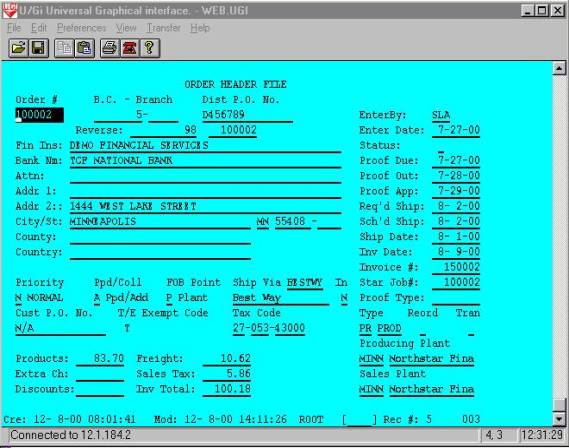
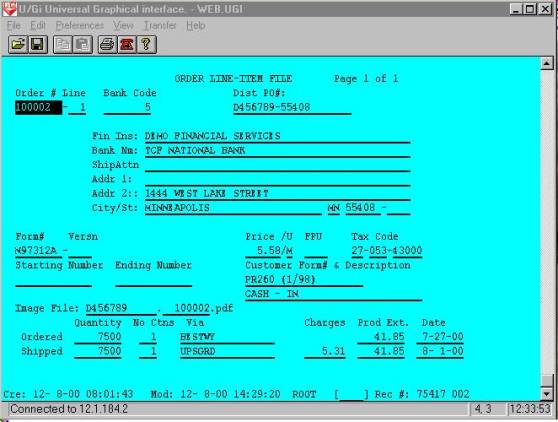
The swap at line 67 calls the UBL program named ‘WEBUARDA’ and uploads the invoice data to the web invoice database file. “WEBUARDA’ is shown below.
00001 REM *** 'WEBUARDA' -- Upload A/R For Web
00002 REM Report Number: 25 User: AABDB8 Date: 3-19-0
00005 CLOSE
00009 ON IKEY THEN GOTO 00096
00010 GOSUB 00100 : + INIT WITH KIND FILE
00026 GOSUB 07000 : + Open Printer and Print Specs
00027 ON IKEY THEN GOTO 00080 : + Qprint The Report
00029 LET PPOS=0
00030 REM + Main Process Loop
00031 READ FILE[100,PPOS],R$
00034 IF LEN(R$)<26 THEN GOTO 00080 : + Qprint The Report
00036 GOSUB 01000 : + Decode Record
00040 IF R$[1,3]="ARH" THEN
00042 IF ARAMT OR CKAMT THEN GOSUB 02000 : + Create ARHED
00046 END IF
00048 IF R$[1,3]="ARD" THEN
00049 GOSUB 02100 : + Create ARDET
00050 GOSUB 02300 : + Update ARHED
00051 END IF
00064 IF LEN(R$) AND EFILE=0 THEN GOTO 00030 : + Main Process Loop
00080 REM + Qprint The Report
00082 IF QUE$="$SCR" AND IPAGE THEN INPUT USING "","Press (NewLine) To Continue
00085 GOSUB 07050 : + Close Printer
00086 PRINT USING "A20,OF9.0","Records Processed",TCOUNT
00087 PRINT
00096 CLOSE
00097 IF SYS(24) THEN END
00099 IF ASC(MENU$[1,1]) THEN CHAIN MENU$ ELSE NEW
00100 REM + INIT WITH KIND FILE
00102 READ F43%,F33%,F23%,DF3%,F24%,DF4%,F28%,DF8%,NF%
00103 DATA 43,33,23,3,24,4,28,8,43
00104 LET NF%=MAX(NF%,38) \ DF5%=5 \ F35%=35 \ F38%=38 \ R5=0
00105 ON ERR THEN GOTO 08000 : + Unrecoverable Error
00120 DEF FNZ(X)=VAL(X$,E)*10^MAX(0,X-E)/10^MAX(0,E-X)
00125 DEF FNR(X)=(X+5*SGN(X))/10
00140 DIM LFTABL$[NF%*26],X$[132],B$[544],B1$[544],LINE$[132],
CPNY$[30],RDATE$[8]
00141 DIM B2$[544],Q$[8],ALL$[1],STLIT$[36],MENU$[10],RPT$[32],
PCODE$[12],PRCAT$
00145 BLOCK READ B$
00146 LET CPNY$=B$[23,52] \ MENU$="PROGMENU" \ RPT$="Upload A/R For Web",FILL$(0)
00147 LET METRIC=AND(ASC(B$[54,54]),128)
00149 PRINT @(-30);RPT$[1,LEN(RPT$)]
00150 LET LFTABL$=FILL$(0)
00175 DEF FNL(X)=ASC(LFTABL$[(X-1)*26+19,(X-1)*26+20])
00180 LET N=6 \ X=((MOD(SYS(3),100)+((SYS(3)>1999)*100)))*
10000+SYS(28)/100 \ E=0
00186 GOSUB 07300 : + Decode Date/Size
00187 LET RDATE$=X$ \ RDATE=X
00196 LET IMAX=-1 \ NST=0 \ NFLDS=1 \ MAXLPP=55 \ MAXSLPP=60
00198 LET IPAGE=0 \ LCNT=99 \ RCOUNT=0 \ TCOUNT=0
00200 REM + DIM Masks & Other Variables
00201 DIM MSK1$[8],MSK2$[28],MSK3$[30],MSK4$[42],MSK5$[57],
MSK6$[45],MSK7$[44],MSK8$[49],MSK9$[49],OPEN$[1],CHKNO$[10]
00202 DIM MSK10$[44],MSK11$[23],MSK12$[15],MSK13$[15],
MSK14$[21],MSK15$[20],MSK16$[38],MSK17$[45]
00203 DIM MSK18$[44],MSK19$[43],MSK20$[37],MSK21$[56],
MSK22$[7],MSK23$[80],MSK24$[63],MSK25$[58]
00204 DIM MSK26$[85],MSK27$[58],MSK28$[47],MSK29$[78],
MSK30$[60],MSK31$[71],MSK32$[94],MSK33$[9]
00205 DIM MSK34$[87],MSK35$[7],DISTPO$[15],FINM$[45],
CUST$[45],ATTN$[45],ADDR1$[45],ADDR2$[45]
00206 DIM CITY$[30],STATE$[2],ZIP$[6],ZIP4$[4],CNTY$[30],
CTRY$[30],ENTBY$[3],EDATE$[8],CS$[1]
00207 DIM PDUEDT$[8],POUTDT$[8],PAPPDT$[8],RSDATE$[8],
SCHSHP$[8],SDATE$[8],IDATE$[8],PTYPE$[8]
00208 DIM OTYPE$[2],OTYPTX$[4],REORDFL$[1],PLTCD$[4],
PLTCDT$[14],SPLTCD$[4],SPLTCDT$[14],PRRTY$[1]
00209 DIM PRRTX$[8],PRECOL$[1],PRCLTX$[7],FOB$[1],FOBTXT$[7],
CUSTPO$[15],TAXABL$[1],EXCODE$[1]
00210 DIM EXCDTX$[10],TXCD1$[2],TXCD2$[3],TXCD3$[5],SVIA$[16],
SVIATX$[17],INSDL$[1],FNUMB$[8]
00211 DIM VERSN$[4],SFINM$[45],SCUST$[45],SATTN$[45],SADDR1$[45],
SADDR2$[45],SCITY$[30],SSTATE$[2]
00212 DIM SZIP$[6],SZIP4$[4],FDESC$[30],COWNED$[1],PUNIT$[1],
TXCD1$[2],TXCD2$[3],TXCD3$[5],STNO$[13]
00213 DIM ENNO$[13],CFORMN$[20],CDESC$[30],OSVIA$[16],SSVIA$[16],
SDATE$[8],TRKNO$[20]
00214 DIM STNO$[13],ENNO$[13],R$[1280],FILE$[22]
00300 REM + RFORMS
00301 RFORM L
00302 RFORM L
00303 RFORM +20LLLLLLLA10LLA1A15LLA45A45A45A45A45
00304 RFORM +310A4A30A30A3LA1LLLLLL
00305 RFORM +406LLLA8A2A4A1BA4A14A4
00306 RFORM +456A14A1A8A1A7A1A7A15A1A1
00307 RFORM +512A10A2A3A5A6A17A1LLLLL
00308 RFORM +576L+487L
00309 RFORM +20LCLLA20A32A15LLLA1LLLLLLL
00310 RFORM +293A8A4A30LA1CA2A3A5A13A13A20
00311 RFORM +398A30LCA16LLCA16LLLL
00312 RFORM +20LCCLCLLLA16A20A13A13
00400 REM + Print Masks
00401 LET MSK1$="24X,A30"
00402 LET MSK2$="A8,16X,A32,1X,'Page: ',F3.0"
00403 LET MSK3$="A8,2X,A8,2X,A5,2X,A15,2X,A45,Z"
00404 LET MSK4$="2X,A45,2X,A45,2X,A45,2X,A45,2X,A30,2X,A2,Z"
00405 LET MSK5$="2X,A6,2X,A4,2X,A30,2X,A30,2X,A1,2X,A8,2X,
A1,2X,A7,2X,A1,Z"
00406 LET MSK6$="2X,A7,2X,A6,2X,A17,2X,A1,2X,A15,2X,A1,2X,A1,Z"
00407 LET MSK7$="2X,A10,2X,A2,2X,A3,2X,A5,2X,A8,2X,A8,2X,A8,Z"
00408 LET MSK8$="2X,A8,2X,A8,2X,A8,2X,A3,2X,A8,2X,A1,2X,A8,2X,A8,Z"
00409 LET MSK9$="2X,A8,2X,A8,2X,A8,2X,A8,2X,A8,2X,A8,2X,A8,2X,A2,Z"
00410 LET MSK10$="2X,A4,2X,A1,2X,A1,2X,A4,2X,A14,2X,A4,2X,A14"
00411 LET MSK11$="A8,2X,A8,2X,A5,2X,A15,Z"
00412 LET MSK12$="2X,A45,2X,A45,Z"
00413 LET MSK13$="2X,A45,2X,A45,Z"
00414 LET MSK14$="2X,A45,2X,A30,2X,A2,Z"
00415 LET MSK15$="2X,A6,2X,A4,2X,A30,Z"
00416 LET MSK16$="2X,A30,2X,A1,2X,A8,2X,A1,2X,A7,2X,A1,Z"
00417 LET MSK17$="2X,A7,2X,A6,2X,A17,2X,A1,2X,A15,2X,A1,2X,A1,Z"
00418 LET MSK18$="2X,A10,2X,A2,2X,A3,2X,A5,2X,A8,2X,A8,2X,A8,Z"
00419 LET MSK19$="2X,A8,2X,A8,2X,A8,2X,A3,2X,A8,2X,A1,2X,A8,Z"
00420 LET MSK20$="2X,A8,2X,A8,2X,A8,2X,A8,2X,A8,2X,A8,Z"
00421 LET MSK21$="2X,A8,2X,A8,2X,A2,2X,A4,2X,A1,2X,A1,2X,
A4,2X,A14,2X,A4,Z"
00422 LET MSK22$="2X,A14"
00423 LET MSK23$="OF8.0,2X,OF8.0,2X,OF5.0,2X,A15,2X,A45,2X,
A45,2X,A45,2X,A45,2X,A45,2X,A30,2X,A2,Z"
00424 LET MSK24$="2X,A6,2X,A4,2X,A30,2X,A30,2X,A1,2X,
A8,2X,A1,2X,A7,2X,A1,2X,A7,Z"
00425 LET MSK25$="2X,A6,2X,A17,2X,A1,2X,A15,2X,A1,2X,A1,2X,
A10,2X,A2,2X,A3,Z"
00426 LET MSK26$="2X,A5,2X,OF8.2,2X,OF8.2,2X,OF8.2,2X,OF8.2,2X,
OF8.2,2X,OF8.2,2X,A3,2X,A8,2X,A1,"
00427 LET MSK26$[0]="2X,A8,Z"
00428 LET MSK27$="2X,A8,2X,A8,2X,A8,2X,A8,2X,A8,2X,A8,
2X,OF8.0,2X,A8,2X,A2,Z"
00429 LET MSK28$="2X,A4,2X,A1,2X,OF1.0,2X,A4,2X,A14,2X,A4,2X,A14"
00430 LET MSK29$="OF8.0,2X,OF3.0,2X,OF8.0,2X,OF5.0,2X,A8,2X,
A4,2X,OF8.0,2X,OF5.0,2X,A45,2X,A45,Z"
00431 LET MSK30$="2X,A45,2X,A45,2X,A45,2X,A30,2X,A2,2X,
A6,2X,A4,2X,A30,2X,A1,Z"
00432 LET MSK31$="2X,OF6.2,2X,A1,2X,OF4.0,2X,A2,2X,A3,2X,
A5,2X,A13,2X,A13,2X,A20,2X,A30,Z"
00433 LET MSK32$="2X,OF9.0,2X,OF8.0,2X,OF9.0,2X,OF3.0,2X,
OF3.0,2X,A6,2X,A6,2X,OF7.2,2X,OF7.2,"
00434 LET MSK32$[0]="2X,OF9.2,2X,OF9.2,Z"
00435 LET MSK33$="2X,OF9.2"
00436 LET MSK34$="OF8.0,2X,OF3.0,2X,OF3.0,2X,OF6.0,2X,
OF3.0,2X,OF8.0,2X,OF8.0,2X,A8,2X,A6,2X,A20,"
00437 LET MSK34$[0]="2X,A13,Z"
00438 LET MSK35$="2X,A13"
00490 PRINT @(-30)
00491 PRINT "Starting ARNFF"
00498 LET FILE$="!/WEBXMIT/ARNFF"
00499 LET E=0
00500 OPEN E,FILE[100,5],FILE$
00501 IF E THEN GOTO 00086
00503 LOPEN FILE[DF3%,B$],"ARHED"
00504 LOPEN FILE[DF4%,B$],"ARDET"
00506 LOPEN FILE[DF5%,B$],"KIND"
00523 LOPEN FILE[F23%,B$],"ARHEDI1"
00524 LOPEN FILE[F24%,B$],"ARDETI1"
00526 LOPEN FILE[F35%,B$],"KINDI1"
00538 LOPEN FILE[F38%,B$],"KINDI2"
00600 REM + DIM Records & Keys
00605 DIM LK$[4],SK$[4],EK$[4]
00609 DIM K35$[4],K38$[14],R5$[FNL(DF5%)]
00610 DIM R3$[FNL(DF3%)],K23$[16]
00611 DIM R4$[FNL(DF4%)],K24$[10]
00705 DIM TOT[MAX(IMAX,0),MAX(NST,0)],T[MAX(NST,0)+1]
00710 FOR J=0 TO NST
00712 LET T[J]=0
00715 FOR I=0 TO IMAX
00720 LET TOT[I,J]=0
00725 NEXT I
00730 NEXT J
00740 LET R3=0
00741 LET R4=0
00800 REM + Keys And Tempx
00815 GOSUB 07800 : + Print Specs
00898 IF QUE$="$SCR" THEN LET MAXLPP=20 \ MAXSLPP=23
00999 RETURN
01000 REM + Decode Record
01001 LET R=5
01002 IF R$[1,3]="ARH" THEN
01004 STRPOS P,R$,"|",R,1
01006 LET X$=R$[R,P-1]
01008 LET E=0 \ BANKCD=VAL(X$,E)
01010 IF E THEN STOP
01011 GOSUB 02900 : + BANKCD X-REF
01012 LET R=P+1
01014 STRPOS P,R$,"|",R,1
01016 LET X$=R$[R,P-1]
01018 LET E=0 \ BRNO=VAL(X$,E)
01020 LET R=P+1
01022 STRPOS P,R$,"|",R,1
01024 LET X$=R$[R,P-1]
01026 LET E=0 \ PERD=VAL(X$,E)
01028 LET R=P+1
01030 STRPOS P,R$,"|",R,1
01032 LET X$=R$[R,P-1]
01034 LET INVNO=VAL(X$,E)
01036 LET R=P+1
01038 STRPOS P,R$,"|",R,1
01040 LET X$=R$[R,P-1]
01043 LET AGDATE=VAL(X$,E)
01044 LET R=P+1
01046 STRPOS P,R$,"|",R,1
01048 LET X$=R$[R,P-1]
01050 LET REFINV=VAL(X$,E)
01052 LET R=P+1
01054 STRPOS P,R$,"|",R,1
01056 LET X$=R$[R,P-1]
01058 LET ARAMT=VAL(X$,E)
01060 LET R=P+1
01062 STRPOS P,R$,"|",R,1
01064 LET X$=R$[R,P-1]
01066 LET IDATE=VAL(X$,E)
01068 LET R=P+1
01070 STRPOS P,R$,"|",R,1
01072 LET X$=R$[R,P-1]
01074 LET CHKNO=VAL(X$,E)
01075 LET R=P+1
01076 STRPOS P,R$,"|",R,1
01078 LET X$=R$[R,P-1]
01080 LET CDATE=VAL(X$,E)
01084 LET R=P+1
01086 STRPOS P,R$,"|",R,1
01088 LET X$=R$[R,P-1]
01090 LET CKAMT=VAL(X$,E)
01092 LET R=P+1
01094 STRPOS P,R$,"|",R,1
01096 LET X$=R$[R,P-1]
01098 LET SCUST$=TRUN$(X$,1),FILL$(0)
01100 LET R=P+1
01102 STRPOS P,R$,"|",R,1
01104 LET X$=R$[R,P-1]
01106 LET SATTN$=TRUN$(X$,1),FILL$(0)
01108 LET R=P+1
01110 STRPOS P,R$,"|",R,1
01112 LET X$=R$[R,P-1]
01114 LET SADDR1$=TRUN$(X$,1),FILL$(0)
01116 LET R=P+1
01118 STRPOS P,R$,"|",R,1
01120 LET X$=R$[R,P-1]
01122 LET SADDR2$=TRUN$(X$,1),FILL$(0)
01124 LET R=P+1
01126 STRPOS P,R$,"|",R,1
01128 LET X$=R$[R,P-1]
01130 LET SCITY$=TRUN$(X$,1),FILL$(0)
01131 LET R=P+1
01132 STRPOS P,R$,"|",R,1
01134 LET X$=R$[R,P-1]
01136 LET SSTATE$=TRUN$(X$,1),FILL$(0)
01140 LET R=P+1
01142 STRPOS P,R$,"|",R,1
01146 LET X$=R$[R,P-1]
01148 LET SZIP$=TRUN$(X$,1),FILL$(0)
01150 LET R=P+1
01152 STRPOS P,R$,"|",R,1
01154 LET X$=R$[R,P-1]
01156 LET SZIP4$=TRUN$(X$,1),FILL$(0)
01158 LET R=P+1
01160 STRPOS P,R$,"|",R,1
01162 LET X$=R$[R,P-1]
01164 LET DISTPO$=TRUN$(X$,1),FILL$(0)
01166 LET R=P+1
01168 STRPOS P,R$,"|",R,1
01170 LET X$=R$[R,P-1]
01392 LET PPOS=PPOS+P-4
01395 END IF
01500 IF R$[1,3]="ARD" THEN
01502 STRPOS P,R$,"|",R,1
01504 LET X$=R$[R,P-1]
01506 LET E=0 \ X=VAL(X$,E)
01507 IF X<>INVNO THEN STOP
01508 IF E THEN STOP
01510 LET R=P+1
01512 STRPOS P,R$,"|",R,1
01514 LET X$=R$[R,P-1]
01516 LET E=0 \ LINENO=VAL(X$,E)
01518 LET R=P+1
01520 STRPOS P,R$,"|",R,1
01522 LET X$=R$[R,P-1]
01524 LET E=0 \ IDATE=VAL(X$,E)
01526 LET R=P+1
01528 STRPOS P,R$,"|",R,1
01530 LET X$=R$[R,P-1]
01532 LET E=0 \ SDATE=VAL(X$,E)
01534 LET R=P+1
01536 STRPOS P,R$,"|",R,1
01538 LET X$=R$[R,P-1]
01540 LET FNUMB$=TRUN$(X$,1),FILL$(0)
01542 LET R=P+1
01544 STRPOS P,R$,"|",R,1
01546 LET X$=R$[R,P-1]
01548 LET VERSN$=TRUN$(X$,1),FILL$(0)
01550 LET R=P+1
01552 STRPOS P,R$,"|",R,1
01554 LET X$=R$[R,P-1]
01556 LET FDESC$=TRUN$(X$,1),FILL$(0)
01558 LET R=P+1
01560 STRPOS P,R$,"|",R,1
01562 LET X$=R$[R,P-1]
01564 LET CUSTPO$=TRUN$(X$,1),FILL$(0)
01566 LET R=P+1
01568 STRPOS P,R$,"|",R,1
01570 LET X$=R$[R,P-1]
01572 LET JOBNO=VAL(X$,E)
01574 LET R=P+1
01576 STRPOS P,R$,"|",R,1
01578 LET X$=R$[R,P-1]
01580 LET QSHP=VAL(X$,E)
01582 LET R=P+1
01584 STRPOS P,R$,"|",R,1
01542 LET R=P+1
01544 STRPOS P,R$,"|",R,1
01546 LET X$=R$[R,P-1]
01548 LET VERSN$=TRUN$(X$,1),FILL$(0)
01550 LET R=P+1
01552 STRPOS P,R$,"|",R,1
01554 LET X$=R$[R,P-1]
01556 LET FDESC$=TRUN$(X$,1),FILL$(0)
01558 LET R=P+1
01560 STRPOS P,R$,"|",R,1
01562 LET X$=R$[R,P-1]
01564 LET CUSTPO$=TRUN$(X$,1),FILL$(0)
01566 LET R=P+1
01568 STRPOS P,R$,"|",R,1
01570 LET X$=R$[R,P-1]
01572 LET JOBNO=VAL(X$,E)
01574 LET R=P+1
01576 STRPOS P,R$,"|",R,1
01578 LET X$=R$[R,P-1]
01580 LET QSHP=VAL(X$,E)
01582 LET R=P+1
01584 STRPOS P,R$,"|",R,1
01586 LET X$=R$[R,P-1]
01588 LET UPRICE=VAL(X$,E)
01590 LET R=P+1
01592 STRPOS P,R$,"|",R,1
01594 LET X$=R$[R,P-1]
01596 LET PUNIT$=TRUN$(X$,1),FILL$(0)
01600 LET R=P+1
01602 STRPOS P,R$,"|",R,1
01604 LET X$=R$[R,P-1]
01606 LET INVAMT=VAL(X$,E)
01608 LET R=P+1
01610 STRPOS P,R$,"|",R,1
01612 LET X$=R$[R,P-1]
01614 LET HF=VAL(X$,E)
01616 LET R=P+1
01618 STRPOS P,R$,"|",R,1
01620 LET X$=R$[R,P-1]
01622 LET MSF=VAL(X$,E)
01624 LET R=P+1
01626 STRPOS P,R$,"|",R,1
01628 LET X$=R$[R,P-1]
01630 LET E=0 \ WSF=VAL(X$,E)
01632 LET R=P+1
01634 STRPOS P,R$,"|",R,1
01636 LET X$=R$[R,P-1]
01638 LET E=0 \ FRT=VAL(X$,E)
01640 LET R=P+1
01642 STRPOS P,R$,"|",R,1
01644 LET X$=R$[R,P-1]
01646 LET E=0 \ TAX=VAL(X$,E)
01648 LET R=P+1
01650 STRPOS P,R$,"|",R,1
01652 LET X$=R$[R,P-1]
01654 LET E=0 \ DARAMT=VAL(X$,E)
01656 LET R=P+1
01658 STRPOS P,R$,"|",R,1
01660 LET X$=R$[R,P-1]
01662 LET E=0 \ ODATE=VAL(X$,E)
01690 LET PPOS=PPOS+P-4
01692 END IF
01899 RETURN
01900 REM + Key Data Statements
01901 DATA "Order Number",2,8,0,99999999,0,4,0
01930 REM + Exception Data Statements
01950 REM + Subtotal Data Statements
01970 DATA "Grand Totals"
01999 RETURN
02000 REM + Create ARHED
02001 LET R3$=FILL$(0) \ R3,REC3=0 \ REVDATE=1191231-AGDATE
02002 LET K23$=CHR$(BANKCD,4),CHR$(BRNO,4),CHR$(REVDATE,4),
CHR$(REFINV,4)
02004 KFIND F23%,B$,K23$,R3
02006 IF R3>0 THEN
02008 LREAD FILE[DF3%,R3],R3$
02009 LET K23$=R3$[21,36]
02010 LET REC3=R3
02030 ELSE
02032 GETREC DF3%,R3
02034 IF R3<1 THEN STOP
02036 GOSUB 07100 : + Encode Date Time
02038 LET R3$=CHR$(1,2),CHR$(0,4),CHR$(X,4),CHR$(X,4),USER$,FILL$(0)
02040 END IF
02045 IF ARAMT<>CKAMT THEN LET OPEN$="Y" ELSE LET OPEN$="N"
02046 LET CHKNO$=CHKNO,FILL$(0)
02050 LET X$=TRUN$(SCITY$,1)," ",SSTATE$," ",SZIP$," ",SZIP4$,FILL$(0)
02051 PACK 00303,R3$,BANKCD,BRNO,REVDATE,REFINV,INVNO,IDATE,
ARAMT,CHKNO$,CDATE,CKAMT,OPEN$,DISTPO$,ODATE,SDATE,SCUST$,SATTN$,SADDR1$,SADDR2$,X$
02060 LWRITE FILE[DF3%,R3],R3$
02062 LET K23$=R3$[21,36]
02064 IF REC3=0 THEN KADD F23%,B$,K23$,R3
02092 STMA 8,5
02095 LET TCOUNT=TCOUNT+1
02096 PRINT FILE[LP%], USING "OF8.0,OF9.0",INVNO,BANKCD
02099 RETURN
02100 REM + Create ARDET
02101 LET R4$=FILL$(0) \ K24$=FILL$(0) \ REC4,R4=0
02102 LET K24$=CHR$(INVNO,4),CHR$(LINENO,2),CHR$(BANKCD,4)
02105 KFIND F24%,B$,K24$,R4
02106 IF R4>0 THEN
02108 LREAD FILE[DF4%,R4],R4$
02110 LET REC4=R4
02130 ELSE
02132 GETREC DF4%,R4
02134 IF R4<1 THEN STOP
02136 GOSUB 07100 : + Encode Date Time
02138 LET R4$=CHR$(1,2),CHR$(0,4),CHR$(X,4),CHR$(X,4),USER$,FILL$(0)
02140 END IF
02150 LET X$=TRUN$(FNUMB$,1),VERSN$,FILL$(0) \ X=HF+MSF+WSF
02151 PACK 00309,R4$,INVNO,LINENO,IDATE,SDATE,X$,FDESC$,
CUSTPO$,JOBNO,QSHP,UPRICE,PUNIT$,INVAMT,X,FRT,TAX,DARAMT,BANKCD,BRNO
02160 LWRITE FILE[DF4%,R4],R4$
02162 LET K24$=R4$[21,26],R4$[135,138]
02164 IF REC4=0 THEN KADD F24%,B$,K24$,R4
02192 STMA 8,5
02199 RETURN
02300 REM + Update ARHED
02310 IF R3 THEN
02312 LREAD FILE[DF3%,R3],R3$
02313 IF INVNO=ASC(R3$[37,40]) THEN
02314 IF LINENO=1 THEN LET R3$[316,319]=CHR$(INVAMT,4) ELSE LET R3$[316,319]=CHR$(ASC(R3$[316,319])+INVAMT,4)
02316 IF LINENO=1 THEN LET R3$[320,323]=CHR$(X,4) ELSE LET R3$[320,323]=CHR$(ASC(R3$[320,323])+X,4)
02318 IF LINENO=1 THEN LET R3$[324,327]=CHR$(FRT,4) ELSE LET R3$[324,327]=CHR$(ASC(R3$[324,327])+FRT,4)
02320 IF LINENO=1 THEN LET R3$[328,331]=CHR$(TAX,4) ELSE LET R3$[328,331]=CHR$(ASC(R3$[328,331])+TAX,4)
02340 LWRITE FILE[DF3%,R3],R3$
02342 END IF
02345 END IF
02934 IF BANKCD=77770147 THEN LET BANKCD=9100002
02999 RETURN
06200 REM + Calculate Print Line
06201 LET X=EDATE \ N=6
06202 GOSUB 07300 : + Decode Date/Size
06203 LET EDATE$=X$
06204 LET X=PDUEDT \ N=6
06205 GOSUB 07300 : + Decode Date/Size
06206 LET PDUEDT$=X$
06207 LET X=POUTDT \ N=6
06208 GOSUB 07300 : + Decode Date/Size
06209 LET POUTDT$=X$
06210 LET X=PAPPDT \ N=6
06211 GOSUB 07300 : + Decode Date/Size
06212 LET PAPPDT$=X$
06213 LET X=RSDATE \ N=6
06214 GOSUB 07300 : + Decode Date/Size
06215 LET RSDATE$=X$
06216 LET X=SCHSHP \ N=6
06217 GOSUB 07300 : + Decode Date/Size
06218 LET SCHSHP$=X$
06219 LET X=SDATE \ N=6
06220 GOSUB 07300 : + Decode Date/Size
06221 LET SDATE$=X$
06222 LET X=IDATE \ N=6
06223 GOSUB 07300 : + Decode Date/Size
06224 LET IDATE$=X$
06499 RETURN
06500 REM + Calc Subtotal Line
06999 RETURN
07000 REM + Open Printer and Print Specs
07020 OPEN_PRINTER(RPT$,QUE$,LP%,IS$,MENU$,OUT$,USER$)
07049 RETURN
07050 REM + Close Printer
07072 CLOSE
07075 LET X$="mutt -s WEBARDANFF -a ",OUT$," denniss@nsff.com </dev/null"
07099 RETURN
07100 REM + Encode Date Time
07110 ENCODE_TIME X
07111 LET JD=X/100000
07112 STMA 11,JD,MM,DD,YY
07119 RETURN
07120 REM + Decode Date Time
07124 LET JD=X/100000
07126 STMA 11,JD,MM,DD,YY
07130 DECODE_TIME X,LINE$
07149 RETURN
07800 REM + Print Specs
07804 DIM PFRM$[30],PCPY$[11],PDELS$[4],QUE$[10],OUT$[30],USER$[5]
07806 DIM SF1$[5],EF1$[5],SF2$[5],EF2$[5],SF3$[5],EF3$[5],SF4$[5],EF4$[5],IS$[60
],CU$[20],AGAIN$[1]
07808 LET COPIES=0 \ LP=0
07825 LET QUE$="WEBARDNFF" \ OUT$="WEBARDNFF"
07890 LET LP%=140
07899 RETURN
08000 REM + Unrecoverable Error
08005 ON ERR THEN GOTO 08045
08010 DIM PROG$[13],DIR$[40],USER$[5]
08015 STMA 9,0,USER$
08020 STMA 9,1,DIR$
08025 STMA 9,2,PROG$
08030 LET X$=ERM$(SYS(7))," At ",SYS(20),"<7> In ",DIR$,":",PROG$," By ",USER$
08040 PRINT @(22,1);X$;@(-32)
08045 PRINT @(-40);"System Error...E-Mail denniss@cecomet.net or call 716-763-02
72 For Assistance";;@(-41);@(-32)
08046 ON ERR THEN GOTO 08098
08050 OPEN FILE[150,2],"ERRORLOG"
08055 PRINT FILE[150], USING "A80,2X,' / /',T0,F8.0,2X,' : :',T0,F8.0",X$,SY
S(28),SYS(27)
08060 CLOSE FILE[150]
08065 POSITION FILE[15,0]
08070 READ FILE[15],E%
08074 POSITION FILE[15,0]
08075 LET E%=E%+1 \ E=0
08076 WRITE FILE[15],E%
08078 STRPOS E,PROG$,".",1,1
08079 IF E=0 THEN LET E=LEN(PROG$)+1
08080 LET PROG$=PROG$[1,E-1],".E",E%
08082 ON ERR THEN GOTO 08000 : + Unrecoverable Error
08085 REPLACEV PROG$
08098 ON ERR THEN GOTO 08000 : + Unrecoverable Error
08099 IF SYS(24) THEN STOP ELSE END
Sub-routine 1000 in this program decodes the AR upload file. The invoice header records are created or updated by sub-routine 2000 and invoice detail records are created or updated by sub-routine 2100 of this program. The upload process continues until the end of the upload file is reached. An email message is sent to the system manager to confirm the update completion, with record counts of all records processed. The invoice header and detail records are shown below.
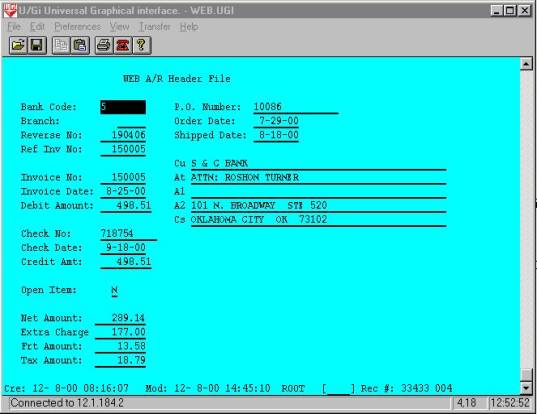
The swap at line 74 calls the UBL program named ‘WEBUFMMS’ and uploads the inventory data on the web. Webufmms is shown below.
00001 REM *** 'WEBUFMMS' -- Upload MFM MASTER FILE
00002 REM Report Number: 24 User: AABDB8 Date: 3-16-0
00005 CLOSE
00009 ON IKEY THEN GOTO 00096
00010 GOSUB 00100 : + INIT WITH KIND FILE
00026 GOSUB 07000 : + Open Printer and Print Specs
00027 ON IKEY THEN GOTO 00080 : + Qprint The Report
00029 LET PPOS=0
00030 REM + Main Process Loop
00031 READ FILE[100,PPOS],R$
00032 IF LEN(R$)<26 THEN GOTO 00080 : + Qprint The Report
00034 IF R$[1,3]<>"FMM" AND R$[1,3]<>"BIN" THEN LET PPOS=PPOS+1
00035 IF R$[1,3]<>"FMM" AND R$[1,3]<>"BIN" THEN GOTO 00031
00036 GOSUB 01000 : + Decode R$
00060 IF LEN(R$) AND EFILE=0 THEN GOTO 00030 : + Main Process Loop
00080 REM + Qprint The Report
00082 IF QUE$="$SCR" AND IPAGE THEN INPUT USING "","Press (NewLine) To Continue
00085 GOSUB 07050 : + Close Printer
00086 PRINT USING "A20,OF9.0","Records Processed",TCOUNT
00087 PRINT
00096 CLOSE
00097 IF SYS(24) THEN END
00099 IF ASC(MENU$[1,1]) THEN CHAIN MENU$ ELSE NEW
00100 REM + INIT WITH KIND FILE
00102 READ F22%,DF2%,NF%,F32%,F42%
00103 DATA 22,2,42,32,42
00104 LET NF%=MAX(NF%,38) \ DF5%=5 \ F35%=35 \ F38%=38 \ R5=0
00105 ON ERR THEN GOTO 08000 : + Unrecoverable Error
00120 DEF FNZ(X)=VAL(X$,E)*10^MAX(0,X-E)/10^MAX(0,E-X)
00125 DEF FNR(X)=(X+5*SGN(X))/10
00140 DIM LFTABL$[NF%*26],X$[132],B$[544],B1$[544],LINE$[132],
CPNY$[30],RDATE$[8]
00141 DIM B2$[544],Q$[8],ALL$[1],STLIT$[36],MENU$[10],RPT$[32],
PCODE$[12],PRCAT$
00145 BLOCK READ B$
00146 LET CPNY$=B$[23,52] \ MENU$="PROGMENU" \ RPT$="Upload FM Master File",FILL
00147 LET METRIC=AND(ASC(B$[54,54]),128)
00149 PRINT @(-30);RPT$[1,LEN(RPT$)]
00150 LET LFTABL$=FILL$(0)
00175 DEF FNL(X)=ASC(LFTABL$[(X-1)*26+19,(X-1)*26+20])
00180 LET N=6 \ X=((MOD(SYS(3),100)+((SYS(3)>1999)*100)))*10000+SYS(28)/100 \ E=0
00186 GOSUB 07300 : + Decode Date/Size
00187 LET RDATE$=X$ \ RDATE=X
00196 LET IMAX=-1 \ NST=0 \ NFLDS=2 \ MAXLPP=55 \ MAXSLPP=60
00198 LET IPAGE=0 \ LCNT=99 \ RCOUNT=0 \ TCOUNT=0
00200 REM + DIM Masks & Other Variables
00201 DIM MSK1$[8],MSK2$[28],MSK3$[24],MSK4$[14],MSK5$[17],
MSK6$[15],MSK7$[7],MSK8$[43],MSK9$[60]
00202 DIM FINAME$[45],CUST$[45],ATTN$[45],ADDR1$[45],ADDR2$[45],
CITY$[30],STATE$[2],ZIP$[6],ZIP4$[4]
00203 DIM EMAIL$[40],ACTTYP$[1],TAXABL$[1],SVIA$[6],PASSWD$[6],
USERID$[6]
00204 DIM R$[2512],FILE$[22],FNUMB$[8],VERSN$[4],FDESC$[30],
CFORMN$[20]
00300 REM + RFORMS
00301 RFORM +20LLA8A4A30A20
00302 RFORM +90LLLLLLLLLLLLLLLLLLLLLLLLLLLLLL
00303 RFORM +210LLLLLLLLLLL
00400 REM + Print Masks
00401 LET MSK1$="24X,A30"
00402 LET MSK2$="A8,16X,A32,1X,'Page: ',F3.0"
00403 LET MSK3$="A8,2X,A5,2X,A45,2X,A45,Z"
00404 LET MSK4$="2X,A45,2X,A45"
00405 LET MSK5$="A8,2X,A5,2X,A45,Z"
00406 LET MSK6$="2X,A45,2X,A45,Z"
00407 LET MSK7$="2X,A45"
00408 LET MSK8$="OF8.0,2X,OF5.0,2X,A8,2X,A4,2X,A30"
00409 LET MSK9$="A45,2X,A30,2X,A2,2X,A6,2X,A4,2X,A40,2X,
A1,2X,A1,2X,A6,2X,A6"
00491 PRINT "Starting FMNFF"
00499 LET E=0 \ FILE$="!/WEBXMIT/FMNFF"
00500 OPEN E,FILE[100,5],FILE$
00501 IF E THEN GOTO 00086
00502 LOPEN FILE[DF2%,B$],"OEINV"
00506 LOPEN FILE[DF5%,B$],"KIND"
00522 LOPEN FILE[F22%,B$],"OEINVI1"
00526 LOPEN FILE[F35%,B$],"KINDI1"
00532 LOPEN FILE[F32%,B$],"OEINVI2"
00538 LOPEN FILE[F38%,B$],"KINDI2"
00542 LOPEN FILE[F42%,B$],"OEINVI3"
00600 REM + DIM Records & Keys
00605 DIM LK$[8],SK$[8],EK$[8]
00609 DIM K35$[4],K38$[14],R5$[FNL(DF5%)]
00610 DIM R2$[FNL(DF2%)],K22$[20],K32$[38],K42$[28]
00700 REM + Clear Arrays
00705 DIM TOT[MAX(IMAX,0),MAX(NST,0)],T[MAX(NST,0)+1]
00710 FOR J=0 TO NST
00712 LET T[J]=0
00715 FOR I=0 TO IMAX
00720 LET TOT[I,J]=0
00725 NEXT I
00730 NEXT J
00740 LET R2=0
00800 REM + Keys And Tempx
00815 GOSUB 07800 : + Print Specs
00898 IF QUE$="$SCR" THEN LET MAXLPP=20 \ MAXSLPP=23
00999 RETURN
01000 REM + Decode R$
01003 LET R=5
01004 IF R$[1,3]="FMM" THEN
01005 STRPOS P,R$,"|",R,1
01008 LET X$=R$[R,P-1]
01010 LET E=0 \ BANKCD=VAL(X$,E)
01012 IF E THEN STOP
01013 GOSUB 02900 : + BANKCD X-REF
01014 LET R=P+1
01016 STRPOS P,R$,"|",R,1
01018 LET X$=R$[R,P-1]
01020 LET E=0 \ BRNO=VAL(X$,E)
01048 LET R=P+1
01050 STRPOS P,R$,"|",R,1
01052 LET X$=R$[R,P-1]
01054 LET FNUMB$=TRUN$(X$,1),FILL$(0)
01058 LET R=P+1
01060 STRPOS P,R$,"|",R,1
01062 LET X$=R$[R,P-1]
01064 LET VERSN$=TRUN$(X$,1),FILL$(0)
01068 LET R=P+1
01070 STRPOS P,R$,"|",R,1
01072 LET X$=R$[R,P-1]
01074 LET FDESC$=TRUN$(X$,1),FILL$(0)
01078 LET R=P+1
01080 STRPOS P,R$,"|",R,1
01082 LET X$=R$[R,P-1]
01084 LET CFORMN$=TRUN$(X$,1),FILL$(0)
01088 LET R=P+1
01090 STRPOS P,R$,"|",R,1
01092 LET X$=R$[R+1,P-1]
01094 LET E=0 \ BBTOT=VAL(X$,E)
01098 LET R=P+1
01100 STRPOS P,R$,"|",R,1
01102 LET X$=R$[R,P-1]
01104 LET E=0 \ RCTOT=VAL(X$,E)
01108 LET R=P+1
01110 STRPOS P,R$,"|",R,1
01112 LET X$=R$[R,P-1]
01114 LET E=0 \ RLTOT=VAL(X$,E)
01118 LET R=P+1
01120 STRPOS P,R$,"|",R,1
01122 LET X$=R$[R,P-1]
01124 LET E=0 \ OHTOT=VAL(X$,E)
01128 LET R=P+1
01130 STRPOS P,R$,"|",R,1
01132 LET X$=R$[R,P-1]
01134 LET E=0 \ ALLTOT=VAL(X$,E)
01138 LET R=P+1
01140 STRPOS P,R$,"|",R,1
01142 LET X$=R$[R,P-1]
01144 LET E=0 \ AVLTOT=VAL(X$,E)
01148 LET R=P+1
01150 STRPOS P,R$,"|",R,1
01152 LET X$=R$[R,P-1]
01154 LET E=0 \ JANULY=VAL(X$,E)
01156 LET R=P+1
01158 STRPOS P,R$,"|",R,1
01160 LET X$=R$[R,P-1]
01162 LET E=0 \ FEBULY=VAL(X$,E)
01164 LET R=P+1
01166 STRPOS P,R$,"|",R,1
01168 LET X$=R$[R,P-1]
01170 LET E=0 \ MARULY=VAL(X$,E)
01172 LET R=P+1
01174 STRPOS P,R$,"|",R,1
01176 LET X$=R$[R,P-1]
01178 LET E=0 \ APRULY=VAL(X$,E)
01180 LET R=P+1
01182 STRPOS P,R$,"|",R,1
01184 LET X$=R$[R,P-1]
01186 LET E=0 \ MAYULY=VAL(X$,E)
01188 LET R=P+1
01190 STRPOS P,R$,"|",R,1
01192 LET X$=R$[R,P-1]
01194 LET E=0 \ JUNULY=VAL(X$,E)
01196 LET R=P+1
01198 STRPOS P,R$,"|",R,1
01200 LET X$=R$[R,P-1]
01202 LET E=0 \ JULULY=VAL(X$,E)
01204 LET R=P+1
01206 STRPOS P,R$,"|",R,1
01208 LET X$=R$[R+1,P-1]
01210 LET E=0 \ AUGULY=VAL(X$,E)
01212 LET R=P+1
01214 STRPOS P,R$,"|",R,1
01216 LET X$=R$[R,P-1]
01218 LET E=0 \ SEPULY=VAL(X$,E)
01220 LET R=P+1
01222 STRPOS P,R$,"|",R,1
01224 LET X$=R$[R,P-1]
01226 LET E=0 \ OCTULY=VAL(X$,E)
01228 LET R=P+1
01230 STRPOS P,R$,"|",R,1
01232 LET X$=R$[R,P-1]
01234 LET E=0 \ NOVULY=VAL(X$,E)
01236 LET R=P+1
01238 STRPOS P,R$,"|",R,1
01240 LET X$=R$[R,P-1]
01242 LET E=0 \ DECULY=VAL(X$,E)
01244 LET R=P+1
01246 STRPOS P,R$,"|",R,1
01248 LET X$=R$[R,P-1]
01250 LET E=0 \ JANUTY=VAL(X$,E)
01252 LET R=P+1
01254 STRPOS P,R$,"|",R,1
01256 LET X$=R$[R,P-1]
01258 LET E=0 \ FEBUTY=VAL(X$,E)
01260 LET R=P+1
01262 STRPOS P,R$,"|",R,1
01264 LET X$=R$[R,P-1]
01266 LET E=0 \ MARUTY=VAL(X$,E)
01268 LET R=P+1
01270 STRPOS P,R$,"|",R,1
01272 LET X$=R$[R,P-1]
01274 LET E=0 \ APRUTY=VAL(X$,E)
01276 LET R=P+1
01278 STRPOS P,R$,"|",R,1
01280 LET X$=R$[R,P-1]
01282 LET E=0 \ MAYUTY=VAL(X$,E)
01284 LET R=P+1
01286 STRPOS P,R$,"|",R,1
01288 LET X$=R$[R,P-1]
01290 LET E=0 \ JUNUTY=VAL(X$,E)
01292 LET R=P+1
01294 STRPOS P,R$,"|",R,1
01296 LET X$=R$[R,P-1]
01298 LET E=0 \ JULUTY=VAL(X$,E)
01300 LET R=P+1
01302 STRPOS P,R$,"|",R,1
01304 LET X$=R$[R,P-1]
01306 LET E=0 \ AUGUTY=VAL(X$,E)
01308 LET R=P+1
01310 STRPOS P,R$,"|",R,1
01312 LET X$=R$[R+1,P-1]
01314 LET E=0 \ SEPUTY=VAL(X$,E)
01316 LET R=P+1
01318 STRPOS P,R$,"|",R,1
01320 LET X$=R$[R,P-1]
01322 LET E=0 \ OCTUTY=VAL(X$,E)
01324 LET R=P+1
01326 STRPOS P,R$,"|",R,1
01328 LET X$=R$[R,P-1]
01330 LET E=0 \ NOVUTY=VAL(X$,E)
01332 LET R=P+1
01334 STRPOS P,R$,"|",R,1
01336 LET X$=R$[R,P-1]
01338 LET E=0 \ DECUTY=VAL(X$,E)
01340 LET R=P+1
01342 STRPOS P,R$,"|",R,1
01344 LET X$=R$[R,P-1]
01346 LET E=0 \ LORDNO=VAL(X$,E)
01348 LET R=P+1
01350 STRPOS P,R$,"|",R,1
01352 LET X$=R$[R,P-1]
01354 LET E=0 \ LRECNO=VAL(X$,E)
01356 LET R=P+1
01358 STRPOS P,R$,"|",R,1
01360 LET X$=R$[R,P-1]
01362 LET E=0 \ LRELNO=VAL(X$,E)
01364 LET R=P+1
01366 STRPOS P,R$,"|",R,1
01368 LET X$=R$[R,P-1]
01370 LET E=0 \ LODT=VAL(X$,E)
01372 LET R=P+1
01374 STRPOS P,R$,"|",R,1
01376 LET X$=R$[R,P-1]
01378 LET E=0 \ LCDT=VAL(X$,E)
01380 LET R=P+1
01382 STRPOS P,R$,"|",R,1
01384 LET X$=R$[R,P-1]
01386 LET E=0 \ LRDT=VAL(X$,E)
01388 LET R=P+1
01390 STRPOS P,R$,"|",R,1
01392 LET X$=R$[R,P-1]
01394 LET E=0 \ LOQTY=VAL(X$,E)
01396 LET R=P+1
01398 STRPOS P,R$,"|",R,1
01400 LET X$=R$[R,P-1]
01402 LET E=0 \ LCQTY=VAL(X$,E)
01404 LET R=P+1
01406 STRPOS P,R$,"|",R,1
01408 LET X$=R$[R,P-1]
01410 LET E=0 \ LRQTY=VAL(X$,E)
01420 LET R=P+1
01422 STRPOS P,R$,"|",R,1
01423 LET X$=R$[R+1,P-1]
01424 LET E=0 \ SMOA=VAL(X$,E)
01430 LET R=P+1
01432 STRPOS P,R$,"|",R,1
01433 LET X$=R$[R,P-1]
01434 LET E=0 \ TMOA=VAL(X$,E)
01440 LET R=P+1
01442 STRPOS P,R$,"|",R,1
01443 LET X$=R$[R,P-1]
01444 LET E=0 \ SIZE1=VAL(X$,E)
01450 LET R=P+1
01452 STRPOS P,R$,"|",R,1
01453 LET X$=R$[R,P-1]
01454 LET E=0 \ SIZE2=VAL(X$,E)
01460 LET R=P+1
01462 STRPOS P,R$,"|",R,1
01463 LET X$=R$[R,P-1]
01464 LET E=0 \ NPTS=VAL(X$,E)
01466 GOSUB 02000 : + READ OEINV FILE
01467 GOSUB 03000 : + Print Routine
01468 LET PPOS=PPOS+P-2
01470 ELSE
01471 FOR X=1 TO 165
01472 IF ASC(R$[X,X])=32 THEN LET R$[X,X]=CHR$(0,1)
01473 NEXT X
01476 LET R17$=FILL$(0)
01478 LET R17$[21,36]=R$[4,19] \ R17$[81,186]=R$[20,125] \ R17$[187,225]=R$[12
6,164]
01480 LET P=165
01482 GOSUB 02200 : + Add Bin
01490 LET PPOS=PPOS+P-2
01496 END IF
01499 RETURN
01900 REM + Key Data Statements
01901 DATA "Bank Code",2,8,0,99999999,0,4,0
01902 DATA "Branch Number",2,5,0,99999,4,4,0
01930 REM + Exception Data Statements
01950 REM + Subtotal Data Statements
01970 DATA "Grand Totals"
02000 REM + READ OEINV FILE
02001 LET R2$=FILL$(0) \ REC2,R2=0
02004 LET K22$=CHR$(BANKCD,4),CHR$(BRNO,4),FNUMB$,FILL$(0)
02005 LET K22$[17,20]=VERSN$,FILL$(0)
02006 KFIND F22%,B$,K22$,R2
02010 IF R2>0 THEN
02015 LREAD FILE[DF2%,R2],R2$
02020 LET REC2=R2
02023 ELSE
02024 GETREC DF2%,R2
02026 IF R2<1 THEN STOP
02028 GOSUB 07100 : + Encode Date Time
02030 LET R2$=CHR$(1,2),CHR$(0,4),CHR$(X,4),CHR$(X,4),USER$,FILL$(0)
02032 END IF
02051 PACK 00301,R2$,BANKCD,BRNO,FNUMB$,VERSN$,FDESC$,CFORMN$
02052 PACK 00302,R2$,BBTOT,RCTOT,RLTOT,OHTOT,ALLTOT,AVLTOT,JANULY,
FEBULY,MARULY,APRULY,MAYULY,JUNULY,JULULY,AUGULY,SEPULY,OCTULY,NOVULY,DECULY,JANUTY,FEBUTY,MARUTY,APRUTY,MAYUTY,JUNUTY,JULUTY,AUGUTY,SEPUTY,OCTUTY,NOVUTY,DECUTY
02053 PACK 00303,R2$,LORDNO,LODT,LOQTY,LRECNO,LCDT,LCQTY,
LRELNO,LRDT,LRQTY,SMOA,TMOA
02054 LET R2$[255,263]=CHR$(SIZE1,4),CHR$(SIZE2,4),CHR$(NPTS,1)
02058 LET R2$[264,LEN(R2$)]=FILL$(0)
02060 LWRITE FILE[DF2%,R2],R2$
02062 LET K22$=R2$[21,40]
02064 IF REC2=0 THEN KADD F22%,B$,K22$,R2
02070 LET K32$=R2$[21,28],R2$[41,70]
02072 IF REC2=0 THEN KADD F32%,B$,K32$,R2
02080 LET K42$=R2$[21,28],R2$[71,90]
02082 IF REC2=0 THEN KADD F42%,B$,K42$,R2
02090 LET BINNO=0
02095 LET TCOUNT=TCOUNT+1
02099 RETURN
02200 REM + Add Bin
02210 LET BINNO=BINNO+1
02215 IF BINNO<7 AND R2 THEN
02220 LET BINP=BINNO*94+178
02225 LET R2$[BINP+1,BINP+16]=R17$[21,36]
02228 LET R2$[BINP+43,BINP+55]=R17$[109,121] \ R2$[BINP+56,BINP+68]=R17$[122,1
34] \ R2$[BINP+69,BINP+81]=R17$[161,173] \ R2$[BINP+82,BINP+94]=R17$[174,186]
02230 LET PRICE=ASC(R17$[220,223]) \ X$=R17$[224,224] \ QTY=ASC(R17$[89,92])
02232 LET X=0 \ TOTAL=0 \ UNIT=1000
02233 IF X$="C" THEN LET UNIT=100 ELSE IF X$="E" THEN LET UNIT=1 ELSE LET X$="M"
02234 IF UNIT AND PRICE AND QTY THEN LET TOTAL=QTY*PRICE/UNIT
02240 LET R2$[269,271]=CHR$(ASC(R2$[269,271])+TOTAL,3)
02242 LET R2$[272,272]=X$,FILL$(0)
02290 LWRITE FILE[DF2%,R2],R2$
02295 END IF
02299 RETURN
03000 REM + Print Routine
03005 IF LCNT>MAXLPP THEN GOSUB 06000 : + Print Headings
03011 PRINT FILE[LP%], USING MSK8$,BANKCD,BRNO,FNUMB$,VERSN$,FDESC$
03013 LET LCNT=LCNT+2
03099 RETURN
06000 REM + Print Headings
06005 IF IPAGE OR QUE$="$SCR" THEN WRITE FILE[LP%],"<12>"
06006 LET IPAGE=IPAGE+1 \ LCNT=0
06011 WRITE FILE[LP%],SF1$
06012 PRINT FILE[LP%], USING MSK1$,CPNY$
06013 WRITE FILE[LP%],EF1$
06014 WRITE FILE[LP%],SF1$
06015 PRINT FILE[LP%], USING MSK2$,RDATE$,"Upload Mail File",IPAGE
06016 WRITE FILE[LP%],EF1$
06017 PRINT FILE[LP%]
06024 LET LCNT=LCNT+6
06099 RETURN
07000 REM + Open Printer and Print Specs
07020 OPEN_PRINTER(RPT$,QUE$,LP%,IS$,MENU$,OUT$,USER$)
07049 RETURN
07050 REM + Close Printer
07072 CLOSE
07075 LET X$="mutt -s WEBFMMSNFF -a ",OUT$," denniss@nsff.com </dev/null"
07099 RETURN
07200 REM + Encode Date/Size
07202 LET METRIC=METRIC+0
07210 ENCODE X,X$,JD,E,METRIC,N
07215 LET X1=X/10000 \ X2=MOD(X/100,100) \ X3=MOD(X,100)
07299 RETURN
07300 REM + Decode Date/Size
07302 LET METRIC=METRIC+0
07310 DECODE X,X$,JD,E,METRIC,N
07315 LET X1=X/10000 \ X2=MOD(X/100,100) \ X3=MOD(X,100)
07399 RETURN
07800 REM + Print Specs
07804 DIM PFRM$[30],PCPY$[11],PDELS$[4],QUE$[10],OUT$[30],USER$[5]
07806 DIM SF1$[5],EF1$[5],SF2$[5],EF2$[5],SF3$[5],EF3$[5],
SF4$[5],EF4$[5],IS$[60],CU$[20],AGAIN$[1]
07808 LET COPIES=0 \ LP=0
07825 LET QUE$="WEBFMMSNFF" \ OUT$="WEBFMMSNFF"
07890 LET LP%=140
07899 RETURN
08000 REM + Unrecoverable Error
08005 ON ERR THEN GOTO 08045
08010 DIM PROG$[13],DIR$[40],USER$[5]
08015 STMA 9,0,USER$
08020 STMA 9,1,DIR$
08025 STMA 9,2,PROG$
08030 LET X$=ERM$(SYS(7))," At ",SYS(20),"<7> In ",DIR$,":",PROG$," By ",USER$
08040 PRINT @(22,1);X$;@(-32)
08045 PRINT @(-40);"System Error...E-Mail denniss@cecomet.net or call 716-763-02
72 For Assistance";;@(-41);@(-32)
08046 ON ERR THEN GOTO 08098
08050 OPEN FILE[150,2],"ERRORLOG"
08055 PRINT FILE[150], USING "A80,2X,' / /',T0,F8.0,2X,' : :',T0,F8.0",X$,SY
S(28),SYS(27)
08060 CLOSE FILE[150]
08065 POSITION FILE[15,0]
08070 READ FILE[15],E%
08074 POSITION FILE[15,0]
08075 LET E%=E%+1 \ E=0
08076 WRITE FILE[15],E%
08078 STRPOS E,PROG$,".",1,1
08079 IF E=0 THEN LET E=LEN(PROG$)+1
08080 LET PROG$=PROG$[1,E-1],".E",E%
08082 ON ERR THEN GOTO 08000 : + Unrecoverable Error
08085 REPLACEV PROG$
08098 ON ERR THEN GOTO 08000 : + Unrecoverable Error
08099 IF SYS(24) THEN STOP ELSE END
Sub-routine 1000 in this program decodes the IN upload file. The inventory header records are created or updated by sub-routine 2000 and inventory detail bin records are created or updated by sub-routine 2200 of this program. The upload process continues until the end of the upload file is reached. An email message is sent to the system manager to confirm the update with a record count of all records processed. The inventory records are shown below.
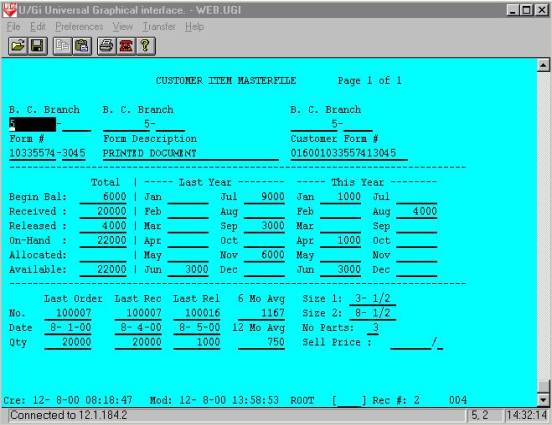
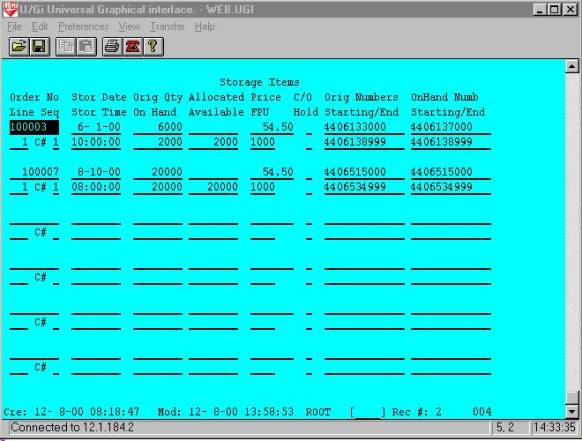
The inventory update completes the ‘WEBBATCH’ process for one of the three production servers. The subsequent process of ‘WEBBATCH2’ and ‘WEBBATCH3’ are then executed. A special process invoked by ‘WEBBATCH4’ processes the order PDF files and creates a new dynamic HTLM page for the most current PFD files per customer. The ‘WEBBATCH4’ macro and PFD update program are shown below.
cd /USR2/PROG/WEBOE
PATH=/ubl:$PATH
BBROOT=/
BBHOME=`pwd`
BBSEARCH=/USR2/PROG/WEBOE:/UBLUTILS:/ubl
BBPROGS=$BBHOME
BBSOURCE=$BBHOME
export BBROOT BBSEARCH BBPROGS BBHOME PATH BBHELP BBSOURCE
/MACROS/XUBL WEBBATCH4
exit
00001 REM pdfupload aadjs 4-3-01
00005 CLOSE
00010 DELETE E,"UBLFILES"
00012 DIM X$[80],LINE$[256],Y$[30],Z$[30]
00014 LET X$="chmod 777 /Forms/*.*"
00016 REM $EXECUTE X$,E
00020 LET X$="ls -l -t /Forms/*.pdf > UBLFILES"
00022 REM $EXECUTE X$,E
00024 OPEN FILE[0,3],"UBLFILES"
00025 OPEN FILE[1,0],"PDFFILES"
00026 GOSUB 01000 : + Header
00027 LET COUNT=0
00028 LET X$=""
00029 INPUT FILE[0],X$
00030 LET P=LEN(X$)
00031 IF P THEN
00032 LET JOBNO=VAL(X$[P-8,P-4],E)
00034 IF E=0 AND JOBNO THEN
00036 IF COUNT<225 THEN GOSUB 01100 : + Body
00037 IF COUNT>224 THEN GOSUB 01300 : + delete files
00038 END IF
00040 END IF
Press Any Key to Continue (q to quit)
00042 GOTO 00028
00044 GOSUB 01200 : + Footer
00045 CLOSE
00050 LET X$="mv PDFFILES /htdocs/nff/pdffiles.html"
00055 REM $EXECUTE X$,E
00060 LET X$="chmod 777 /htdocs/nff/pdffiles.html"
00065 REM $EXECUTE X$,E
00070 PRINT "pdf files uploaded: ",COUNT
00099 END
01000 REM + Header
01005 ON ERR THEN GOTO 00044
01010 PRINT FILE[1],"<html>"
01012 PRINT FILE[1],"<head>"
01014 PRINT FILE[1],"<title>pdffiles</title"
01016 PRINT FILE[1],"</head>"
01018 PRINT FILE[1],"<body>"
01020 PRINT FILE[1],"<table bordercolor=<34>#000080<34> border=<34>2<34> cellspacing=<34>2<34> width=<34>100%<34> height=<34>100%<34>background
=<34>Pics/crkpaper.jpg<34>>"
01022 PRINT FILE[1],"<tr>"
01024 PRINT FILE[1],"<td width=<34>99%<34> height=<34>99%<34>>"
01026 PRINT FILE[1],"<p align=<34>center<34>><big><big><font color=<34>#000080<34>>Click on Image Number to View PDF File
</font></big></big></p>"
01028 PRINT FILE[1],"<p></p>"
01099 RETURN
01100 REM + Body
01105 LET COUNT=COUNT+1
01106 LET P=LEN(X$)
01108 LET Y$=X$[62,P] \ Z$=X$[42,47]
01111 IF MOD(COUNT,3)=1 THEN LET LINE$="<p align=<34>left<34>><big><a href=<34>http://12.1.184.2/Forms/",Y$,"<34>>",Y$[1,LEN(Y$)-4],
" ",Z$,"</a></big>"
01112 IF MOD(COUNT,3)=2 THEN LET LINE$="<align=<34>left<34>><big> <a href=<34>http://12.1.184.2/Forms
/",Y$,"<34>>",Y$[1,LEN(Y$)-4]," ",Z$,"</a></big>"
01113 IF MOD(COUNT,3)=0 THEN LET LINE$="<align=<34>left<34>
<big> <a href=<34>http://12.1.184.2/Forms/",Y$,"<34>>",Y$[1,LEN(Y$)-4],
" ",Z$,"</a></big></a>"
01120 PRINT FILE[1],LINE$[1,LEN(LINE$)]
01199 RETURN
01200 REM + Footer
01210 PRINT FILE[1],"</td>"
01212 PRINT FILE[1],"</tr>"
sp; <a href=<34>http://12.1.184.2/Forms
/",Y$,"<34>>",Y$[1,LEN(Y$)-4]," ",Z$,"</a></big></a>"
01120 PRINT FILE[1],LINE$[1,LEN(LINE$)]
01199 RETURN
01200 REM + Footer
01210 PRINT FILE[1],"</td>"
01212 PRINT FILE[1],"</tr>"
01214 PRINT FILE[1],"</table>"
01216 PRINT FILE[1],"</body>"
01218 PRINT FILE[1],"</html>"
01299 RETURN
01300 REM + delete files
01310 LET COUNT=COUNT+1
01315 IF COUNT>600 THEN
01320 LET P=LEN(X$)
01325 LET Y$=X$[62,P]
01330 LET Z$=X$[42,47]
01340 LET Z$="rm ","/Forms/",Y$
01345 REM $EXECUTE Z$,E
01390 END IF
01399 RETURN
This program invokes a Unix command to create a listing in reverse order by date, and places the output in a file named ‘UBLFILES’. This file is then read and filenames are extracted in the main line of the program. The header sub-routine 1000, creates the header section of the resulting HTML code. The body sub-routine 1100, creates a table of HTML code containing three PDF hyperlinks per row until the file is completely processed and then the footer of the HTML is added to the output file by sub-routine 1200. Sub-routine 1300 is executed to delete the remaining old PDF files as they are no longer accessible by the HTLM code. The PDFFILE data file is then renamed to ‘pdffiles.html’, the permissions are set to allow the appropriate access to users, and an email of the process is sent to the system manager for confirmation of process completion. The resulting Web page and html code are shown below.
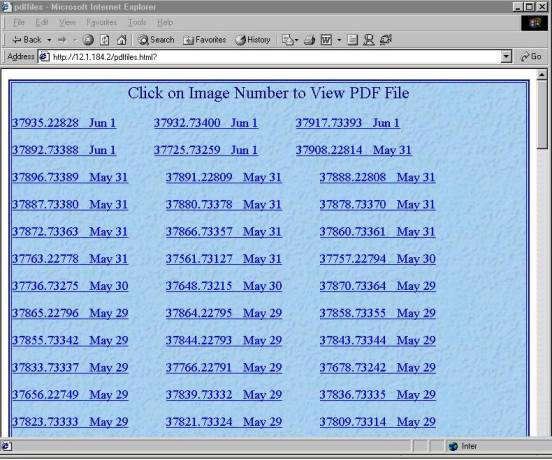
<html>
<head>
<title>pdffiles</title
</head>
<body>
<table bordercolor="#000080" border="2" cellspacing="2" width="100%" height="100%" background="Pics/crkpaper.jpg">
<tr>
<td width="99%" height="99%">
<p align="center"><big><big><font color="#000080">Click on Image Number to View PDF File</font></big></big></p>
<p></p>
<p align="left"><big><a href="http://12.1.184.2/Forms/37959.73405.pdf">37959.73405 Jun 4</a></big>
<align="left"><big> <a href="http://12.1.184.2/Forms/37944.73398.pdf">37944.73398 Jun 4</a></big>
<align="left"><big> <a href="http://12.1.184.2/Forms/37942.22830.pdf">37942.22830 Jun 4</a></big></a>
<p align="left"><big><a href="http://12.1.184.2/Forms/37923.22835.pdf">37923.22835 Jun 4</a></big>
<align="left"><big> <a href="http://12.1.184.2/Forms/37862.73392.pdf">37862.73392 Jun 4</a></big>
<align="left"><big> <a href="http://12.1.184.2/Forms/37856.22797.pdf">37856.22797 Jun 4</a></big></a>
<p align="left"><big><a href="http://12.1.184.2/Forms/37832.22792.pdf">37832.22792 Jun 4</a></big>
<align="left"><big> <a href="http://12.1.184.2/Forms/37822.56980.pdf">37822.56980 Jun 4</a></big>
<align="left"><big> <a href="http://12.1.184.2/Forms/37815.56971.pdf">37815.56971 Jun 4</a></big></a>
</td>
</tr>
</table>
</body>
</html>
This concludes the update portion of the web electronic commerce development.
Credits & Acknowledgements
SCO Unix Apache Web Server
Transoft UBL Mutt Email Server
Plantrol Systems Ltd. Northstar Computer Forms
R.I. Benjamin R. Wigand
Critical I.T. Issues Information, Organization and Mgmt
Sloan Management Review John Wiley Publishing
J.D. Callon J.C. Branchean
Competitive Advantages Through I.T. Key Issues in Information Systems
McGraw Hill Publishing Sloan Management Review
D.F. Drucker R. McLead
Managing in a Time of Great Change Systems Theory & Information
Truman Tally Publishing Information Resources Journal
K.S. Gill B. McNurlin
Information Society Information Systems Management
Springer Publishing Prentice Hall Publishing
S. Jarvenpac I. Millet
The Global Network of the Future Executive Information Systems
Journal of Management Information Systems Institute of Management Sciences
R. Kalakota A. Sinha
Electronic Commerce: A Managers Guide Client-Server Computing
Addison Wesley Press Communication Systems Journal
J.B. Pine J.Y. Bakos
Mass Customization Information Technology
Harvard Business School M.I.S. Quarterly
E. Turban S. Buchanan
Electronic Commerce An Integrated Strategic Approach
Prentice Hall Publishing Journal of Information Management
B. McNurlin M.E. Porter
Trends in Information Technology How Information Gives You
Anderson Consulting Competitive Advantage
Harvard Business Review
A. Prakash
The Internet as a Global Strategic C. Wiseman
I.S. Tool Strategic Information Systems
Information Systems Management Dow Jones Irwin Publishing
G. Bounds C. Clark
Beyond Total Quality Management Building a Change Ready I.S. Org.
McGraw Hill Publishing S.I.M. International
D. Garvin D. Coleman
Building a Learning Organization Strategies For Corporate LANS
Datamation Publication Prentice Hall Publishing
A. Maitra J. Stern
Building a Corporate Internet Strategy Customer Service on the Internet
Van Nostrand Reinhold Publishing John Wiley Publications